> ## Documentation Index
> Fetch the complete documentation index at: https://algolia.com/llms.txt
> Use this file to discover all available pages before exploring further.
# Get image-based recommendations with Looking Similar
> Retrieve related items based on images with the Recommend Looking Similar model.
export const Index = () =>
index
;
export const AlgoliaRecommend = () => ;
Looking Similar is a Recommend model which finds related items based on images in your .
You can set it up in a few minutes as it doesn't need any events.
Image-based recommendations help inspire your users and let them explore your catalog.
In particular, the Recommend Looking Similar model helps in these cases:
* **When your users know what they want**
Users might want something specific that isn't available, like an out-of-stock product.
You can recommend similar-looking alternatives to help users continue their shopping.
* **When users don't know what they want**
Use recommendations from the Looking Similar model to inspire users to explore your catalog.
Navigating through similar-looking products can be a great way to discover new products which they might never search for.
* **When you have other ideas**
The Looking Similar model is a catalog analysis tool that can generate hundreds of recommendations for each item.
If you combine the recommendations with the Recommend [Filtering API](/doc/libraries/sdk/v1/methods/get-recommendations),
you can refine them based on attribute, such as `category == "Clothing"` or `price >= 10`, and enable advanced merchandising.
## Limitations
The model has the following limitations:
* Maximum **3** attributes with images
* Maximum **500,000** images per training (the model will fetch up to this limit,
sorted by relevance based on your [custom ranking](/doc/guides/managing-results/must-do/custom-ranking))
* It can't use [Recommend Rules](https://dashboard.algolia.com/recommend/rules)
## Set up the Looking Similar model
Start by selecting an application with AI Recommendations enabled.
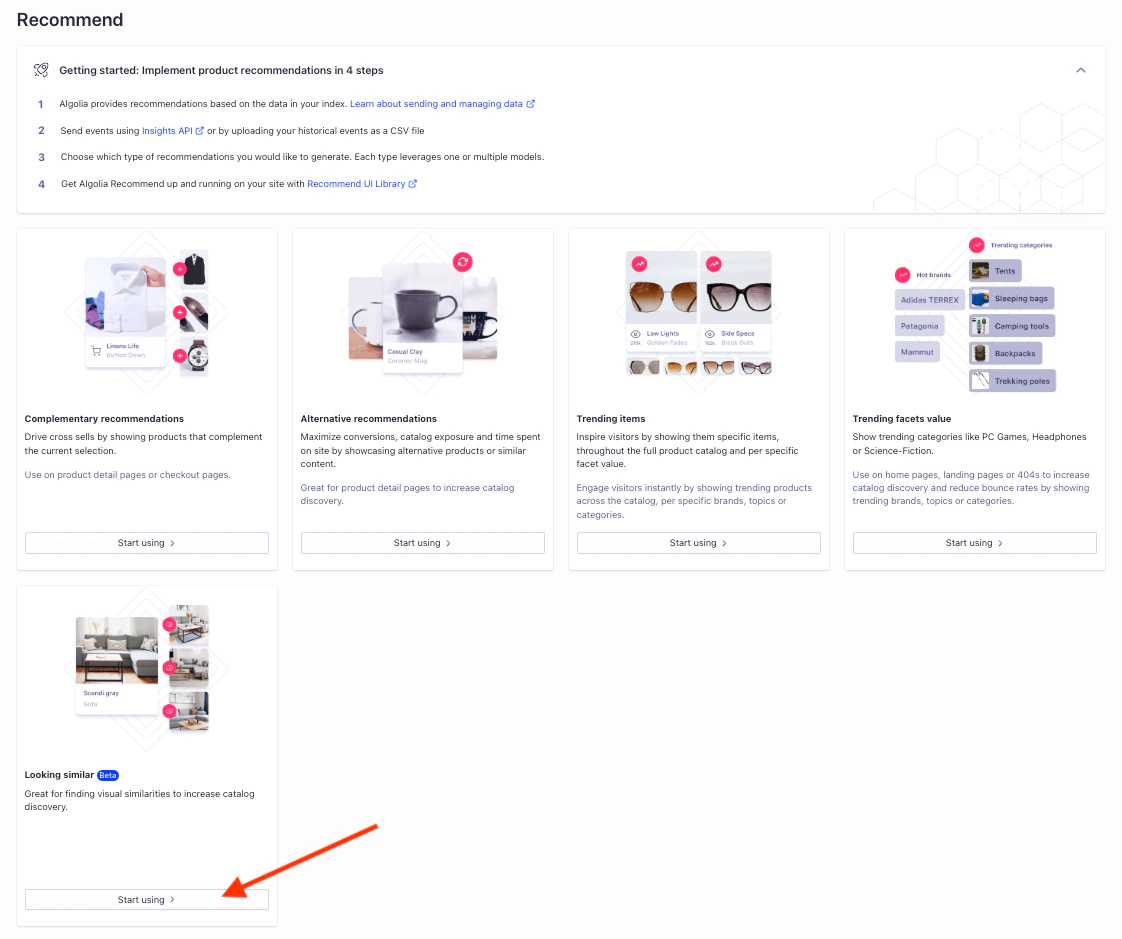
1. Go to the [Algolia dashboard](https://dashboard.algolia.com/recommend) and select your Algolia application.
2. On the left sidebar, select **Recommend**.
3. In the **Looking similar** section, click **Start using**.
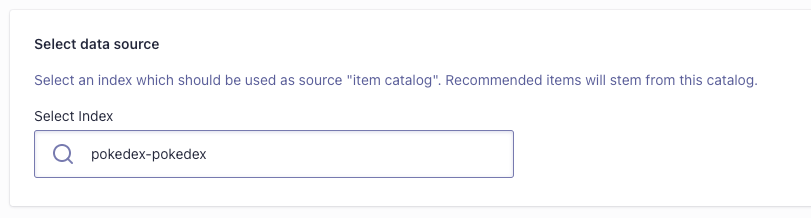
4. Select an index with image URLs you want to use as the data source.
5. Select up to three image attributes.
The recommended items will be sorted by the **best score**.
The model supports images from single attributes with single values, such as `productImage`,
from attributes with several values, such as `rentalHomeImages`, or from several attributes,
such as `productImage`, `userProvidedProductImage`.
6. Start training the model by clicking **Start training**.
## Check the training results
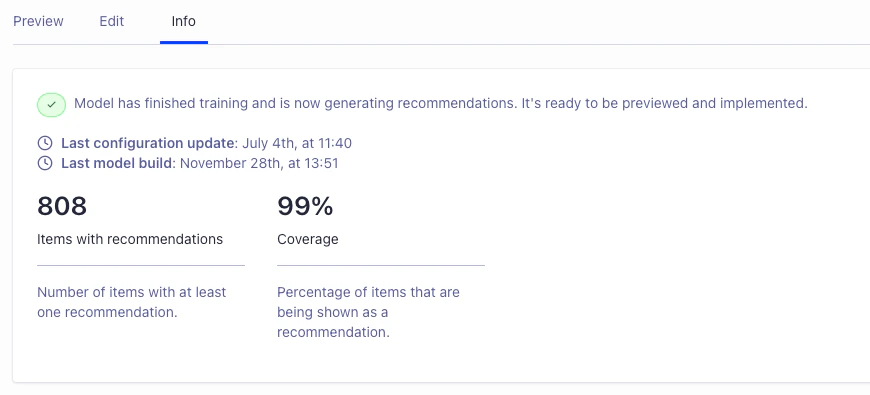
After a few minutes,
you can find training metrics in the **Info** tab of the model overview,
the number and percentage of items with recommendations.
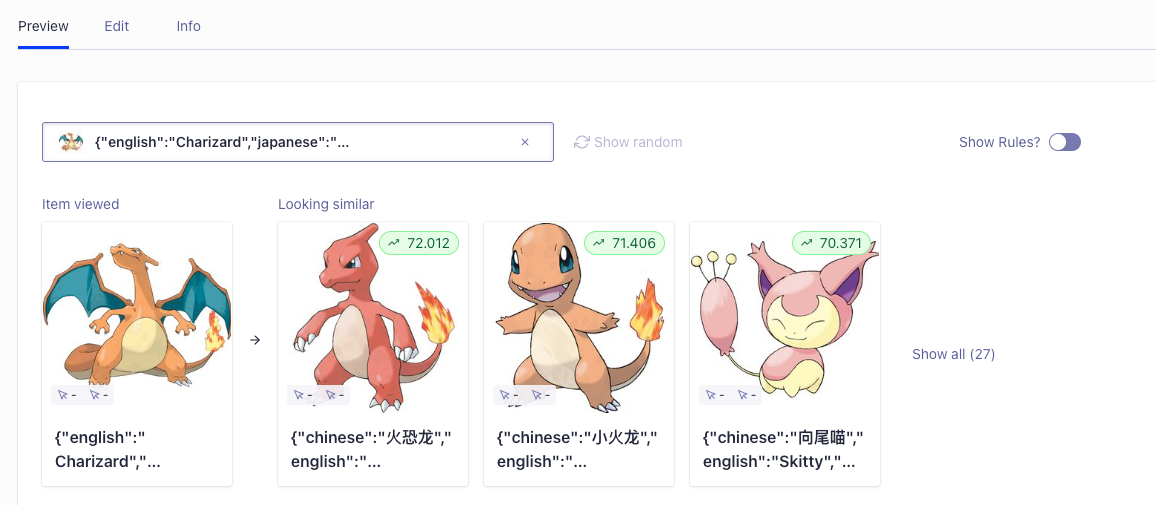
The coverage (percentage of items recommended at least once) should be high as the model generates up to 30 recommendations per item with images.
Check the results in the **Preview** tab by typing a few characters to select a source item.
## Integration
The InstantSearch.js and React InstantSearch UI libraries have widgets for showing recommendations from the Looking Similar model:
* [Looking Similar widget (InstantSearch.js)](/doc/api-reference/widgets/looking-similar/js)
* [Looking Similar widget (React InstantSearch)](/doc/api-reference/widgets/looking-similar/react)
Alternatively, you can get these recommendations with the [JavaScript API client](/doc/libraries/sdk/v1/methods/get-looking-similar).
 4. Select an index with image URLs you want to use as the data source.
 5. Select up to three image attributes.
The recommended items will be sorted by the **best score**.
5. Select up to three image attributes.
The recommended items will be sorted by the **best score**.

 ## Integration
The InstantSearch.js and React InstantSearch UI libraries have widgets for showing recommendations from the Looking Similar model:
* [Looking Similar widget (InstantSearch.js)](/doc/api-reference/widgets/looking-similar/js)
* [Looking Similar widget (React InstantSearch)](/doc/api-reference/widgets/looking-similar/react)
Alternatively, you can get these recommendations with the [JavaScript API client](/doc/libraries/sdk/v1/methods/get-looking-similar).
## Integration
The InstantSearch.js and React InstantSearch UI libraries have widgets for showing recommendations from the Looking Similar model:
* [Looking Similar widget (InstantSearch.js)](/doc/api-reference/widgets/looking-similar/js)
* [Looking Similar widget (React InstantSearch)](/doc/api-reference/widgets/looking-similar/react)
Alternatively, you can get these recommendations with the [JavaScript API client](/doc/libraries/sdk/v1/methods/get-looking-similar).