> ## Documentation Index
> Fetch the complete documentation index at: https://algolia.com/llms.txt
> Use this file to discover all available pages before exploring further.
# Autocomplete
> Learn how to build an autocomplete search experience with InstantSearch.js.
export const AcademyLink = ({href, title}) => {
return Learn more about: {title};
};
**Autocomplete is a ubiquitous part of most search experiences.** Search providers like Google, ecommerce sites like Amazon, and messaging apps like Slack all offer autocomplete experiences on mobile and desktop.
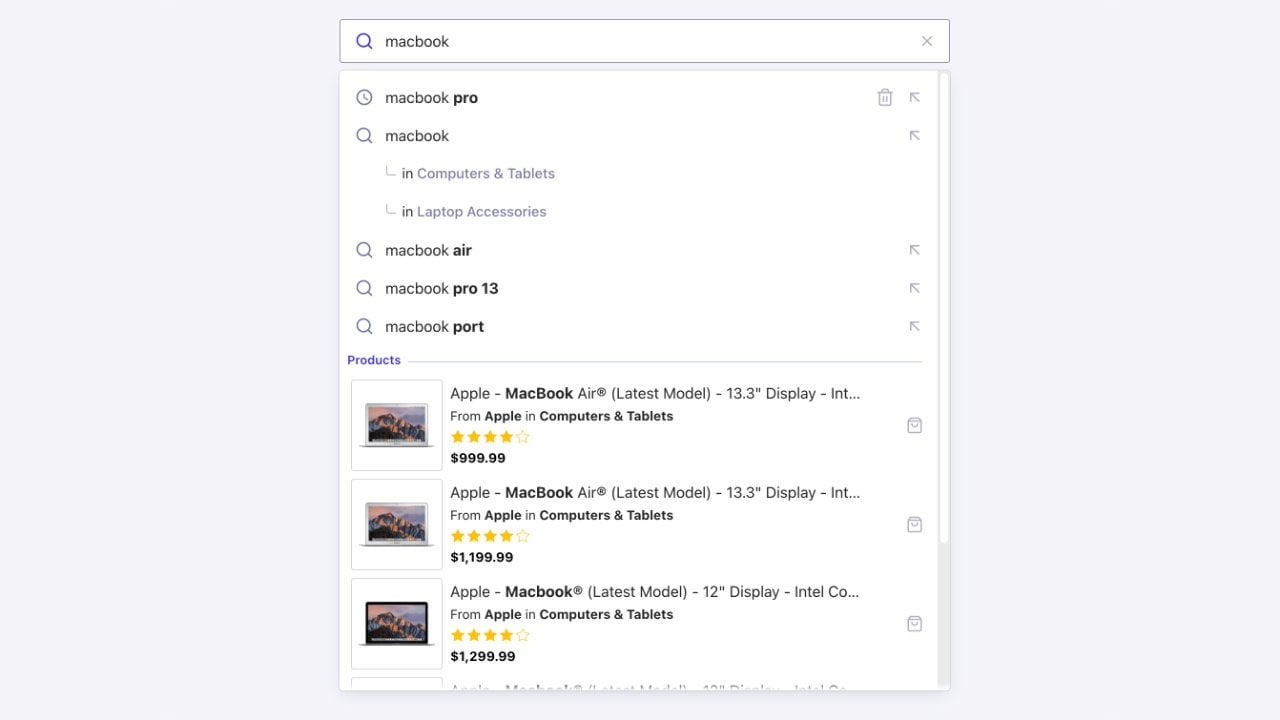 Algolia provides a full-featured solution to build autocomplete experiences with InstantSearch. The [`autocomplete`](/doc/api-reference/widgets/autocomplete/js) widget lets you build an accessible, as-you-type autocomplete user interface that you can integrate anywhere on your site or app.
Run and edit the Autocomplete example in CodeSandbox.
Browse the source for the Autocomplete example on GitHub.
A common pattern in search is to implement a search box with an autocomplete as a first step of the search experience.
**Adding an autocomplete to a search page lets you enhance the search experience and create a richer, more contextual search.**
You can use the [`autocomplete`](/doc/api-reference/widgets/autocomplete/js) widget in an existing or a new InstantSearch.js implementation to create this kind of experience.
To learn more, see [Build a Query Suggestions UI](/doc/guides/building-search-ui/ui-and-ux-patterns/query-suggestions/tutorials/building-query-suggestions-ui/js).
Algolia provides a full-featured solution to build autocomplete experiences with InstantSearch. The [`autocomplete`](/doc/api-reference/widgets/autocomplete/js) widget lets you build an accessible, as-you-type autocomplete user interface that you can integrate anywhere on your site or app.
Run and edit the Autocomplete example in CodeSandbox.
Browse the source for the Autocomplete example on GitHub.
A common pattern in search is to implement a search box with an autocomplete as a first step of the search experience.
**Adding an autocomplete to a search page lets you enhance the search experience and create a richer, more contextual search.**
You can use the [`autocomplete`](/doc/api-reference/widgets/autocomplete/js) widget in an existing or a new InstantSearch.js implementation to create this kind of experience.
To learn more, see [Build a Query Suggestions UI](/doc/guides/building-search-ui/ui-and-ux-patterns/query-suggestions/tutorials/building-query-suggestions-ui/js).