> ## Documentation Index
> Fetch the complete documentation index at: https://algolia.com/llms.txt
> Use this file to discover all available pages before exploring further.
# Enable real-time personalization
export const Affinity = () =>
affinity
;
This feature isn't available on every plan.
Refer to your [pricing plan](https://www.algolia.com/pricing) to see if it's included.
[**Real-time personalization**](https://dashboard.algolia.com/advanced-personalization/configuration/real-time) dynamically optimizes search results based on users' real-time interactions within their current session. This personalization approach:
* Provides coverage for all users, including first-time visitors
* Happens in real-time as users interact with your website
* Adapts continuously to the user's changing intent
* Complements historical personalization for a comprehensive strategy
Real-time personalization will activate only for new users,
while historical personalization will apply for returning users.
By relying on immediate behavioral signals,
real-time personalization delivers a responsive search experience that evolves with the user's journey,
enhancing desirability without requiring previous visit history.
For a detailed comparison,
read about the [differences between real-time and historical personalization](/doc/guides/personalization/advanced-personalization/what-is-advanced-personalization/in-depth/real-time-personalization-and-historical-personalization).
## Enable real-time personalization
**Prerequisite**:
you must configure [Advanced Personalization](/doc/guides/personalization/advanced-personalization/what-is-advanced-personalization) before enabling real-time personalization.
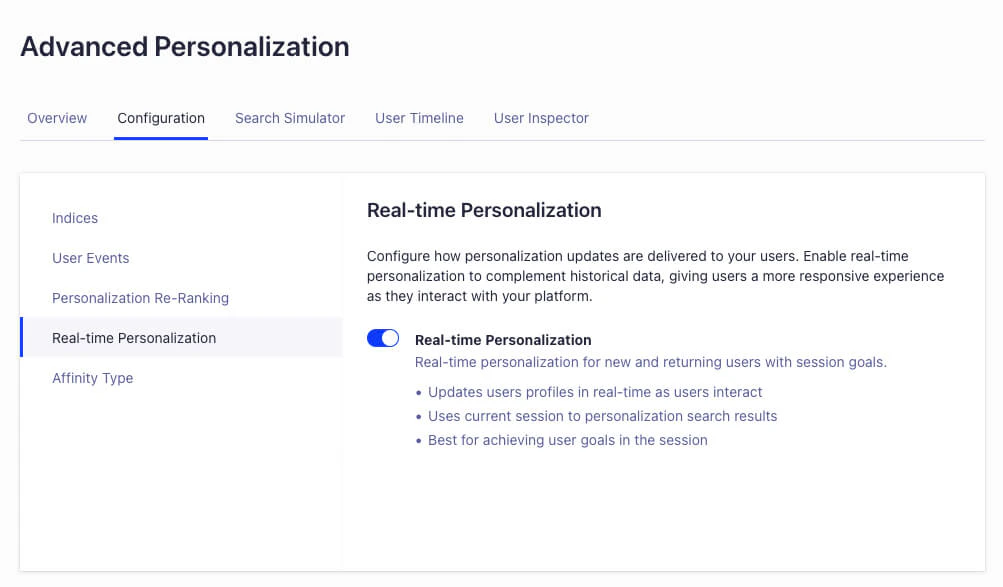
Go to the Algolia dashboard to [enable real-time personalization](https://dashboard.algolia.com/advanced-personalization/configuration/real-time).
 ## Troubleshooting
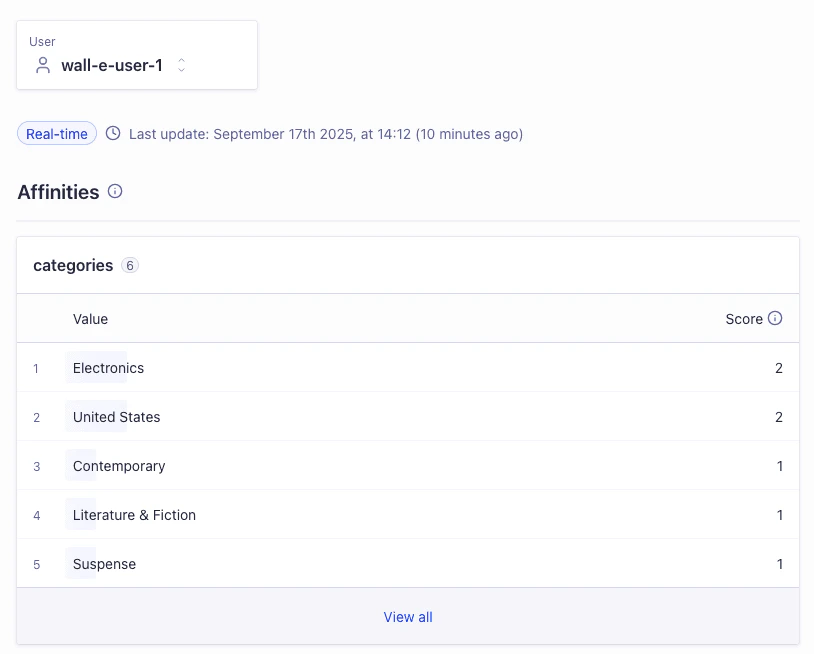
You can use the Advanced Personalization [user inspector](https://dashboard.algolia.com/advanced-personalization/user) to review each user .
A badge indicates if real-time affinities are being used.
## Troubleshooting
You can use the Advanced Personalization [user inspector](https://dashboard.algolia.com/advanced-personalization/user) to review each user .
A badge indicates if real-time affinities are being used.