> ## Documentation Index
> Fetch the complete documentation index at: https://algolia.com/llms.txt
> Use this file to discover all available pages before exploring further.
# Configure indices to personalize
> Learn how to configure your indices for Advanced Personalization.
export const Index = () =>
index
;
export const Facet = () =>
facet
;
export const Events = () =>
events
;
export const Affinity = () =>
affinity
;
The first step to configuring the Advanced Personalization feature is to select the indices for which to enable personalization.
To start personalizing an index,
go to the Advanced Personalization dashboard's [**Configuration**](https://dashboard.algolia.com/advanced-personalization/configuration/indices)
page, and click **Personalize an index**.
 This feature isn't available on every plan.
Refer to your [pricing plan](https://www.algolia.com/pricing) to see if it's included.
## Select the index to personalize
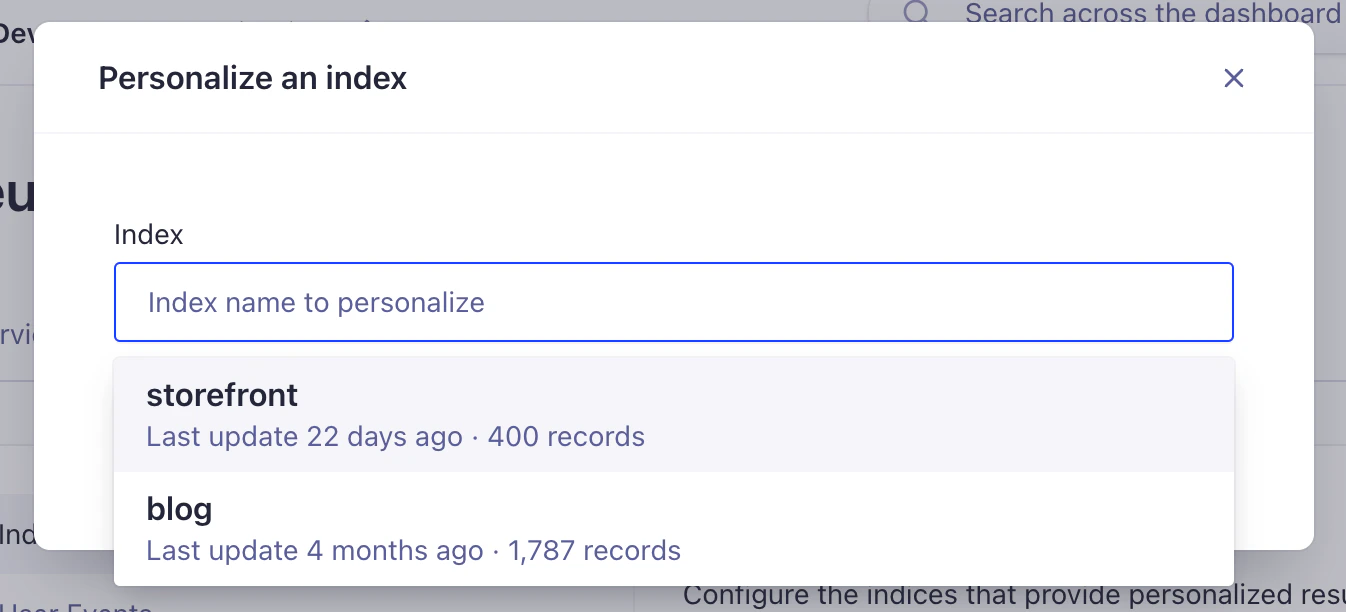
To get started, select either a primary or one of its replicas from the menu.
Advanced Personalization doesn't support personalizing both an index and its replicas at the same time.
When you personalize a primary index,
its and mappings automatically apply to all replicas, and vice versa.
This feature isn't available on every plan.
Refer to your [pricing plan](https://www.algolia.com/pricing) to see if it's included.
## Select the index to personalize
To get started, select either a primary or one of its replicas from the menu.
Advanced Personalization doesn't support personalizing both an index and its replicas at the same time.
When you personalize a primary index,
its and mappings automatically apply to all replicas, and vice versa.
 ## Select the attributes for affinities
To personalize the search experience,
Advanced Personalization needs to know which attributes to use as affinities.
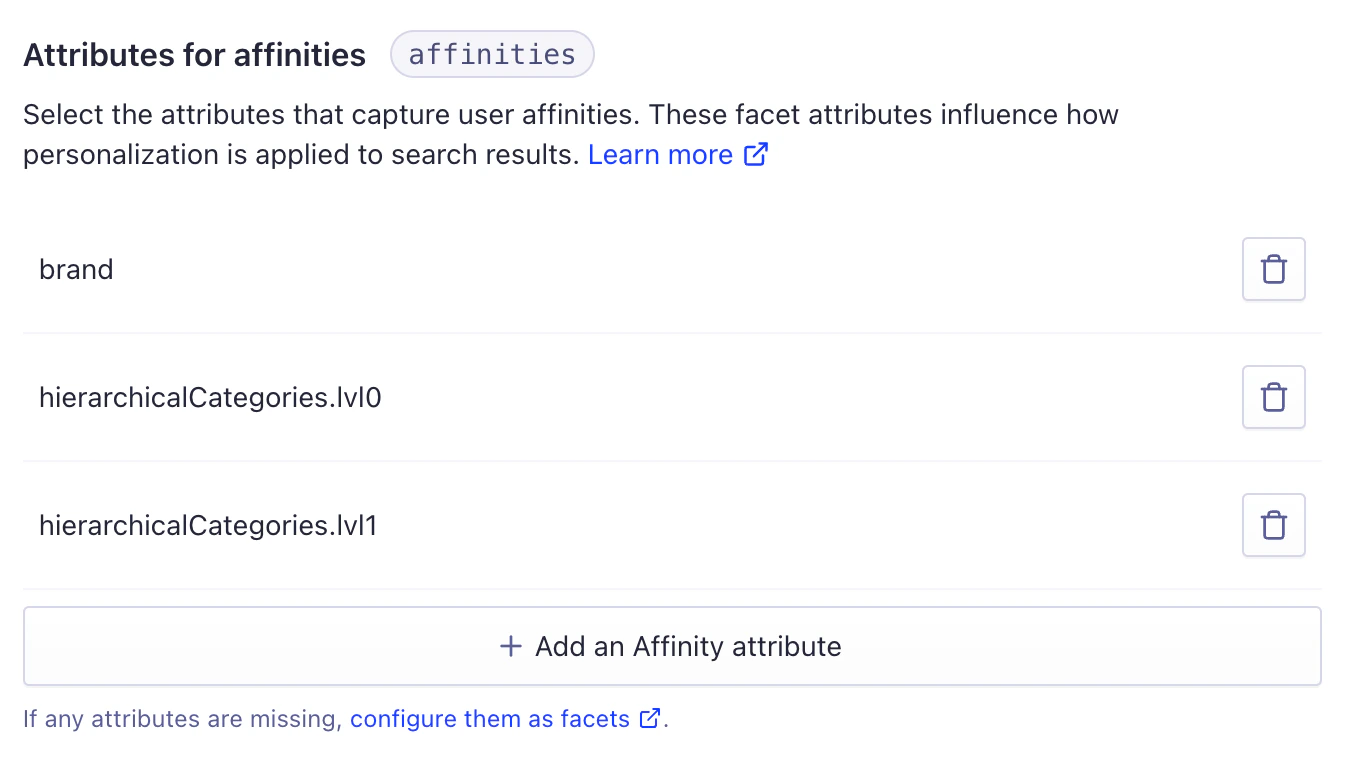
In the **Affinities** field, add all the relevant facet attributes you want to use for personalization.
For example, if you're running an ecommerce website,
relevant facet attributes might include category, color, gender, and size.
## Select the attributes for affinities
To personalize the search experience,
Advanced Personalization needs to know which attributes to use as affinities.
In the **Affinities** field, add all the relevant facet attributes you want to use for personalization.
For example, if you're running an ecommerce website,
relevant facet attributes might include category, color, gender, and size.
 When selecting attributes as affinities, consider the following:
* **Advanced Personalization relies on facet attributes.**
Make sure to add the attributes to use as affinities to the [`attributesForFaceting`](https://dashboard.algolia.com/explorer/configuration/facets/) setting in the Algolia dashboard.
* **Advanced Personalization supports dot notation in facet attribute names.**
This is useful when selecting nested facet attributes as affinities for personalization.
* **Advanced Personalization supports array attributes** to capture multiple values for a single facet attribute.
* **Advanced Personalization doesn't support the [`filterOnly`](/doc/api-reference/api-parameters/attributesForFaceting#param-filter-only) modifier for facet attributes,** since users won't interact with these attributes. They're used for [filtering, not faceting](/doc/guides/managing-results/refine-results/faceting#difference-between-filters-and-facets).
## Next step
After setting up the indices, you must [define the events collection strategy](/doc/guides/personalization/advanced-personalization/configure/setup/events) to improve the accuracy of user signals.
## Reference
* [Update the configuration with the Advanced Personalization REST API](/doc/rest-api/advanced-personalization/put-config)
When selecting attributes as affinities, consider the following:
* **Advanced Personalization relies on facet attributes.**
Make sure to add the attributes to use as affinities to the [`attributesForFaceting`](https://dashboard.algolia.com/explorer/configuration/facets/) setting in the Algolia dashboard.
* **Advanced Personalization supports dot notation in facet attribute names.**
This is useful when selecting nested facet attributes as affinities for personalization.
* **Advanced Personalization supports array attributes** to capture multiple values for a single facet attribute.
* **Advanced Personalization doesn't support the [`filterOnly`](/doc/api-reference/api-parameters/attributesForFaceting#param-filter-only) modifier for facet attributes,** since users won't interact with these attributes. They're used for [filtering, not faceting](/doc/guides/managing-results/refine-results/faceting#difference-between-filters-and-facets).
## Next step
After setting up the indices, you must [define the events collection strategy](/doc/guides/personalization/advanced-personalization/configure/setup/events) to improve the accuracy of user signals.
## Reference
* [Update the configuration with the Advanced Personalization REST API](/doc/rest-api/advanced-personalization/put-config)