> ## Documentation Index
> Fetch the complete documentation index at: https://algolia.com/llms.txt
> Use this file to discover all available pages before exploring further.
# Delete user profiles
> Learn how to delete a user profile from Advanced Personalization.
Advanced Personalization feature uses click and conversion events to [generate user profiles](/doc/guides/personalization/advanced-personalization/what-is-advanced-personalization/in-depth/how-does-advanced-personalization-work).
To comply with local data protection regulations,
you may be required to delete your users' data upon their request.
This guide explains how to delete an Advanced Personalization user profile.
To delete all events, see [Delete a user token](/doc/rest-api/insights) in the Insights API.
This feature isn't available on every plan.
Refer to your [pricing plan](https://www.algolia.com/pricing) to see if it's included.
## Stop sending events
If you continue to send events after you call the deletion endpoint,
a new user profile is generated from those events.
Before deleting a user profile from Advanced Personalization,
ensure that you are no longer send events with that `userToken`.
## Delete the user profile
### Delete the user in the dashboard
After confirming that you no longer send events for the user,
go to the [user inspector](https://dashboard.algolia.com/advanced-personalization/user) in the dashboard and click **Delete user**.
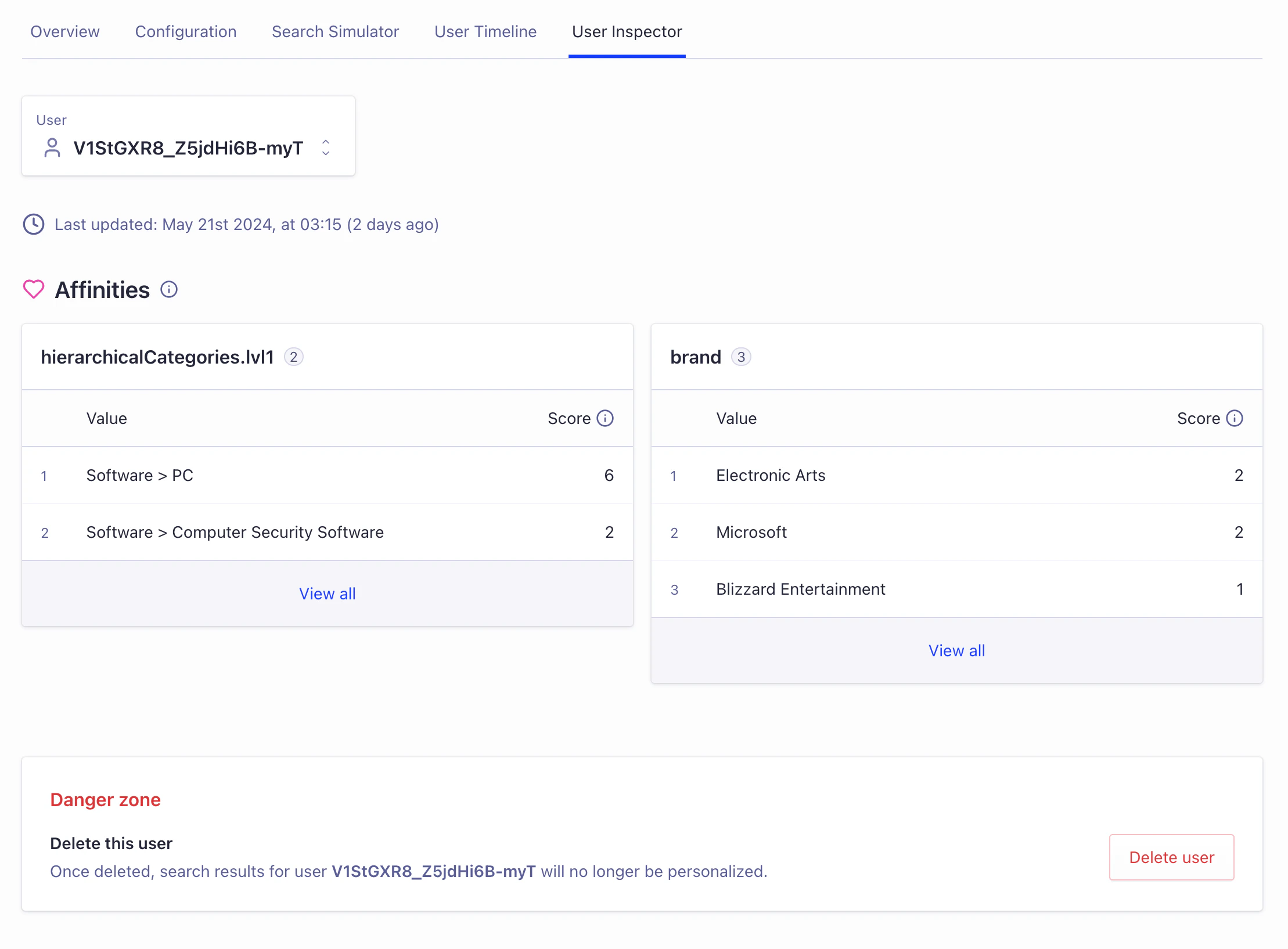 **This operation is irreversible** and, once complete, search results for the user will no longer be personalized.
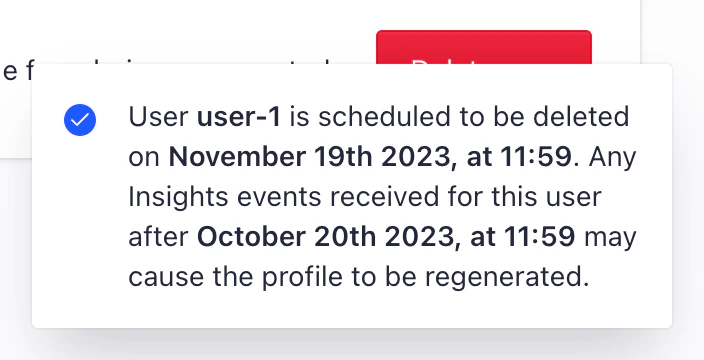
The user profile is queued for deletion and a notification confirms the date and time,
in [UTC](https://en.wikipedia.org/wiki/Coordinated_Universal_Time),
that events are no longer used to generate a profile for the user.
This should be around the same time you called the endpoint.
The notification also confirms when the user's data will be deleted (UTC time and date).
To comply with data protection regulations,
this date is 30 days from the time the request is made.
Some data may be deleted earlier.
**This operation is irreversible** and, once complete, search results for the user will no longer be personalized.
The user profile is queued for deletion and a notification confirms the date and time,
in [UTC](https://en.wikipedia.org/wiki/Coordinated_Universal_Time),
that events are no longer used to generate a profile for the user.
This should be around the same time you called the endpoint.
The notification also confirms when the user's data will be deleted (UTC time and date).
To comply with data protection regulations,
this date is 30 days from the time the request is made.
Some data may be deleted earlier.
 ### Confirm the deletion was successful
As soon as the deletion time is confirmed,
the user profile will no longer be accessible in the dashboard.
You may have to refresh the page for this change to take effect.
If the user profile reappears,
use the [**Events Debugger**](https://dashboard.algolia.com/events/debugger) to ensure that you aren't continuing to send Insights events for that user,
and that the same ID hasn't been assigned to a new user.
Then complete the deletion steps again.
Only **after** the scheduled deletion date you can be sure that the user profile has been successfully deleted from Advanced Personalization.
If you don't use the deletion button, user data is automatically deleted after 90 days.
## See also
* [Delete an Advanced Personalization user profile](/doc/rest-api/advanced-personalization/delete-user)
* [Delete click and conversion events for a user token](/doc/rest-api/insights)
### Confirm the deletion was successful
As soon as the deletion time is confirmed,
the user profile will no longer be accessible in the dashboard.
You may have to refresh the page for this change to take effect.
If the user profile reappears,
use the [**Events Debugger**](https://dashboard.algolia.com/events/debugger) to ensure that you aren't continuing to send Insights events for that user,
and that the same ID hasn't been assigned to a new user.
Then complete the deletion steps again.
Only **after** the scheduled deletion date you can be sure that the user profile has been successfully deleted from Advanced Personalization.
If you don't use the deletion button, user data is automatically deleted after 90 days.
## See also
* [Delete an Advanced Personalization user profile](/doc/rest-api/advanced-personalization/delete-user)
* [Delete click and conversion events for a user token](/doc/rest-api/insights)