> ## Documentation Index
> Fetch the complete documentation index at: https://algolia.com/llms.txt
> Use this file to discover all available pages before exploring further.
# AI-assisted transformations
> How AI can help build no-code transformations.
export const Application = () =>
application
;
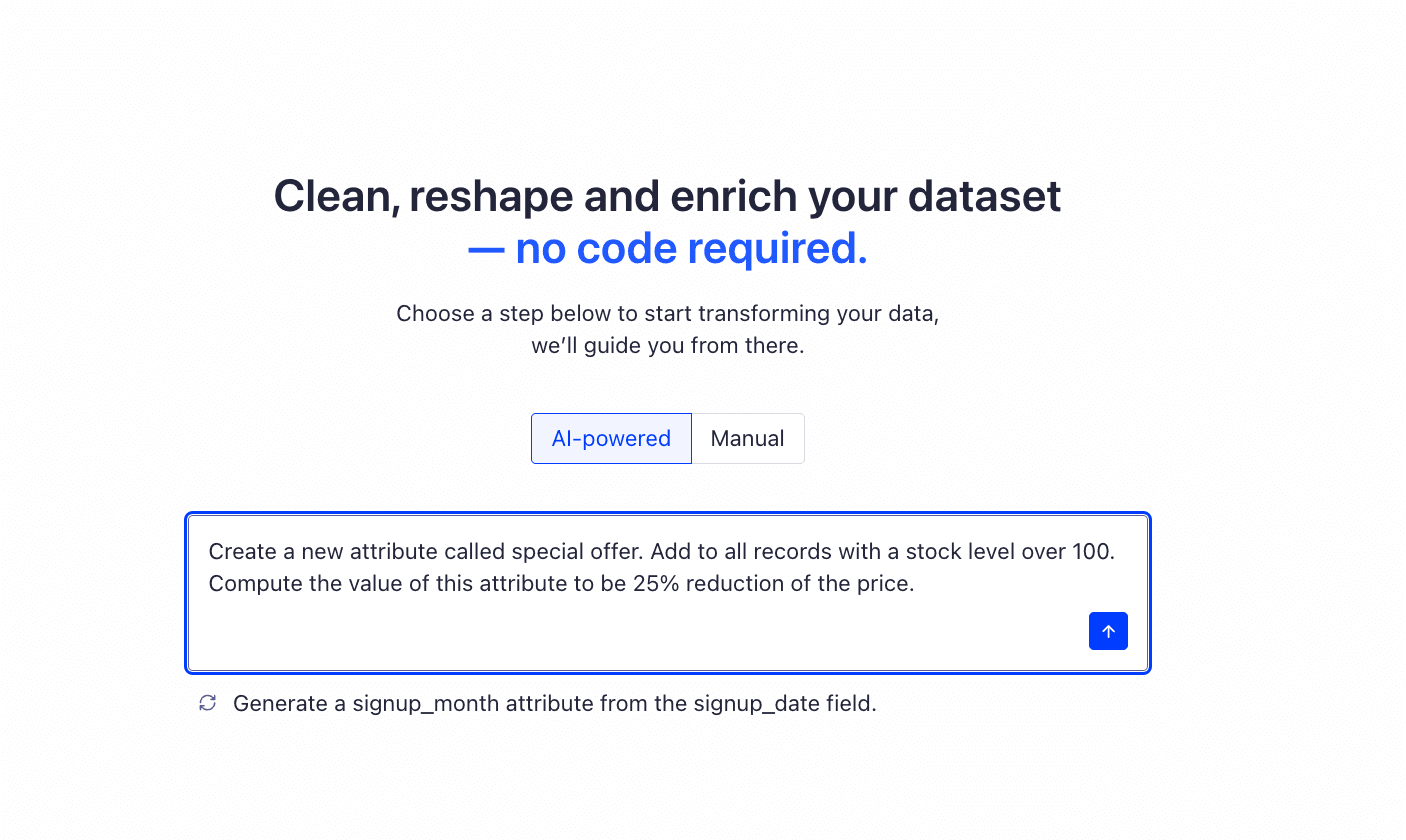
Instead of using the form-based [no-code transformation builder](/doc/guides/sending-and-managing-data/send-and-update-your-data/how-to/transform-your-data-without-code),
describe the transformation you need in plain English,
and AI will generate the configuration for you.
This is useful for complex conditions or computed values.
 ## When to use AI-Assisted transformations
This feature is for users who need to adjust data without writing code.
It helps when you want to:
* **Add new attributes.** For example, add a discount percentage field from the full price and the sale price.
* **Remove fields** that are no longer relevant.
* **Filter records.** For example, to exclude test products or filter by status.
* **Compute new values** from existing attributes. For example, create a ranking signal by combining popularity and newness.
### Key benefits
* **Simplifies complex logic.** You don't need to build nested "if/then" rules manually: AI handles it.
* **Faster iteration.** Quickly test and refine transformations using natural language.
* **You stay in control.** AI fills in the form, but you can review and adjust it before applying.
* **Preview before applying.** See how your data will look before committing changes.
## Use AI to build a transformation
1. Go to the [Algolia dashboard](https://dashboard.algolia.com/explorer/browse) and select your Algolia .
2. On the left sidebar, select **Data sources**.
3. Open the [**Connectors**](https://dashboard.algolia.com/connectors) page and select a connector.
4. Configure your data source by selecting the appropriate options.
5. Click **Create source**
6. Select **Create a new transformation** and then select **Transform without code**.
7. Click **AI Assist**
8. Describe your transformation by typing it in plain English. For example: "If price is greater than 100, add the label 'expensive'."
## When to use AI-Assisted transformations
This feature is for users who need to adjust data without writing code.
It helps when you want to:
* **Add new attributes.** For example, add a discount percentage field from the full price and the sale price.
* **Remove fields** that are no longer relevant.
* **Filter records.** For example, to exclude test products or filter by status.
* **Compute new values** from existing attributes. For example, create a ranking signal by combining popularity and newness.
### Key benefits
* **Simplifies complex logic.** You don't need to build nested "if/then" rules manually: AI handles it.
* **Faster iteration.** Quickly test and refine transformations using natural language.
* **You stay in control.** AI fills in the form, but you can review and adjust it before applying.
* **Preview before applying.** See how your data will look before committing changes.
## Use AI to build a transformation
1. Go to the [Algolia dashboard](https://dashboard.algolia.com/explorer/browse) and select your Algolia .
2. On the left sidebar, select **Data sources**.
3. Open the [**Connectors**](https://dashboard.algolia.com/connectors) page and select a connector.
4. Configure your data source by selecting the appropriate options.
5. Click **Create source**
6. Select **Create a new transformation** and then select **Transform without code**.
7. Click **AI Assist**
8. Describe your transformation by typing it in plain English. For example: "If price is greater than 100, add the label 'expensive'."
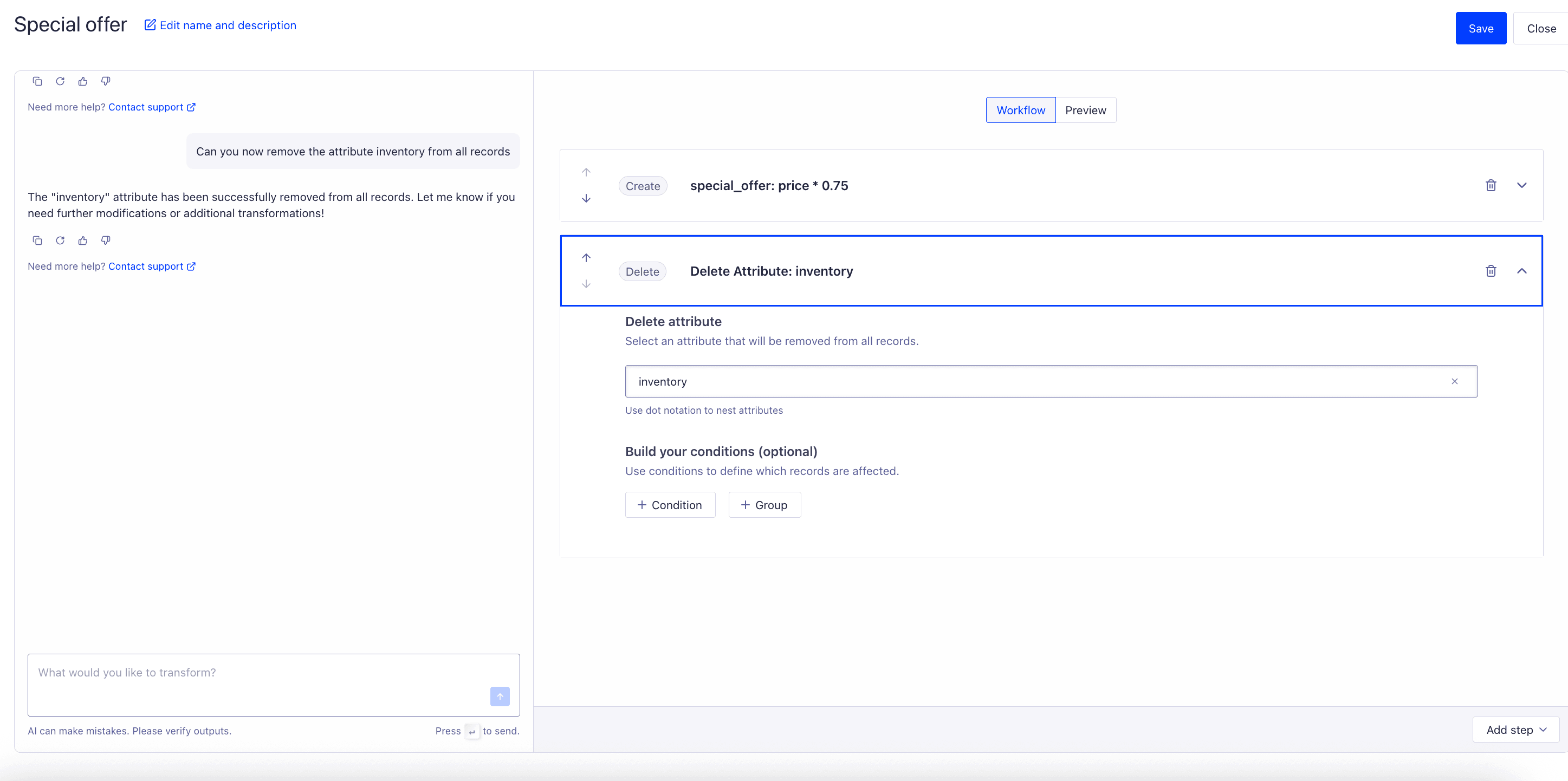 9. **Review the suggestion.** AI generates a transformation configuration based on your prompt. You'll see a preview showing how your data will change before you apply it. Refine the transformation either by adjusting your prompt or by editing the form fields.
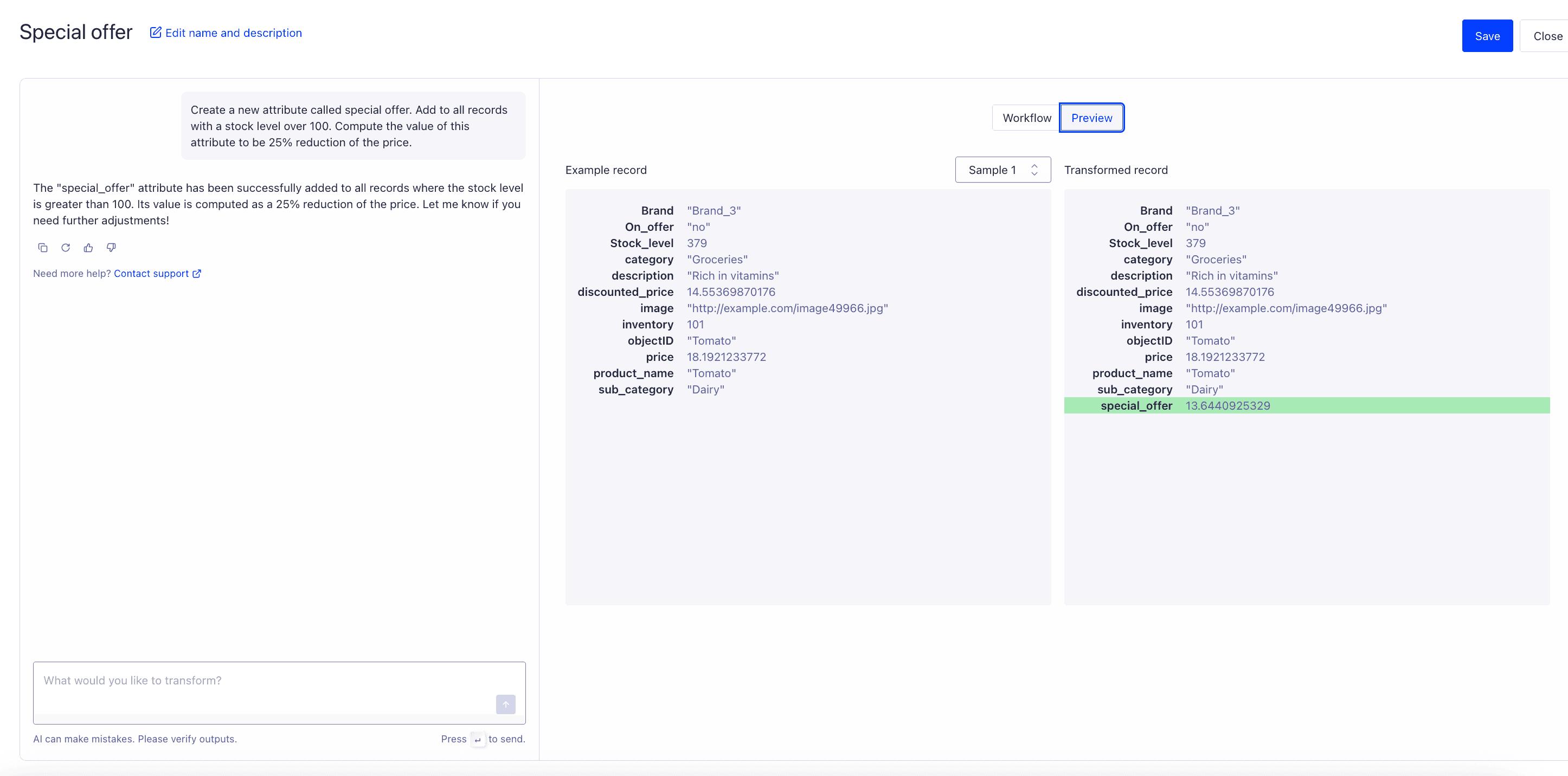 10. Name the transformation and save it.
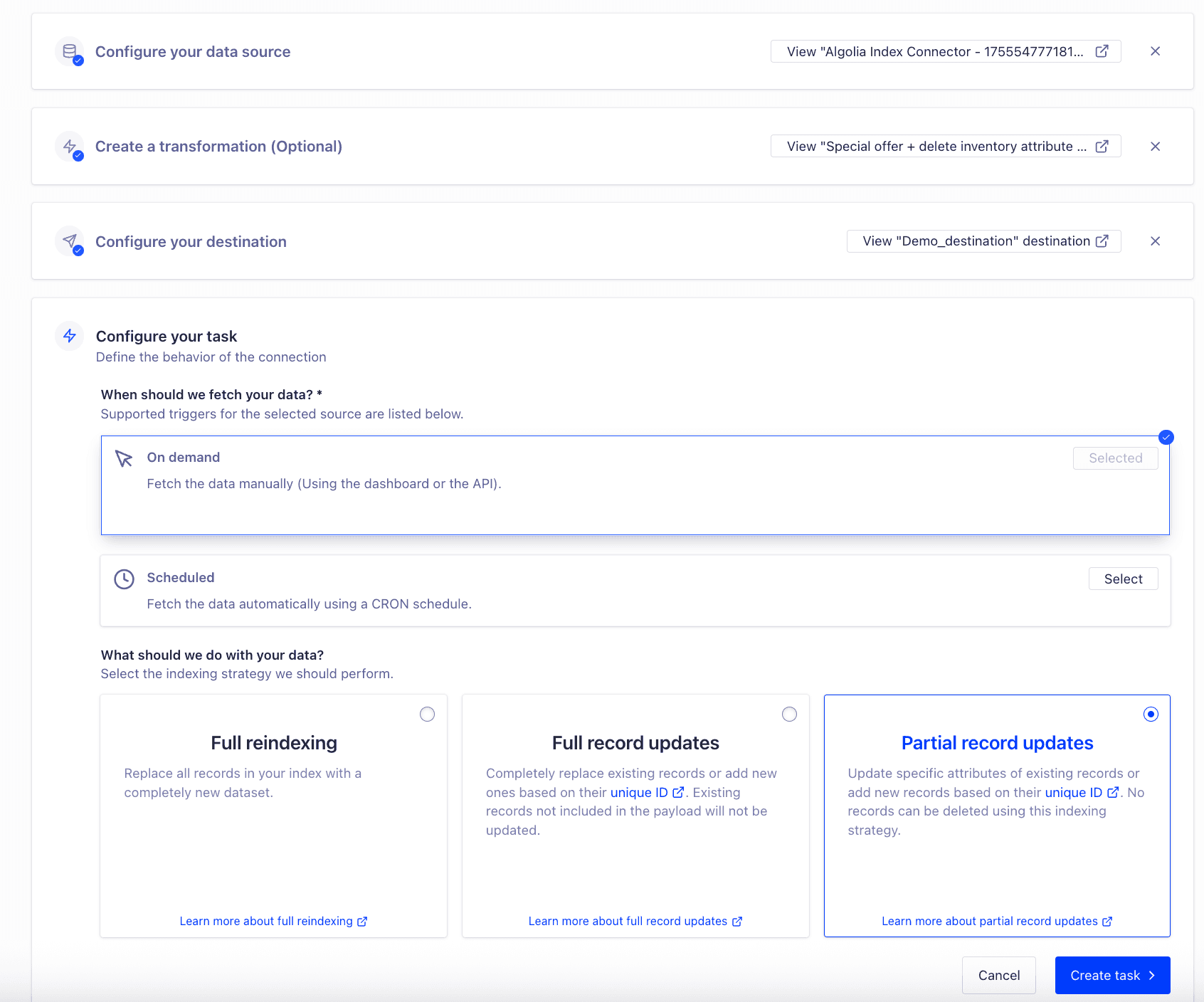
11. Complete the remaining connector workflow: select a destination, create the task that will schedule the job (and its indexing strategy), and then click **Run**. The connector then runs the transformation as part of the workflow.
10. Name the transformation and save it.
11. Complete the remaining connector workflow: select a destination, create the task that will schedule the job (and its indexing strategy), and then click **Run**. The connector then runs the transformation as part of the workflow.
 ## Limitations
The AI assistant has a few constraints to keep in mind when using it with No Code data transformations.
* **Limited transformation types.**
Only these transformation types are supported:
*Add Attribute*, *Remove Attribute*, *Filter Records*, and *Compute New Value*. It doesn't cover advanced operations like joins, type conversions, or hierarchical restructuring.
* **Accuracy of suggestions.**
The perfect transformation may not always be generated. Review and, if needed, refine the suggestion before applying it. This "human in the loop" step is essential.
* **Prompt constraints.**
Prompts must be concise and specific. Long or ambiguous descriptions may lead to incomplete or incorrect transformations.
* **Performance limits.**
Transformations are still bound by Algolia's [service limits](/doc/guides/scaling/algolia-service-limits) (for example, record size, memory, and execution timeout). AI can't bypass these constraints.
* **Security and data handling.**
Only the record schema and your written prompt are sent to the AI model, not full record data. This means if you include sensitive data in a prompt, it *could* be processed, so avoid adding personally identifiable information or confidential values.
* **Over-reliance.**
Use AI to help, not replace your judgment. Confirm that the previewed changes are correct, as incorrect logic could affect search relevance.
* **Language coverage.**
Prompts are optimized for English. Support for other languages is limited.
## Limitations
The AI assistant has a few constraints to keep in mind when using it with No Code data transformations.
* **Limited transformation types.**
Only these transformation types are supported:
*Add Attribute*, *Remove Attribute*, *Filter Records*, and *Compute New Value*. It doesn't cover advanced operations like joins, type conversions, or hierarchical restructuring.
* **Accuracy of suggestions.**
The perfect transformation may not always be generated. Review and, if needed, refine the suggestion before applying it. This "human in the loop" step is essential.
* **Prompt constraints.**
Prompts must be concise and specific. Long or ambiguous descriptions may lead to incomplete or incorrect transformations.
* **Performance limits.**
Transformations are still bound by Algolia's [service limits](/doc/guides/scaling/algolia-service-limits) (for example, record size, memory, and execution timeout). AI can't bypass these constraints.
* **Security and data handling.**
Only the record schema and your written prompt are sent to the AI model, not full record data. This means if you include sensitive data in a prompt, it *could* be processed, so avoid adding personally identifiable information or confidential values.
* **Over-reliance.**
Use AI to help, not replace your judgment. Confirm that the previewed changes are correct, as incorrect logic could affect search relevance.
* **Language coverage.**
Prompts are optimized for English. Support for other languages is limited.