> ## Documentation Index
> Fetch the complete documentation index at: https://algolia.com/llms.txt
> Use this file to discover all available pages before exploring further.
# Browse
> Design and build best-in-class category and product listing pages.
With Algolia's Browse solutions, you can build **product listing pages** and **content carousels** optimized for your promotional sales and business objectives.
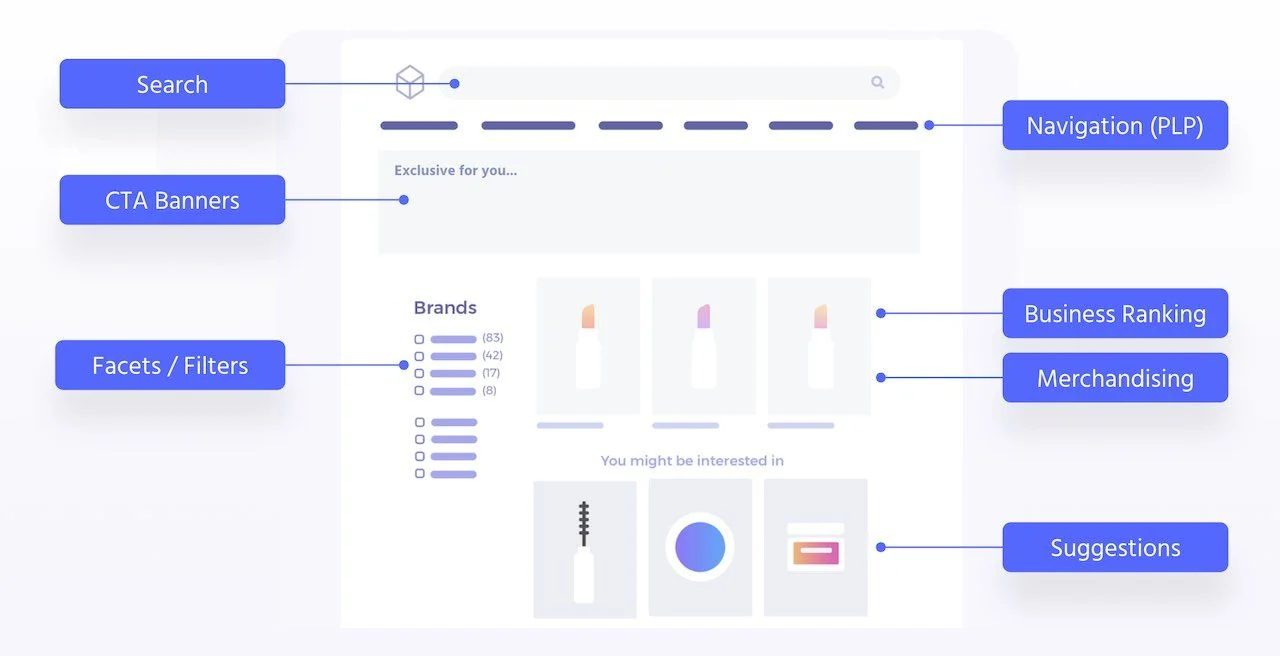 Benefits of using Algolia to power product listing pages:
* **Personalization and AI.** Use [behavioral signals](/doc/guides/sending-events) in search and category pages to enhance results in all product listing pages with Algolia's [personalization](/doc/guides/personalization/classic-personalization/what-is-personalization) and [Dynamic Re-ranking](/doc/guides/algolia-ai/re-ranking) capabilities.
* **Merchandising.** Use Algolia's robust [merchandising](/doc/guides/managing-results/rules/merchandising-and-promoting), [relevance and ranking](/doc/guides/managing-results/relevance-overview), and [relevance A/B testing](/doc/guides/ab-testing/what-is-ab-testing) in the backend
* **Navigation and filtering.** Use [Algolia's dynamic filtering](/doc/guides/managing-results/rules/detecting-intent/how-to/applying-a-filter-if-the-query-match-a-facet-value) capabilities to add interactivity to your product feed. You can use Algolia to power your search pages and reuse the same UI components as on your category page with pre-built frontend logic.
* **Speed and performance.** Use [Algolia's infrastructure](/doc/guides/scaling/infrastructure), built for scale. Use Algolia as a dynamic and personalized cache layer and lessen the load on your CMS/DB server.
* **Developer experience.** Use [InstantSearch](/doc/guides/building-search-ui/what-is-instantsearch/js) libraries for rapid frontend UI development.
Benefits of using Algolia to power product listing pages:
* **Personalization and AI.** Use [behavioral signals](/doc/guides/sending-events) in search and category pages to enhance results in all product listing pages with Algolia's [personalization](/doc/guides/personalization/classic-personalization/what-is-personalization) and [Dynamic Re-ranking](/doc/guides/algolia-ai/re-ranking) capabilities.
* **Merchandising.** Use Algolia's robust [merchandising](/doc/guides/managing-results/rules/merchandising-and-promoting), [relevance and ranking](/doc/guides/managing-results/relevance-overview), and [relevance A/B testing](/doc/guides/ab-testing/what-is-ab-testing) in the backend
* **Navigation and filtering.** Use [Algolia's dynamic filtering](/doc/guides/managing-results/rules/detecting-intent/how-to/applying-a-filter-if-the-query-match-a-facet-value) capabilities to add interactivity to your product feed. You can use Algolia to power your search pages and reuse the same UI components as on your category page with pre-built frontend logic.
* **Speed and performance.** Use [Algolia's infrastructure](/doc/guides/scaling/infrastructure), built for scale. Use Algolia as a dynamic and personalized cache layer and lessen the load on your CMS/DB server.
* **Developer experience.** Use [InstantSearch](/doc/guides/building-search-ui/what-is-instantsearch/js) libraries for rapid frontend UI development.