> ## Documentation Index
> Fetch the complete documentation index at: https://algolia.com/llms.txt
> Use this file to discover all available pages before exploring further.
# Moving to production
> What needs to be done when pushing the store to production
export const Index = () =>
index
;
Before going live, make sure to follow these steps when you moving your store to production:
Go to the Algolia configuration in Magento and change the prefix to be unique for the production environment.
For example `magento2_prod_`.
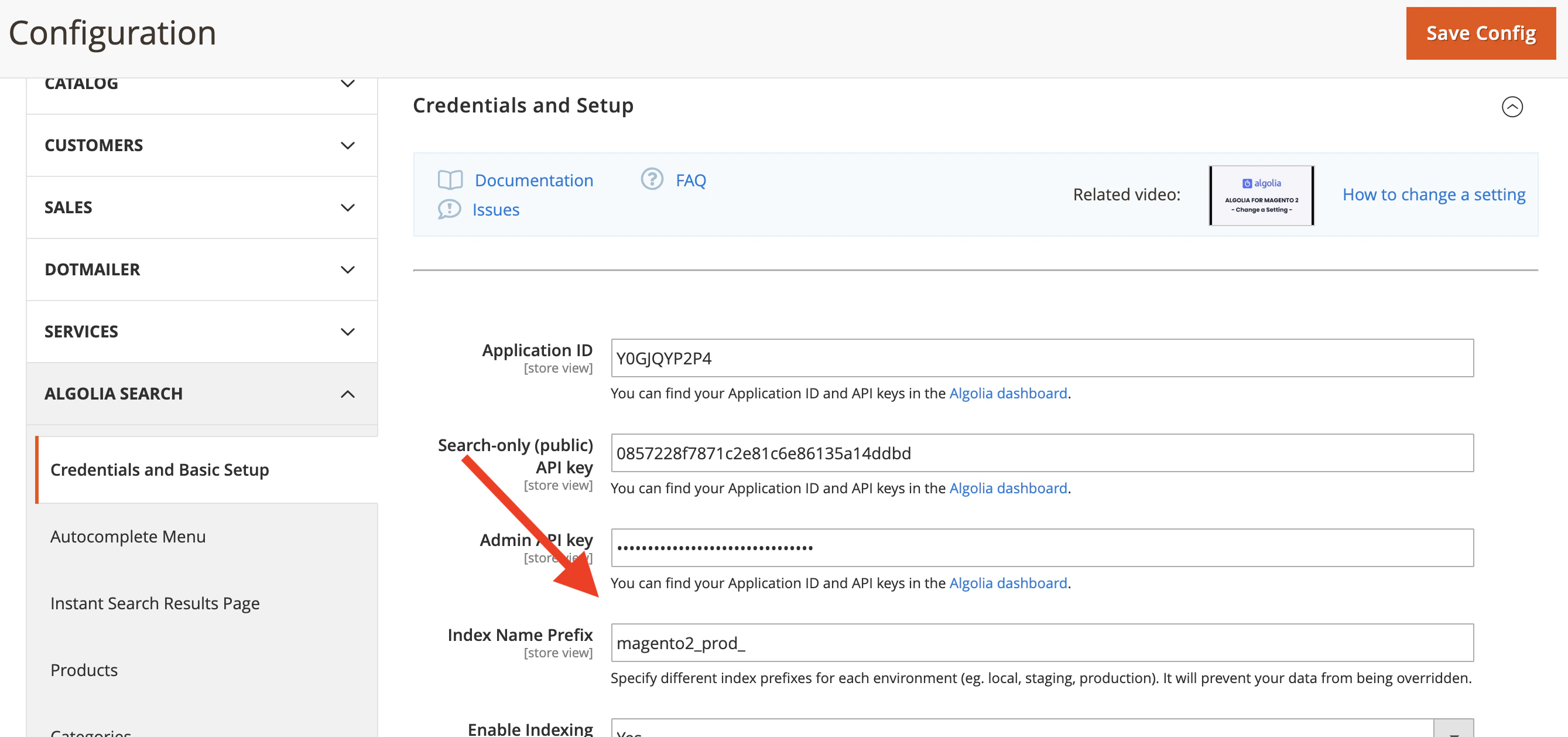 Each environment (testing, staging, production) must have a unique index prefix.
If the index prefixes are the same,
the environments overwrite each other's data and
searching on production might return data from the staging environment.
After changing the index prefix,
the indices with the new names need to be created.
You can achieve this by [reindexing the complete catalog](/doc/integration/magento-2/how-it-works/indexing).
After reindexing,
your search is ready to be used in production.
If you enabled the indexing queue in your new environment and want it to run automatically,
make sure to add the cron job to that environment.
Each environment (testing, staging, production) must have a unique index prefix.
If the index prefixes are the same,
the environments overwrite each other's data and
searching on production might return data from the staging environment.
After changing the index prefix,
the indices with the new names need to be created.
You can achieve this by [reindexing the complete catalog](/doc/integration/magento-2/how-it-works/indexing).
After reindexing,
your search is ready to be used in production.
If you enabled the indexing queue in your new environment and want it to run automatically,
make sure to add the cron job to that environment.