> ## Documentation Index
> Fetch the complete documentation index at: https://algolia.com/llms.txt
> Use this file to discover all available pages before exploring further.
# Query Suggestions
> Enable Algolia Query Suggestions in the Autocomplete menu.
Search suggestions in the Autocomplete menu can come from [Algolia Query Suggestions](/doc/guides/building-search-ui/ui-and-ux-patterns/query-suggestions/js) (this is recommended), from Adobe Commerce and Magento Open Source Search Queries, or you can turn them off entirely.
## Use Algolia Query Suggestions
1. Go to the [Algolia dashboard](https://dashboard.algolia.com/dashboard/).
2. Click **Query Suggestions**
3. Click **New Query Suggestions**
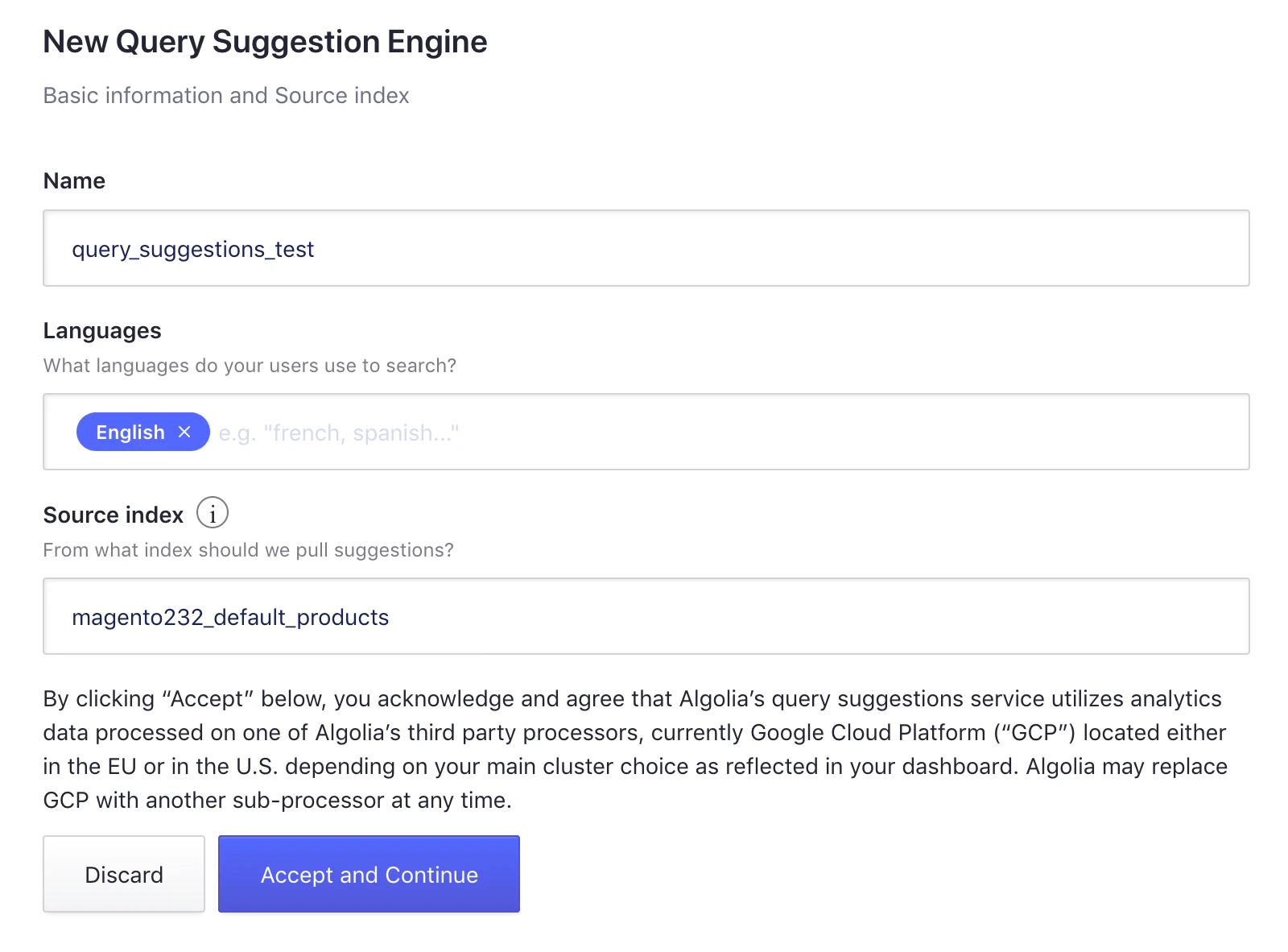 4. Choose an index name (this guide uses `query_suggestions_test`).
5. Select the different languages you're using and the source index (for example, your main product index).
6. Click **Accept and Continue** to create the Query Suggestions index.
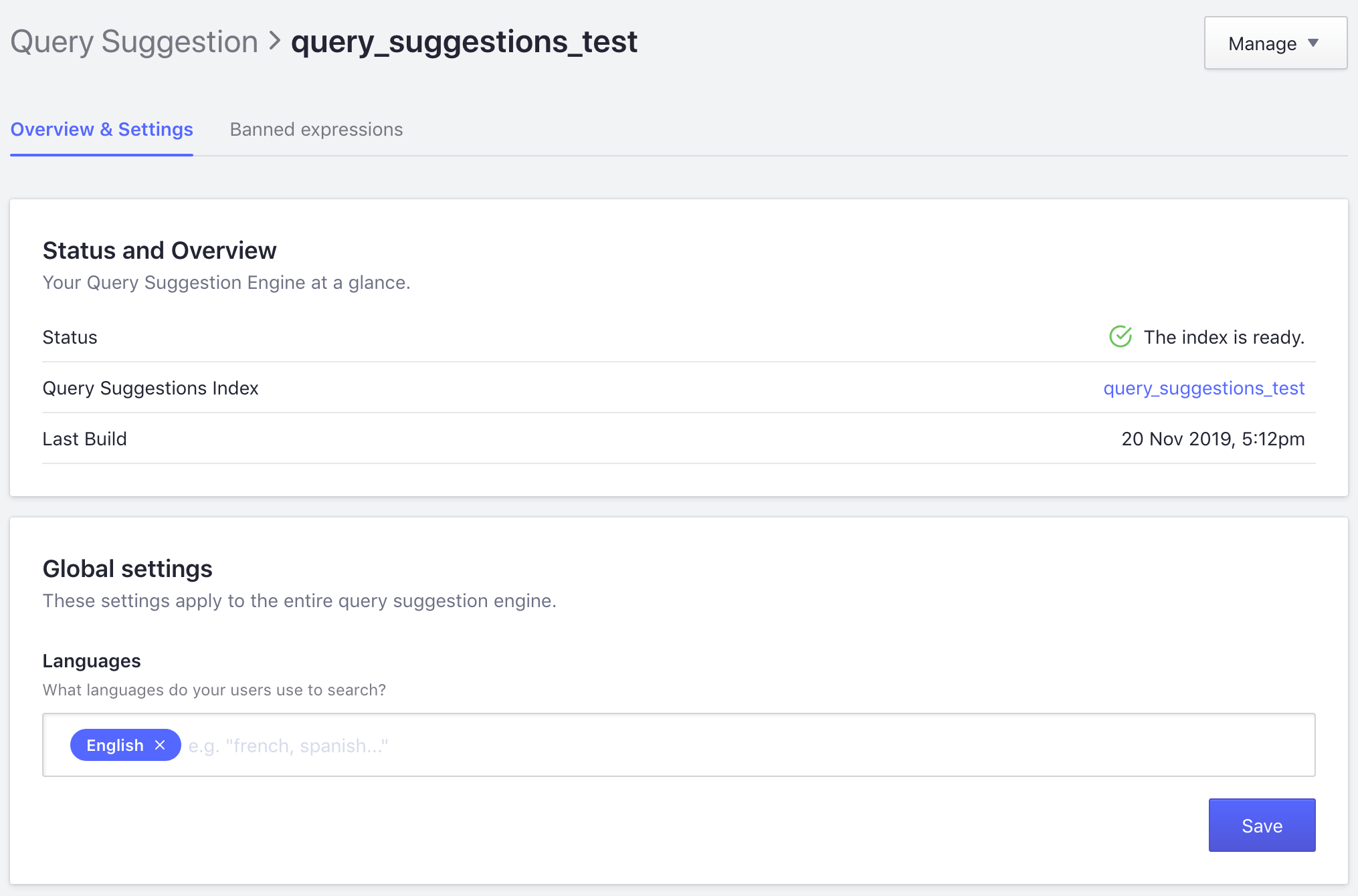
When the index is ready,
it appears in the [Algolia dashboard](https://dashboard.algolia.com/explorer).
4. Choose an index name (this guide uses `query_suggestions_test`).
5. Select the different languages you're using and the source index (for example, your main product index).
6. Click **Accept and Continue** to create the Query Suggestions index.
When the index is ready,
it appears in the [Algolia dashboard](https://dashboard.algolia.com/explorer).
 1. Go to **Stores > Algolia Search > Autocomplete Menu > Enable Suggestions** in your Magento store's Admin.
2. Select **Use Algolia Query Suggestions**.
1. Go to **Stores > Algolia Search > Autocomplete Menu > Enable Suggestions** in your Magento store's Admin.
2. Select **Use Algolia Query Suggestions**.
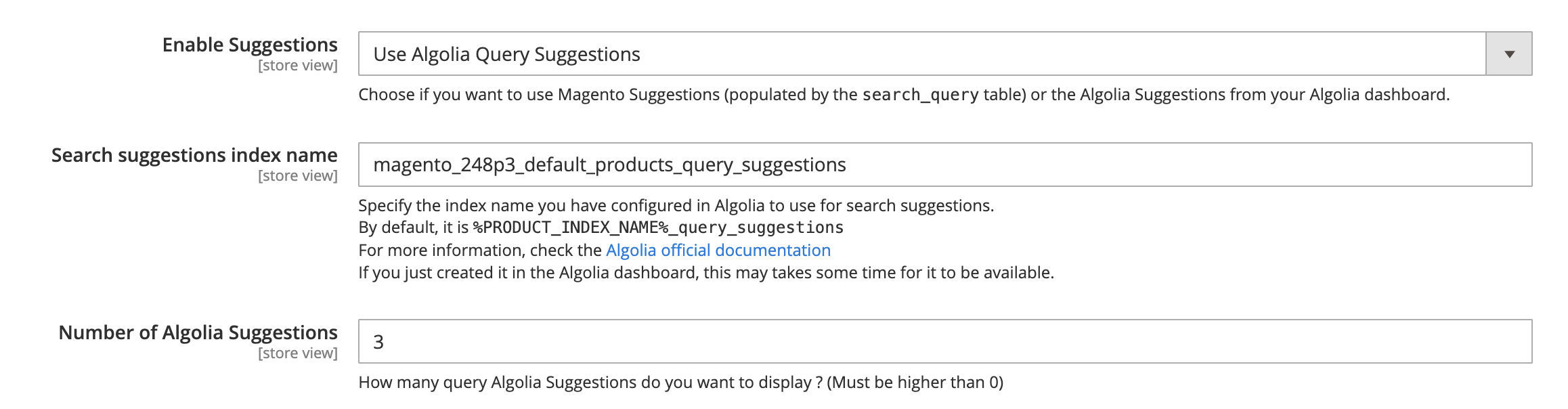 * **Search suggestions index name**: specify the index name you have configured in Algolia to use for Query Suggestions
* **Number of Algolia Suggestions**: 3 by default
Test the search box to confirm that suggestions appear.
## Use Magento search queries
When Magento Search Queries are enabled, the extension indexes search terms from Adobe Commerce and Magento Open Source
and displays them in the [Autocomplete menu](/doc/integration/magento-2/customize/autocomplete-menu).
To enable Magento Search Queries,
go to **Stores > Algolia Search > Autocomplete Menu > Enable Suggestions** in your Magento Admin
and select **Use Magento Search Queries**.
* **Search suggestions index name**: specify the index name you have configured in Algolia to use for Query Suggestions
* **Number of Algolia Suggestions**: 3 by default
Test the search box to confirm that suggestions appear.
## Use Magento search queries
When Magento Search Queries are enabled, the extension indexes search terms from Adobe Commerce and Magento Open Source
and displays them in the [Autocomplete menu](/doc/integration/magento-2/customize/autocomplete-menu).
To enable Magento Search Queries,
go to **Stores > Algolia Search > Autocomplete Menu > Enable Suggestions** in your Magento Admin
and select **Use Magento Search Queries**.
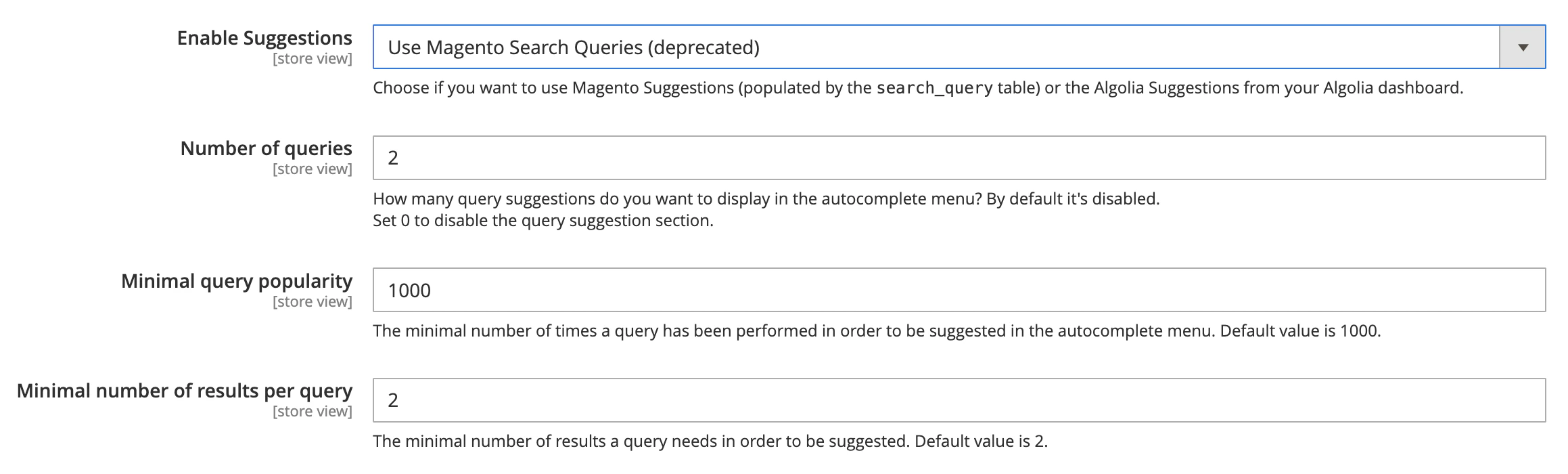 * **Number of queries**: 0 by default. The maximum number of results shown in the Autocomplete menu
* **Minimum query popularity**: 1,000 by default
* **Minimum number of results per query**: 2 by default
### Clear the cache and reindex suggestions
```sh Extension version 3.16 and higher theme={"system"}
php bin/magento algolia:reindex:suggestions
```
```sh Extension version 3.15.x and lower theme={"system"}
php bin/magento indexer:reindex algolia_suggestions
```
Test the search box to confirm that suggestions appear.
* **Number of queries**: 0 by default. The maximum number of results shown in the Autocomplete menu
* **Minimum query popularity**: 1,000 by default
* **Minimum number of results per query**: 2 by default
### Clear the cache and reindex suggestions
```sh Extension version 3.16 and higher theme={"system"}
php bin/magento algolia:reindex:suggestions
```
```sh Extension version 3.15.x and lower theme={"system"}
php bin/magento indexer:reindex algolia_suggestions
```
Test the search box to confirm that suggestions appear.