> ## Documentation Index
> Fetch the complete documentation index at: https://algolia.com/llms.txt
> Use this file to discover all available pages before exploring further.
# Shared Catalogs
> Learn how the Algolia AI Search & Discovery extension interacts with the Adobe Commerce Shared Catalogs feature.
export const Records = () =>
records
;
Shared Catalogs are part of the [Adobe Commerce B2B features](https://experienceleague.adobe.com/en/docs/commerce-admin/b2b/install).
The feature lets you maintain catalogs with custom prices for different companies.
For more information, see [Adobe's documentation](https://experienceleague.adobe.com/en/docs/commerce-admin/b2b/shared-catalogs/catalog-shared).
## Enable Shared Catalogs
1. In your store's Admin, go to **Stores > Settings > Configuration > General > B2B Features**.
2. Set **Enable Company** to **Yes**.
3. Set **Enable Shared Catalog** to **Yes**.
Once the feature is enabled,
the Algolia extension automatically adds the `catalog_permissions` attribute to product and category .
Enabling the Shared Catalogs feature significantly increases the size of your records (specifically, the `price` attribute).
If you have complex category permissions or intend to have many shared catalogs,
assess the impact on your product indices before enabling the feature.
## Customer groups
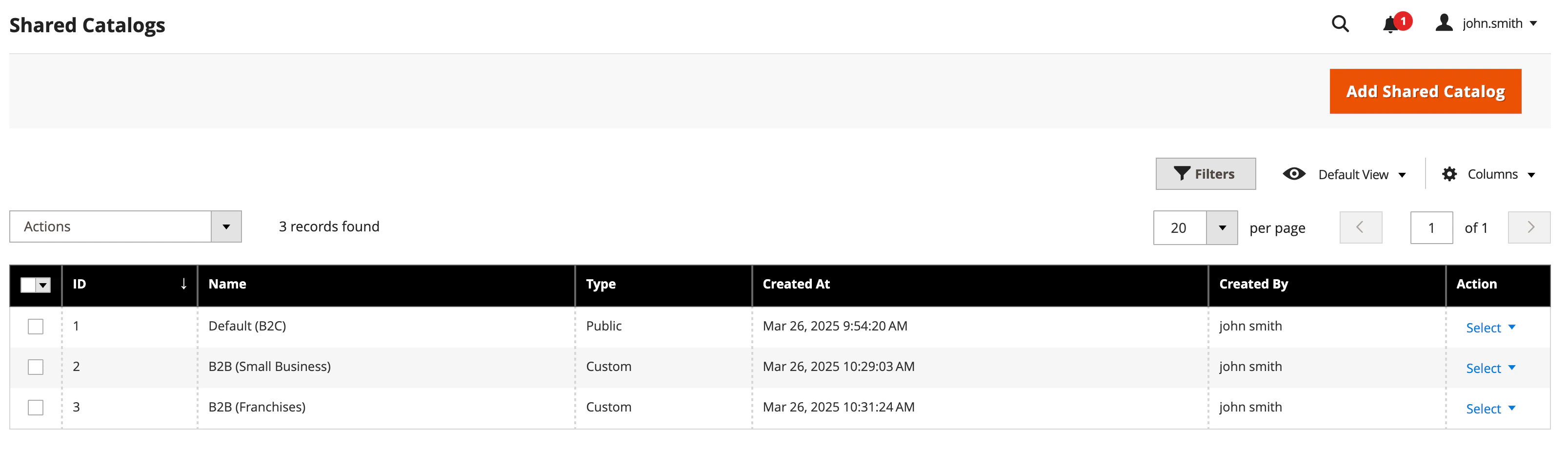
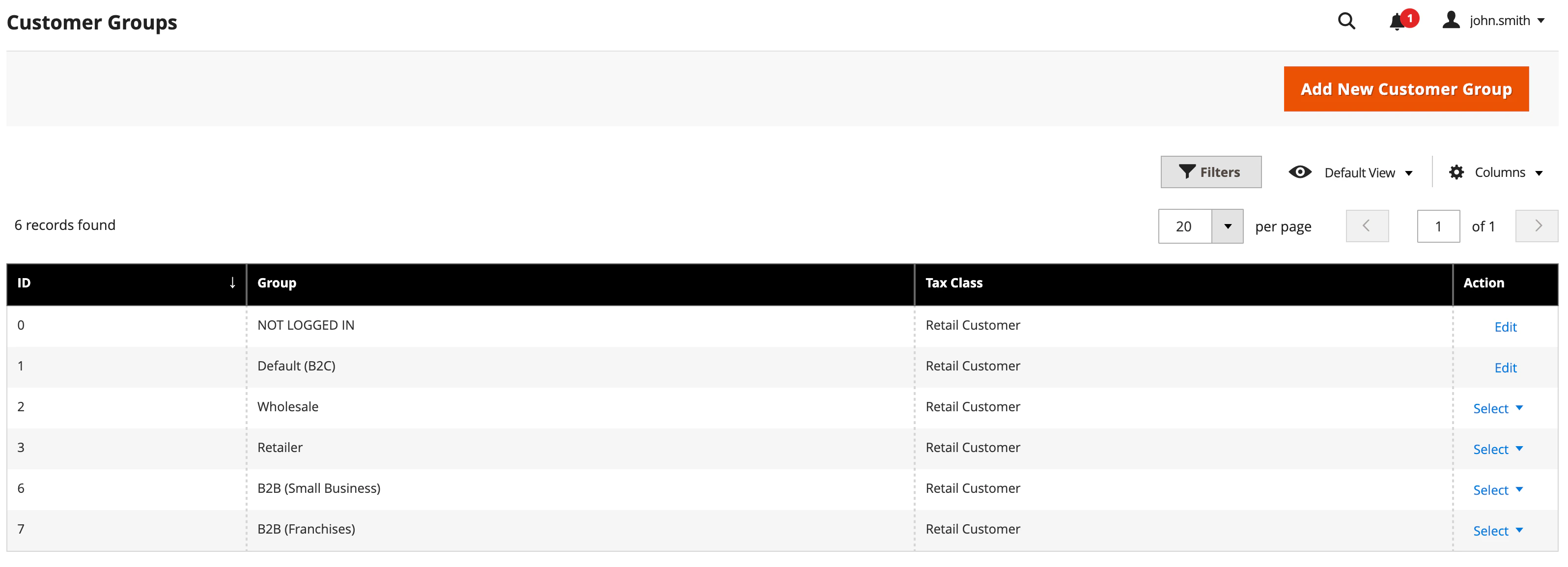
Adobe Commerce and Magento Open Source create a customer group for each shared catalog.
This example shows the creation of two shared catalogs: one for small businesses and another for franchises.
 You'll also find two more customer groups listed on the **Customers > Customer Groups** page.
 ## Companies
Adobe's B2B features include [companies](https://experienceleague.adobe.com/en/docs/commerce-admin/b2b/companies/account-companies)
which lets you associate shared catalogs with a group of users.
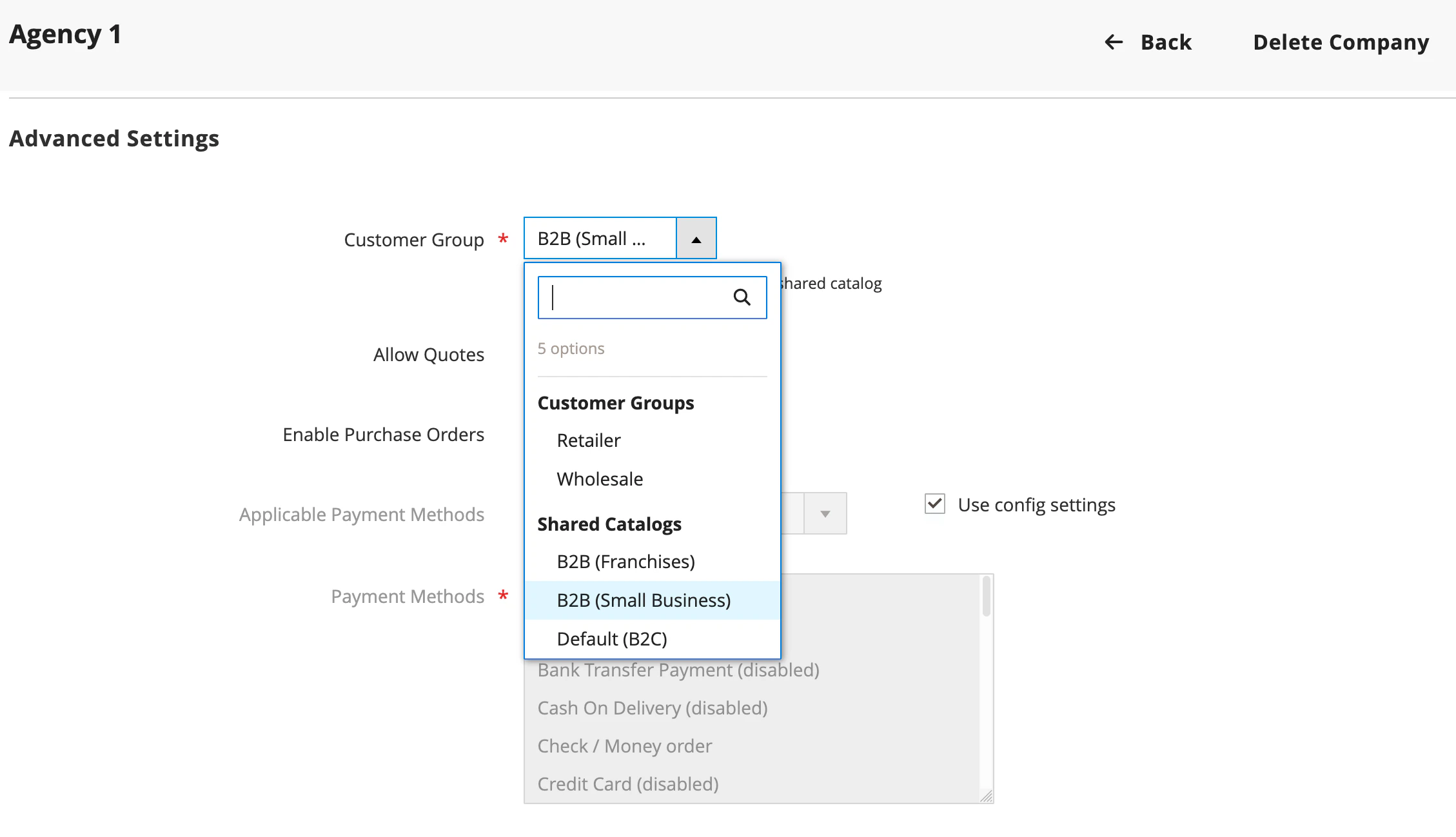
To associate the users from a company with the corresponding shared catalog:
1. On the company page in your Admin, go to **Advanced Settings**.
2. Link a shared catalog to the company.
## Companies
Adobe's B2B features include [companies](https://experienceleague.adobe.com/en/docs/commerce-admin/b2b/companies/account-companies)
which lets you associate shared catalogs with a group of users.
To associate the users from a company with the corresponding shared catalog:
1. On the company page in your Admin, go to **Advanced Settings**.
2. Link a shared catalog to the company.
 ## Algolia indexing with Shared Catalogs enabled
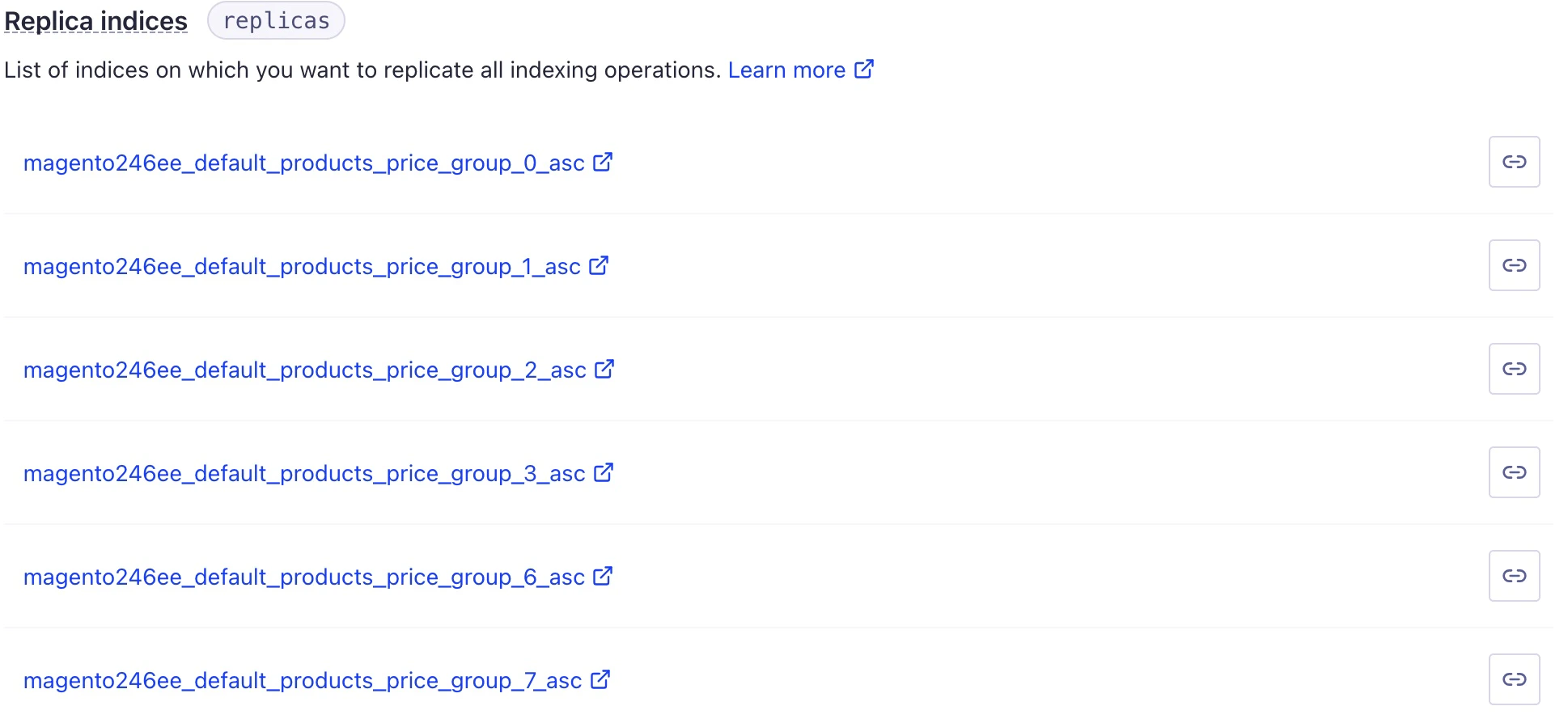
Each customer group generates an [additional replica](/doc/integration/magento-2/how-it-works/indexing#number-of-records-created) for product indices.
The number of replicas per customer group depends on the sorting options you've configured.
## Algolia indexing with Shared Catalogs enabled
Each customer group generates an [additional replica](/doc/integration/magento-2/how-it-works/indexing#number-of-records-created) for product indices.
The number of replicas per customer group depends on the sorting options you've configured.
 For more information, see [Understanding the Algolia replica configuration](/doc/integration/magento-2/troubleshooting/back-end-issues#understand-the-algolia-replica-configuration).
### How pricing is handled by Shared Catalogs
Customer group replicas control how shared catalog pricing is sorted, just like with other replicas.
According to the Adobe Commerce and Magento Open Source [group pricing feature](https://experienceleague.adobe.com/en/docs/commerce-admin/catalog/products/pricing/product-price-group), any custom price set for a shared catalog also applies to its customer group and its replicas.
### Product visibility with Shared Catalogs
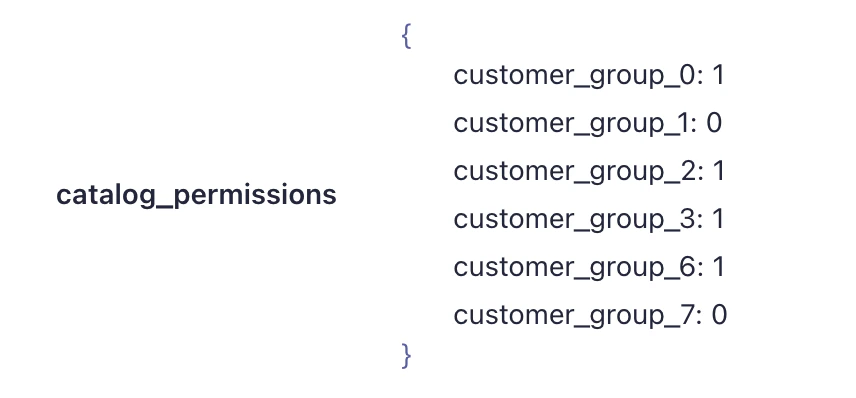
Algolia's extension adds the `catalog_permissions` attribute to product and category records.
This attribute assigns a boolean value to each customer group.
The value determines if the item is visible on the frontend.
Manage these permissions in your Admin under **Catalog > Shared Catalogs**.
For more information, see [Understanding the Algolia replica configuration](/doc/integration/magento-2/troubleshooting/back-end-issues#understand-the-algolia-replica-configuration).
### How pricing is handled by Shared Catalogs
Customer group replicas control how shared catalog pricing is sorted, just like with other replicas.
According to the Adobe Commerce and Magento Open Source [group pricing feature](https://experienceleague.adobe.com/en/docs/commerce-admin/catalog/products/pricing/product-price-group), any custom price set for a shared catalog also applies to its customer group and its replicas.
### Product visibility with Shared Catalogs
Algolia's extension adds the `catalog_permissions` attribute to product and category records.
This attribute assigns a boolean value to each customer group.
The value determines if the item is visible on the frontend.
Manage these permissions in your Admin under **Catalog > Shared Catalogs**.
 If you add, edit, or delete a shared catalog, run a full reindex for products and categories.
For products and categories not assigned to a shared catalog (such as **NOT LOGGED IN** and **Default** customer groups),
products are shown or hidden based on default catalog permissions.
### Default catalog permissions
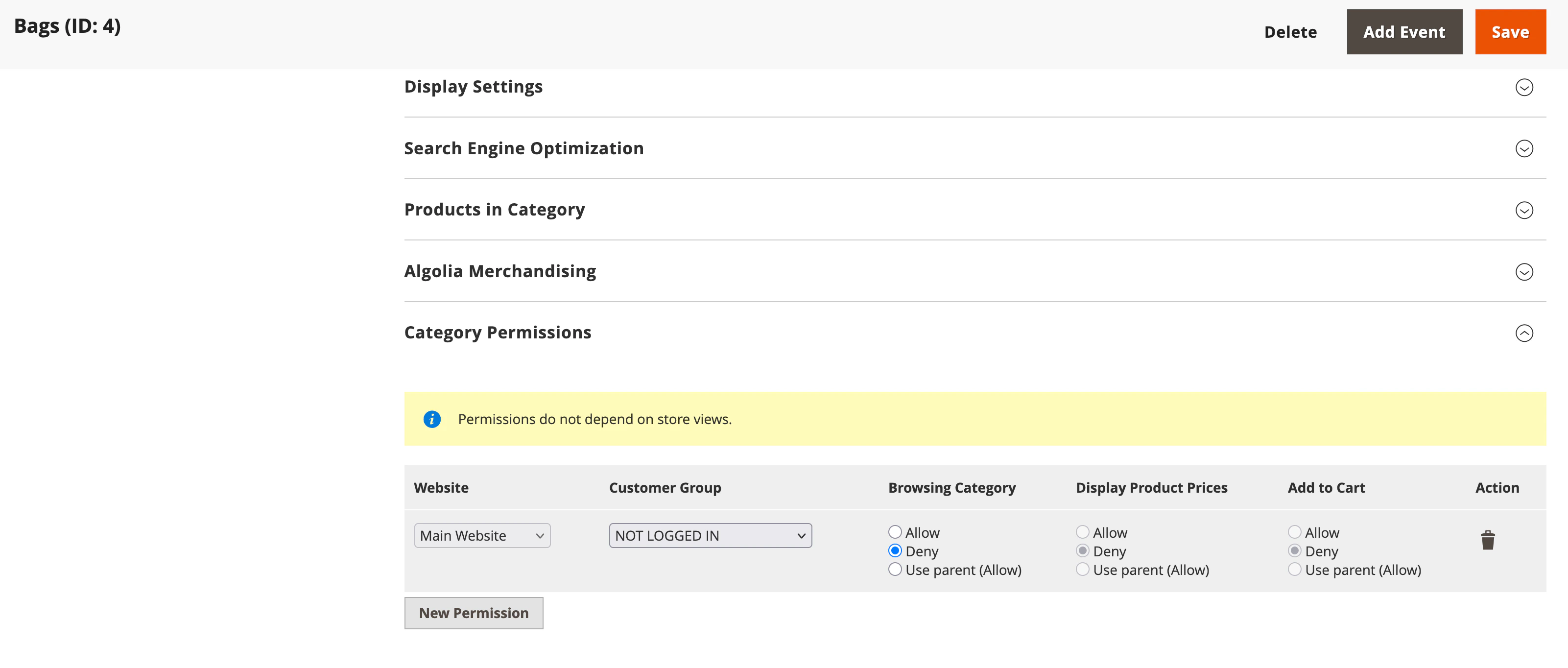
The visibility of products and categories that aren't associated with a shared catalog relies on your **Category Permissions** settings.
If you add, edit, or delete a shared catalog, run a full reindex for products and categories.
For products and categories not assigned to a shared catalog (such as **NOT LOGGED IN** and **Default** customer groups),
products are shown or hidden based on default catalog permissions.
### Default catalog permissions
The visibility of products and categories that aren't associated with a shared catalog relies on your **Category Permissions** settings.
 After any permission updates, reindex all affected products and categories.
To apply custom logic to the `catalog_permissions` attribute settings,
use **update attribute data** [backend events](/doc/integration/magento-2/customize/custom-back-end-events#update-attribute-data).
After any permission updates, reindex all affected products and categories.
To apply custom logic to the `catalog_permissions` attribute settings,
use **update attribute data** [backend events](/doc/integration/magento-2/customize/custom-back-end-events#update-attribute-data).