> ## Documentation Index
> Fetch the complete documentation index at: https://algolia.com/llms.txt
> Use this file to discover all available pages before exploring further.
# Get started with the Algolia CLI
> Manage your Algolia resources directly from the command line.
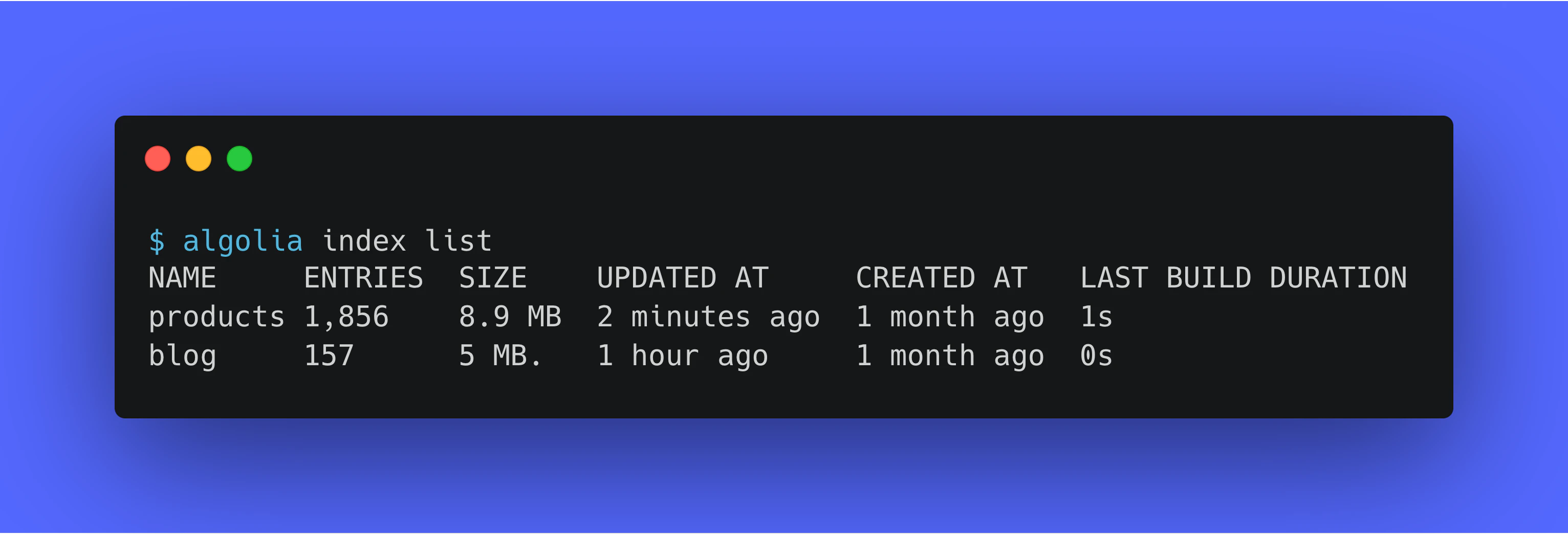 The Algolia CLI lets you work with Algolia's APIs from your terminal.
It's great for interactive commands, scripts, and continuous integration workflows.
## Before you begin
To interact with your Algolia resources,
you'll need a free [Algolia account](https://dashboard.algolia.com/users/sign_up).
## Install the Algolia CLI
You can install the CLI with your favorite package manager,
or download binaries from the [Releases](https://github.com/algolia/cli/releases) page in the GitHub repository.
The CLI runs on macOS, Linux, and Windows,
on both AMD64 and ARM64 platforms.
If you have [Node.js](https://nodejs.org) installed,
you can run the CLI with `npx` — no installation required:
```sh icon=square-terminal theme={"system"}
npx @algolia/cli --help
```
Or install it globally with npm:
```sh icon=square-terminal theme={"system"}
npm install -g @algolia/cli
```
The Algolia CLI is available on [Homebrew](https://brew.sh).
To install it, run:
```sh icon=square-terminal theme={"system"}
brew install algolia
```
Or download the latest archive for your Mac: `algolia_*_macOS_*.tar.gz`.
Unpack it by running `tar xf algolia_*_macOS_*.tar.gz`.
The Algolia CLI is available as DEB and RPM packages.
Download the appropriate `*.deb` and `*.rpm` file for your platform.
To install it, run:
```sh icon=square-terminal theme={"system"}
# DEB-based distributions
sudo dpkg -i /path/to/algolia_*.deb
# RPM-based distributions
sudo rpm -i /path/to/algolia_*.rpm
```
Or download the latest archive for Linux: `algolia_*_linux_*.tar.gz`.
Unpack it by running `tar xf algolia_*_linux_*.tar.gz`.
The Algolia CLI is available for the [Chocolatey](https://chocolatey.org) package manager.
To install it, run:
```powershell icon="square-terminal" theme={"system"}
choco install algolia
```
Or download the latest archive: `algolia_*_windows_*.zip`.
Then [unpack it](https://support.microsoft.com/en-us/windows/zip-and-unzip-files-8d28fa72-f2f9-712f-67df-f80cf89fd4e5).
If you're using the Windows Subsystem for Linux (WSL),
follow the instructions for [Linux](#linux).
## Run your first command
Explore the CLI by typing `algolia`.
This lists the available commands.
Add `--help` to any command to get more information about the command
and its available options.
For example, to list all indices in your Algolia application, run:
```sh icon=square-terminal theme={"system"}
algolia indices list \
--application-id ALGOLIA_APPLICATION_ID \
--api-key ALGOLIA_API_KEY
```
Since this command makes a request to the Algolia Search API,
you need to provide your Algolia credentials.
You can find your application ID and API key in the [Algolia dashboard](https://dashboard.algolia.com/account/api-keys/all).
To avoid entering your credentials every time,
you can add profiles for each of your Algolia applications.
For more information, see [Authentication](/doc/tools/cli/authentication).
## Next steps
* [Set up command completion](/doc/tools/cli/completion). Enable shell completion for Bash, Zsh, Fish, or PowerShell.
* [Authenticate CLI commands](/doc/tools/cli/authentication). Use environment variables, command-line flags, or profiles for your credentials.
* [Use the CLI in automation](/doc/tools/cli/automation). Tips for running the CLI in scripts, CI, and agent workflows with structured output, exit codes, and dry runs.
* [Opt out of telemetry collection](/doc/tools/cli/telemetry). Learn what the CLI reports and how to turn off telemetry and update checks.
* [Usage examples for the Algolia CLI](/doc/tools/cli/examples). Follow recipes for importing, exporting, comparing, and copying Algolia data.
The Algolia CLI lets you work with Algolia's APIs from your terminal.
It's great for interactive commands, scripts, and continuous integration workflows.
## Before you begin
To interact with your Algolia resources,
you'll need a free [Algolia account](https://dashboard.algolia.com/users/sign_up).
## Install the Algolia CLI
You can install the CLI with your favorite package manager,
or download binaries from the [Releases](https://github.com/algolia/cli/releases) page in the GitHub repository.
The CLI runs on macOS, Linux, and Windows,
on both AMD64 and ARM64 platforms.
If you have [Node.js](https://nodejs.org) installed,
you can run the CLI with `npx` — no installation required:
```sh icon=square-terminal theme={"system"}
npx @algolia/cli --help
```
Or install it globally with npm:
```sh icon=square-terminal theme={"system"}
npm install -g @algolia/cli
```
The Algolia CLI is available on [Homebrew](https://brew.sh).
To install it, run:
```sh icon=square-terminal theme={"system"}
brew install algolia
```
Or download the latest archive for your Mac: `algolia_*_macOS_*.tar.gz`.
Unpack it by running `tar xf algolia_*_macOS_*.tar.gz`.
The Algolia CLI is available as DEB and RPM packages.
Download the appropriate `*.deb` and `*.rpm` file for your platform.
To install it, run:
```sh icon=square-terminal theme={"system"}
# DEB-based distributions
sudo dpkg -i /path/to/algolia_*.deb
# RPM-based distributions
sudo rpm -i /path/to/algolia_*.rpm
```
Or download the latest archive for Linux: `algolia_*_linux_*.tar.gz`.
Unpack it by running `tar xf algolia_*_linux_*.tar.gz`.
The Algolia CLI is available for the [Chocolatey](https://chocolatey.org) package manager.
To install it, run:
```powershell icon="square-terminal" theme={"system"}
choco install algolia
```
Or download the latest archive: `algolia_*_windows_*.zip`.
Then [unpack it](https://support.microsoft.com/en-us/windows/zip-and-unzip-files-8d28fa72-f2f9-712f-67df-f80cf89fd4e5).
If you're using the Windows Subsystem for Linux (WSL),
follow the instructions for [Linux](#linux).
## Run your first command
Explore the CLI by typing `algolia`.
This lists the available commands.
Add `--help` to any command to get more information about the command
and its available options.
For example, to list all indices in your Algolia application, run:
```sh icon=square-terminal theme={"system"}
algolia indices list \
--application-id ALGOLIA_APPLICATION_ID \
--api-key ALGOLIA_API_KEY
```
Since this command makes a request to the Algolia Search API,
you need to provide your Algolia credentials.
You can find your application ID and API key in the [Algolia dashboard](https://dashboard.algolia.com/account/api-keys/all).
To avoid entering your credentials every time,
you can add profiles for each of your Algolia applications.
For more information, see [Authentication](/doc/tools/cli/authentication).
## Next steps
* [Set up command completion](/doc/tools/cli/completion). Enable shell completion for Bash, Zsh, Fish, or PowerShell.
* [Authenticate CLI commands](/doc/tools/cli/authentication). Use environment variables, command-line flags, or profiles for your credentials.
* [Use the CLI in automation](/doc/tools/cli/automation). Tips for running the CLI in scripts, CI, and agent workflows with structured output, exit codes, and dry runs.
* [Opt out of telemetry collection](/doc/tools/cli/telemetry). Learn what the CLI reports and how to turn off telemetry and update checks.
* [Usage examples for the Algolia CLI](/doc/tools/cli/examples). Follow recipes for importing, exporting, comparing, and copying Algolia data.