> ## Documentation Index
> Fetch the complete documentation index at: https://algolia.com/llms.txt
> Use this file to discover all available pages before exploring further.
# Detached mode
> Detached mode turns the drop-down display into a full screen, modal experience.
Autocomplete is also available as an experimental widget in InstantSearch,
making it easier to integrate into your search experience.
For more information,
see the API reference for [InstantSearch.js](/doc/api-reference/widgets/autocomplete/js) or
[React InstantSearch](/doc/api-reference/widgets/autocomplete/react).
Autocomplete's detached mode aims at reproducing native experiences on the device you're using.
It doesn't display a native input with results in a drop-down menu,
but a search button with results in a modal.
This allows a more immersive experience where the full viewport is used to display results.
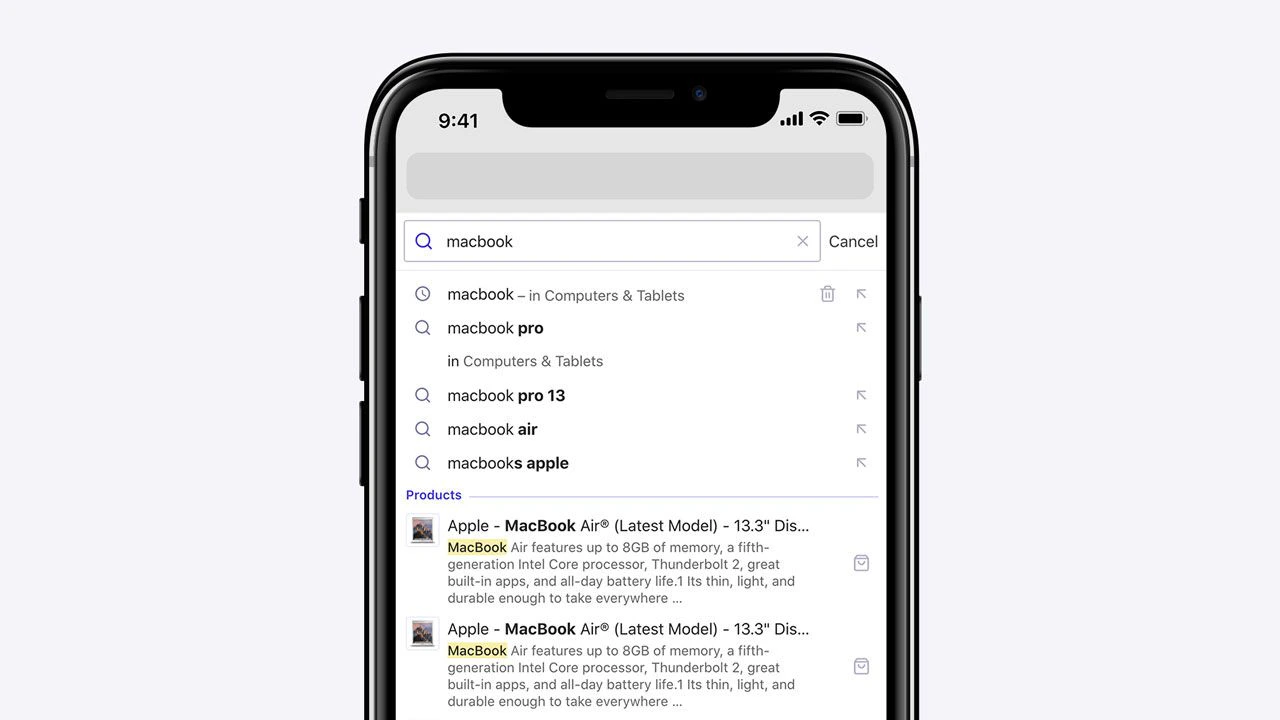 You can enable detached mode on small screens, on touch devices,
or always enable it, as seen on [DocSearch](https://docsearch.algolia.com).
## Detached full screen design
Autocomplete's default behavior enables detached mode when the screen is below 500 pixels wide.
You can customize this behavior with the [`detachedMediaQuery`](/doc/ui-libraries/autocomplete/api-reference/autocomplete-js/autocomplete#param-detached-media-query) option.
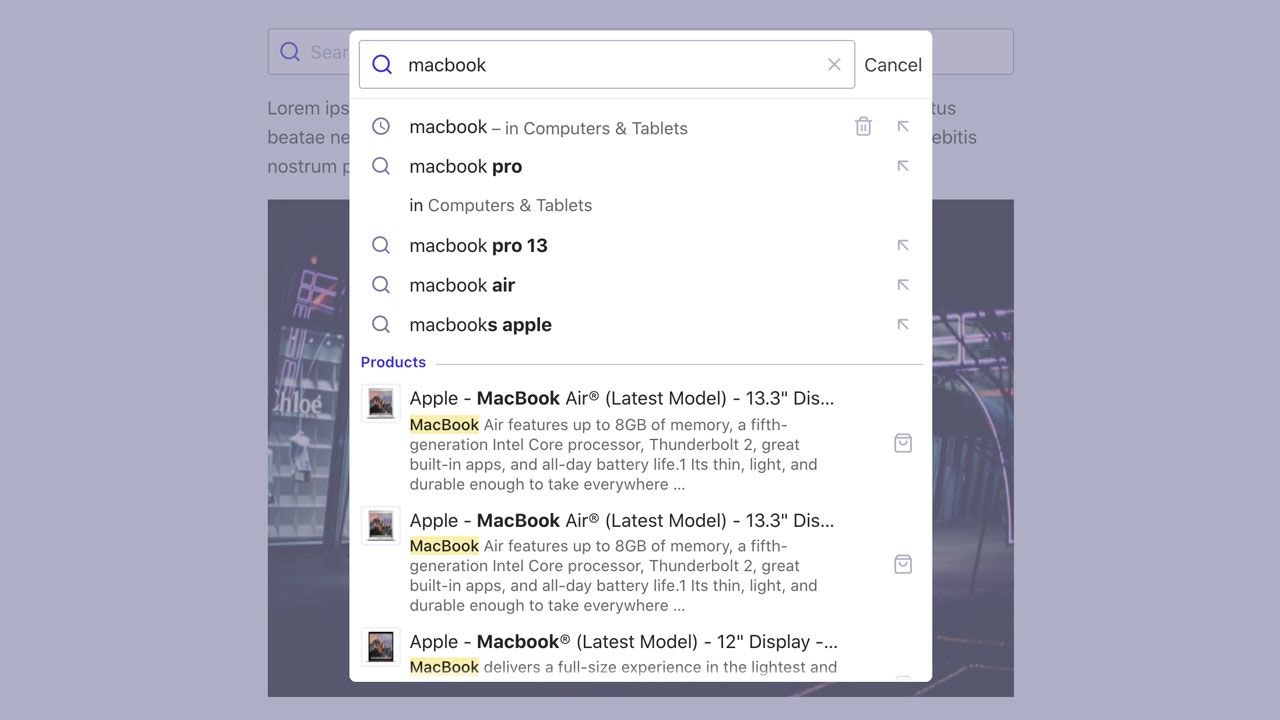
## Detached modal design
Once you're in detached mode,
you can choose to enable the modal design,
which shows the website in the background covered by an overlay.
You can set when to enable this design with the `--aa-detached-modal-media-query` CSS variable,
which defaults to `(min-width: 500px)`.
You can enable detached mode on small screens, on touch devices,
or always enable it, as seen on [DocSearch](https://docsearch.algolia.com).
## Detached full screen design
Autocomplete's default behavior enables detached mode when the screen is below 500 pixels wide.
You can customize this behavior with the [`detachedMediaQuery`](/doc/ui-libraries/autocomplete/api-reference/autocomplete-js/autocomplete#param-detached-media-query) option.
## Detached modal design
Once you're in detached mode,
you can choose to enable the modal design,
which shows the website in the background covered by an overlay.
You can set when to enable this design with the `--aa-detached-modal-media-query` CSS variable,
which defaults to `(min-width: 500px)`.
 ## Manually control detached mode
* To always turn on detached mode, set `detachedMediaQuery: ''`.
* To always turn off detached mode, set `detachedMediaQuery: 'none'`.
## Manually control detached mode
* To always turn on detached mode, set `detachedMediaQuery: ''`.
* To always turn off detached mode, set `detachedMediaQuery: 'none'`.