

distinct feature deduplicates search results by grouping that share the same attribute value,
so your search results show one representative record per group instead of every matching record.
This is useful when:
- Handling item variations: if you sell t-shirts and every t-shirt has 10 color variants, show one color variant per design instead of all 10. This helps users discover more products (instead of variants of the same product). You can still show the available colors in the product details.
- Indexing long documents: if you split a page into one record per section, a query might return multiple chunks from the same page. With
distinct, only the best-matching chunk appears per page or section.
Deduplicate results with distinct
To deduplicate search results, configure both:attributeForDistinct: the attribute Algolia uses to group records.distinct: how many records to show from each group.
url attribute as attributeForDistinct,
Algolia groups records with the same url value.
If you set distinct to true,
Algolia returns only the best matching record from each group.
You can also set distinct to a number to return more than one record from each group.
Choose an attribute for grouping
Choose an attribute that has the same value for all records you want to group together. Use an identifier instead of a display value if names, titles, or other aspects can change. For example:- For product variants, use a product identifier such as
product_id,design, orsku_group. - For job openings, use
company. - For long documents, use
url,page_id, orsection_id.
Flatten your records
To usedistinct and attributeForDistinct effectively,
flatten your records:
- Create one record for each searchable item.
- Repeat the grouping attribute in each record.
Nested records
JSON
Flattened records
Instead of nested records, create one record for each variant and repeat the design information in each record:JSON
design attribute identifies variants that belong to the same design, which you can use as the attribute for distinct.
Handle item variations
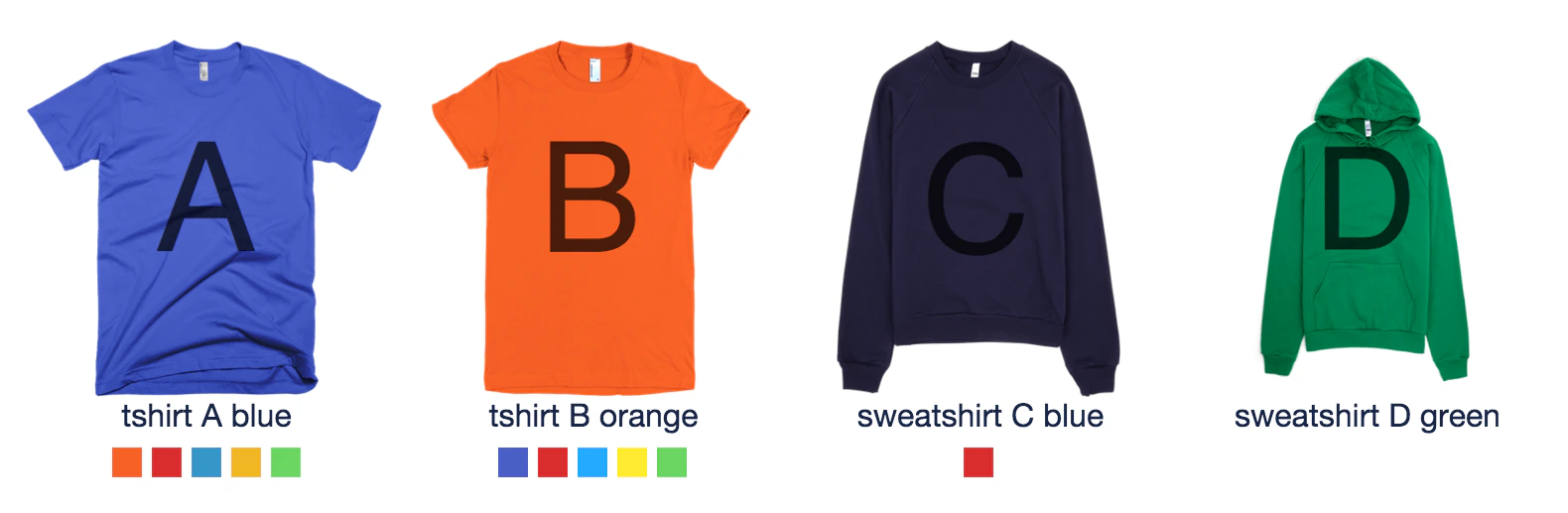
Consider a shop that sells t-shirts and sweatshirts in different designs and colors. To deduplicate variants by design, create one record for each color variant. The inventory has:- Two t-shirt designs: A and B
- Two sweatshirt designs: C and D
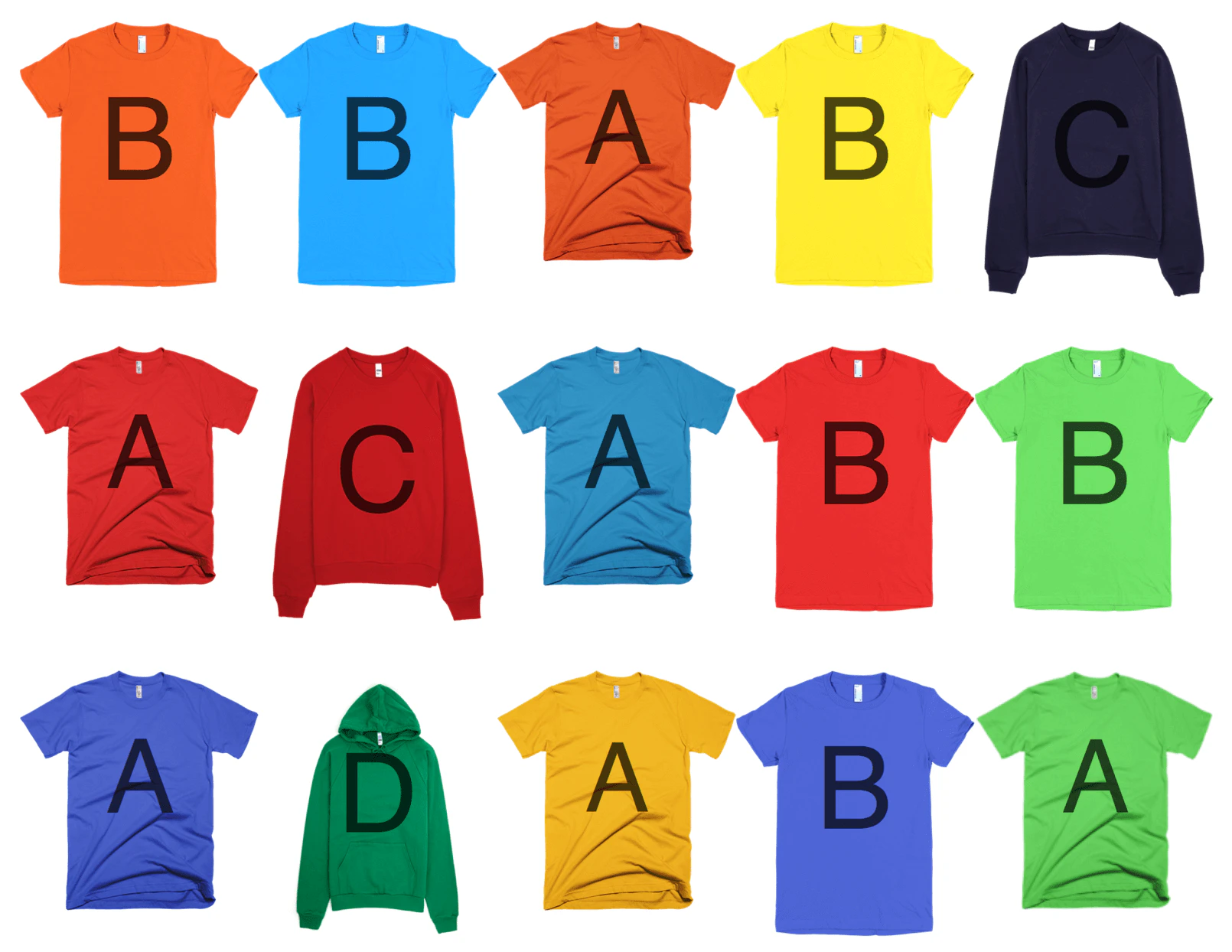
JSON
JSON
number_of_sales.
Use distinct with design as the attributeForDistinct to show fewer variants per design,
so users can browse a wider range of designs.
Configure distinct in the dashboard
After flattening your records, configuredistinct to group variants.
- Go to the Algolia dashboard and select your Algolia .
- On the left sidebar, select Search.
- Select your Algolia index.
- On the Configuration tab, select Relevance essentials > Searchable attributes.
- Click Add a Searchable Attribute and add
design,type, andcolorattributes. - Go to Search behavior > Deduplication and Grouping.
- In the Distinct menu, select true.
- In the Attribute for Distinct menu, select the
designattribute. - Save your changes.
number_of_sales and use it in your custom ranking.
Configure distinct with the API
Before deduplicating results, restrict which attributes are searchable. For example, searching thethumbnail_url and color_variants attributes can match queries that aren’t relevant.
Set only design, type, and color as searchableAttributes.
setSettings method to set design as attributeForDistinct.
attributeForDistinct,
you can also set distinct as a search method parameter: