

You can only add one transformation to a destination.
Get started with code transformations
- Go to the Algolia dashboard and select your Algolia .
- On the left sidebar, select Data sources.
- Open the Connectors page.
- Select a connector and click Connect to start creating your task.
- Configure your data source: create a new source or select an existing one.
-
To create your transformation function, click Create transformation.
When writing a transformation, you can:
- Use the code editor, which includes autocompletion and syntax highlighting. For more information, see Write your transformation.
- Use predefined helper functions for common Algolia-specific tasks. To use a helper function, click Helper functions and select from the list.
- Configure your destination: create a new destination or select an existing one.
- Configure when your task should run and specify the operation type for writing your Algolia records.
- Confirm whether you want to run your task immediately. To see your transformation in action, click Run and inspect your index records after the task finishes.
Write your transformation
The signature of the transformation function is as follows. You can’t change its names or its arguments:JavaScript
record. The record to transform. It’s an editable JavaScript object representing a data source record, like a JSON array item or a CSV row.helper. An object that provides utility methods and contextual information for your transformation.
-
Helper object methods.
Methods available on the
helperobject passed to the transformation function. These give access to secrets and metadata. - Helper functions. Pre-built utilities that help you change or enrich your records during transformation.
Helper object methods
Thehelper object includes utility methods for accessing secrets and metadata:
helper.secrets.get(secretName): retrieve a secret value from the vault.helper.getMetadata().appID: retrieve the Algolia for the running task.helper.getMetadata().indexName: retrieve the target index name for the record.helper.getMetadata().taskID: retrieve the ID of the running task.helper.getMetadata().actionType: retrieve the action type for this record. For more information about possible values, see the API reference documentation.
Helper functions
Use these pre-built functions to change or enrich your records:Preview transformation results
When you create a transformation, you can preview the function on the right side of the code editor.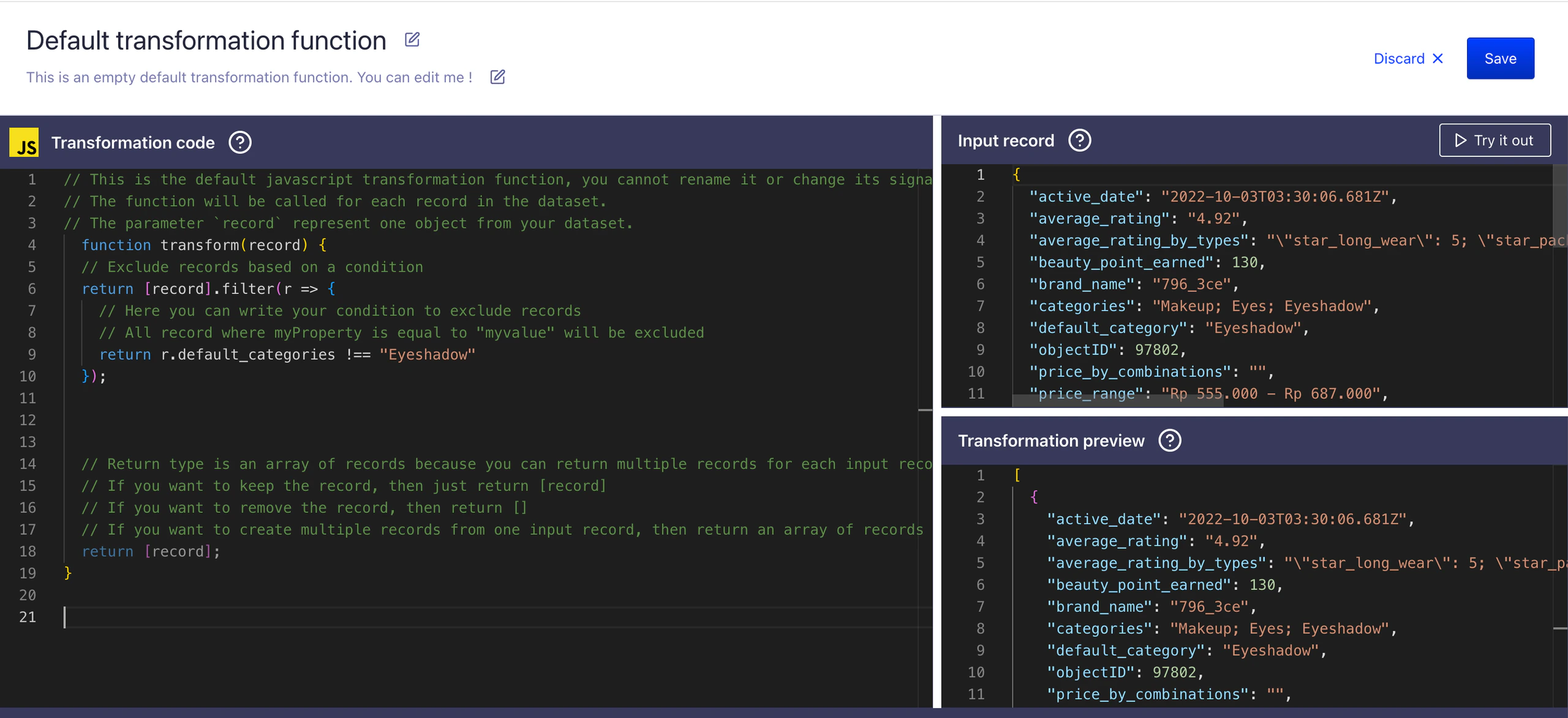
- Input Record. A sample record, taken from the data source before applying the transformation.
- Transformation Preview. Click Try it out to see the results of your transformation on the sample record.
Not all connectors support fetching sample records.
Debug transformations
Use the Connector Debugger for insights into the status of your tasks, including transformations.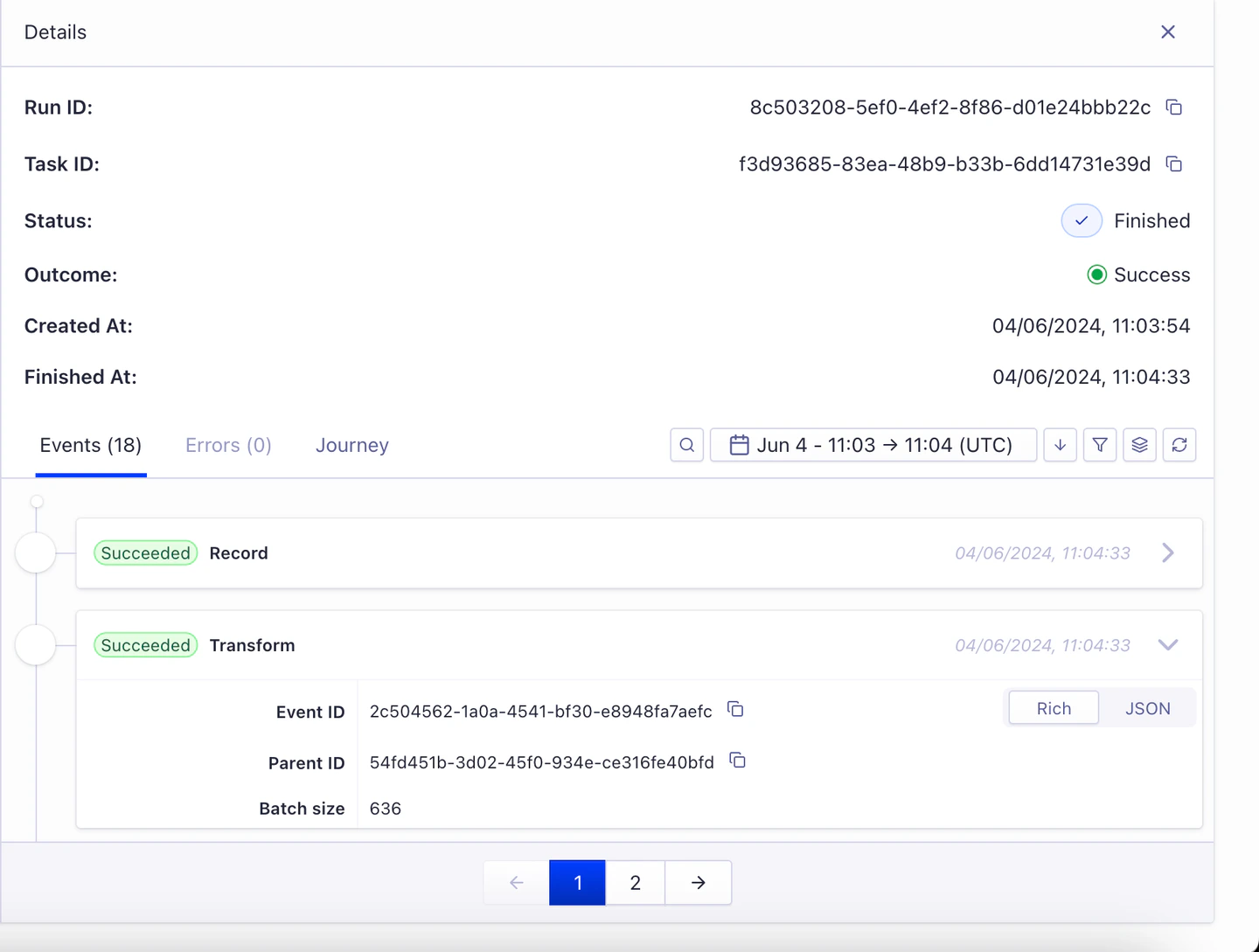
Error handling
If your transformation function throws an error, it may fail the task depending on the task type and setup. Usetry and catch blocks to handle errors in your transformation function.
JavaScript
JavaScript
Broken transformations and consecutive failures
Algolia stops your transformation if it encounters several consecutive failures within a short period. The transformation restarts if its code changes or after a specific time. To avoid this, write transformation functions to avoid errors and preview the transformation before running it.Performance considerations
Each transformation adds processing time to every record a task writes. Keep transformations within these limits:- Code size:
- Runtime:
- Memory:
Transformation capabilities and limits
Transformations process one record at a time. They can return zero, one, or more records. Transformations have two limits:- External data. To add data from a different system to a record, a transformation can call a third-party API. The request must complete within the Fetch timeout and response-size limits. For more information, see Enrich your records with Fetch.
- Operations across records. Some operations need access to more than one record, for example, deduplicating records or calculating an attribute from your full index. Transformations process each record independently and can’t do these operations. You can still compute a derived attribute for each record from values you calculate elsewhere. For example, to rank by a Bayesian average of ratings, calculate the global mean and the confidence constant outside the transformation, then use them as constants in the function.
Indexing strategy impact
Data transformations change your records before indexing. By default, the entire record is returned after transformation. However, the correct approach depends on the indexing strategy you choose. The following example adds an attribute to the record and returns the modified record. This is the default behavior.JavaScript
Full reindexing and full record updates
Since these methods completely replace an existing record, your transformation must return the entire modified record, including any additions, deletions, or changes. Change an existing or a new record:JavaScript
JavaScript
objectID.
Build it from the source record’s identifier plus a deterministic suffix so the same input always produces the same object ID.
For more information, see Keep object IDs stable.
Create new records:
JavaScript
Partial record updates
This method only updates specific attributes Your transformation should only return the object ID and the modified or added attributes. Existing attributes not included in the returned object remain unchanged. You can’t delete records with partial updates. Change an existing record:JavaScript
JavaScript