

Big Open Data Layer analytics
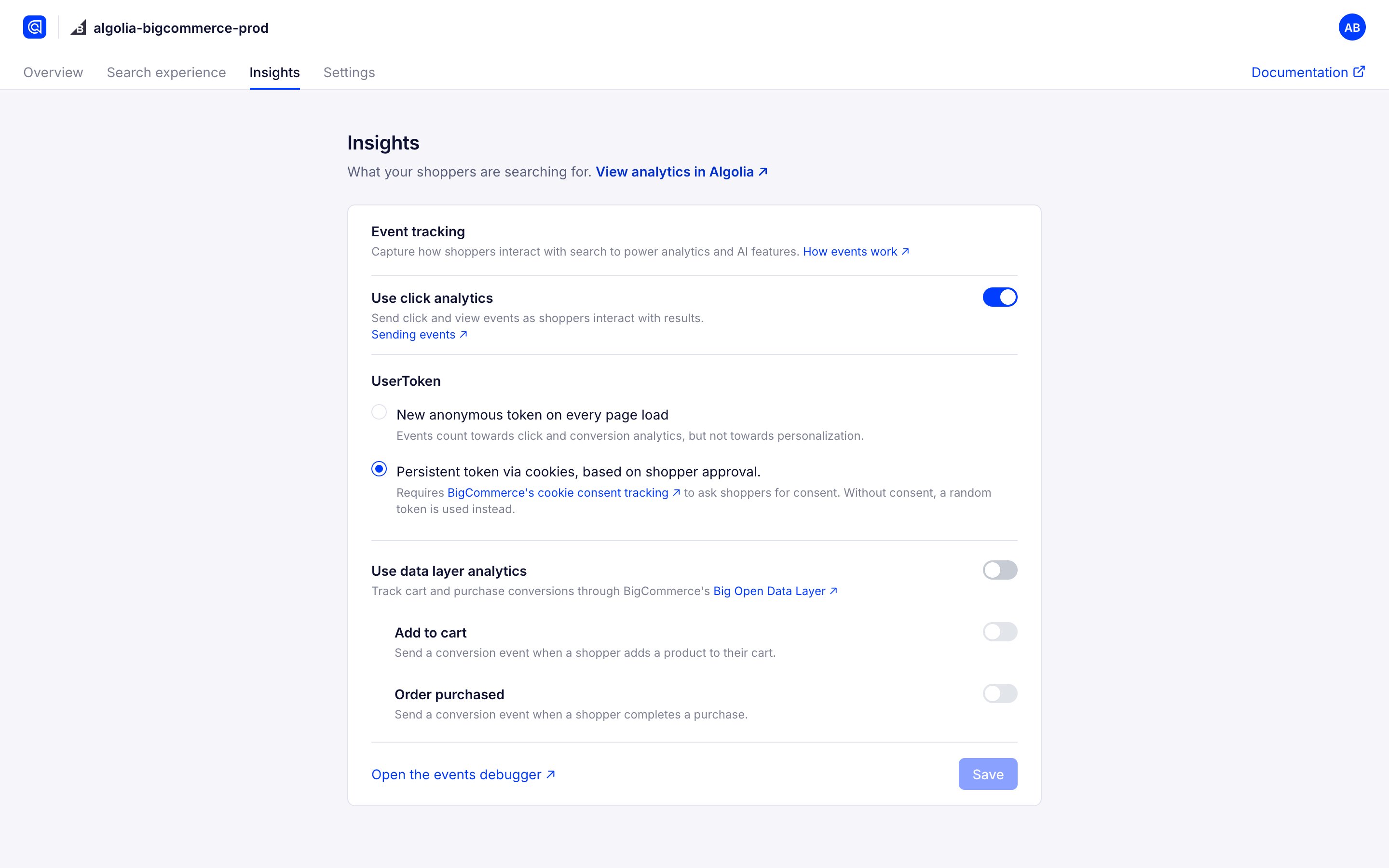
- Turn on Use data layer analytics to enable Big Open Data Layer.
-
Select the type of user interaction to track:
- Add to cart. Send a conversion event when a shopper adds a product to their cart.
- Order purchased. Send a conversion event when a shopper completes a purchase.
- Select Save.
Send conversion events from product, cart, and checkout pages
To send add-to-cart and purchase events from product pages, the cart, and checkout, add a script to your store that listens to Big Open Data Layer (BODL) events. Use the script instead of the Add to cart and Order purchased options. Before you add the script, on the Insights page of the app:- Turn on Use click analytics.
- Turn on Use data layer analytics. This loads the Insights library on every page of your store. If your Autocomplete or InstantSearch code is out of date, the app asks you to upgrade it first.
- Turn off Add to cart and Order purchased. The script sends these events, so leaving them on can send duplicate events.
- Go to the BigCommerce Script Manager and select Create a Script.
-
Complete the script form settings:
- Name. Enter a name for the script, such as
Algolia conversion events. - Placement. Select Footer.
- Location. Select All pages.
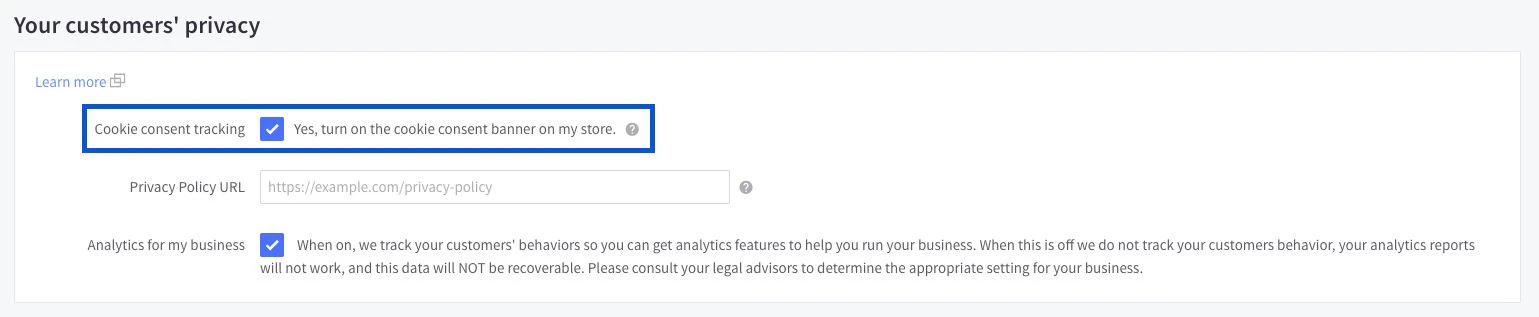
- Script Category. Select the category that matches your store’s cookie consent setup. If cookie consent tracking is on, BigCommerce only loads scripts in non-essential categories after shoppers consent.
- Script type. Select Script.
- Name. Enter a name for the script, such as
-
Add this code to the Script Contents field:
HTML
- Select Save.
The script keeps each product’s
queryID in the browser’s local storage until the shopper completes a purchase.
It reads your index’s record type and sends the product ID for product-level records or the variant ID for variant-level records.
To check that Algolia receives the events, see Validate your events.