

This is the React InstantSearch v7 documentation.
If you’re upgrading from v6, see the upgrade guide.
If you were using React InstantSearch Hooks,
this v7 documentation applies—just check for necessary changes.
To continue using v6, you can find the archived documentation.
Your search result pages are directly accessible through a URL
As users interact with your search interface, the URL should dynamically update and reflect the options they’ve selected and their actions. This allows them to share links to your website, enhancing the overall usability of your search and encouraging backlinking.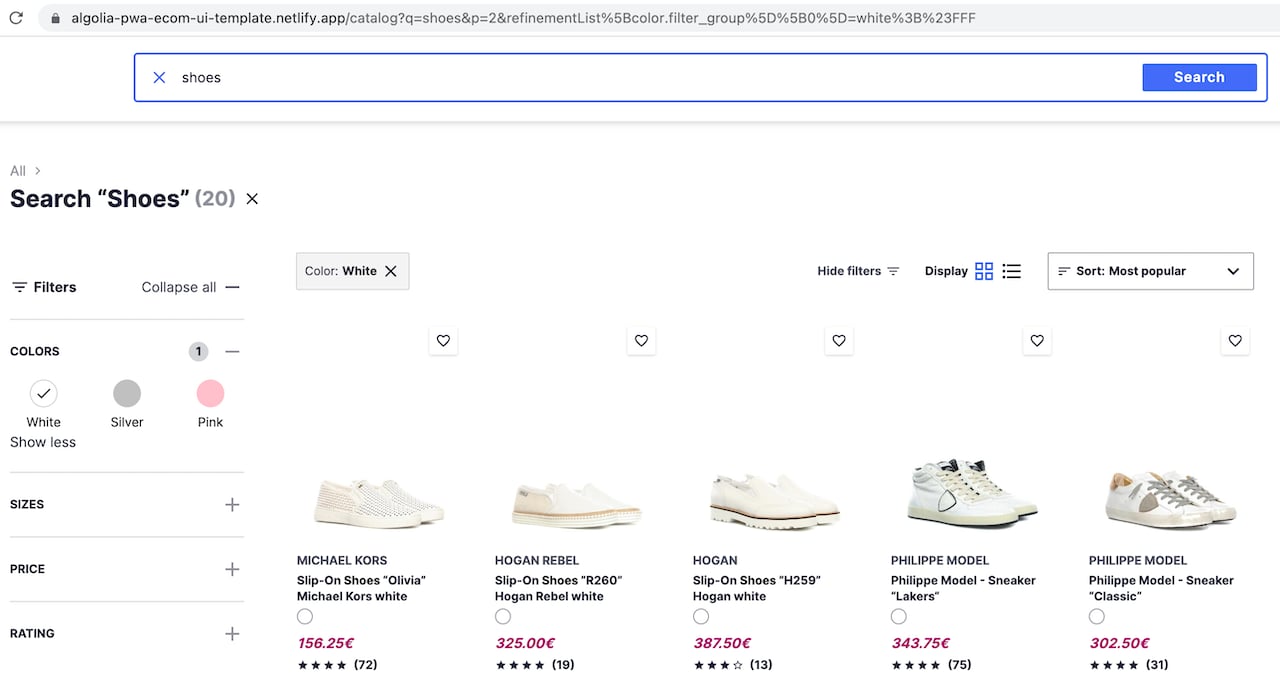
Open CodeSandbox
Run and edit the SEO-friendly routing example in CodeSandbox.
Explore source code
Browse the SEO-friendly routing example on GitHub.
Your widgets use a tags with href attributes
This section is only relevant if you have customized the markup of at least one of your widgets.
The default markup implements anchor tags with plain URLs.
Search engines follow the links they find on a page.
They should be able to crawl every page of your website by going from link to link.
For example, if you customized the pagination widget then make sure each page button is an <a> tag with an href attribute.
It shouldn’t be a button with an event listener.
This especially applies to discovery-related widgets, such as:
- JavaScript and Vue
- React
Dos and don’ts
Do this:HTML
HTML
Your URLs are readable
Your URLs must be logical and readable. It’s better to use full words than identifiers or abbreviations. For every InstantSearch flavor, the basic routing configuration injects every search refinement into the URL as a query string parameter. These parameters are inferred fromuiState.
https://mywebsite.com/red-dresses/ rather than
https://mywebsite.com/?c=red%20dresses.
Dos and don’ts
Do this:https://mywebsite.com/Car-Equipment/https://mywebsite.com/Car-Equipment/?page=3https://mywebsite.com/Computers+%26+Tablets/?page=2&brands=Apple
https://mywebsite.com/98907/?q=879065https://mywebsite.com/search/?c=Car%20Equipement&s=asc&p=3
Your URLs reflect the structure of your website
Search engines can use your URL structure to infer the architecture of your website, understand the context of a page, and enhance its relevance for a particular search query.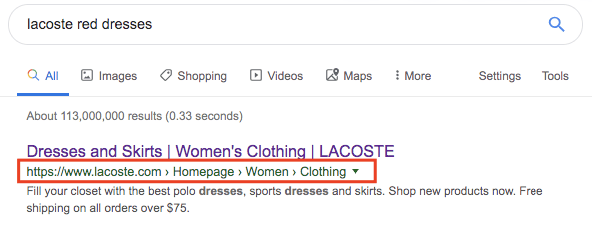
https://mywebsite.com/<category>/ and each sub-category through https://mywebsite.com/<category>/<sub-category>.
Dos and don’ts
Do this:https://mywebsite.com/Car-Equipment/https://mywebsite.com/Women-Clothing/T-Shirts/
https://mywebsite.com/search?category=Cars-Equipementhttps://mywebsite.com/search?categorylvl1=Clothing&categoryLvl2=T-shirts
Your robots.txt file
If you use canonical URLs and a sitemap,
you don’t have to change your robots.txt file.
You use canonical URLs to indicate primary content
A canonical URL is the most representative page from a set of duplicate pages on your site. When users search for “women t-shirts” in a search engine, you want them to findhttps://mywebsite.com/Women-Clothing/T-Shirts/ rather than:
rel="canonical" link that points to the canonical URL on all possible duplicate pages.
In the following example, all links need to have a link element pointing to the primary page.
https://mywebsite.com/Women-Clothing/T-Shirts/?page=42https://mywebsite.com/Women-Clothing/T-Shirts/?brand=lacostehttps://mywebsite.com/Women-Clothing/T-Shirts/?query=round%20Collar
HTML
Are mobile pages duplicates?
Yes, the mobile version of a page counts as duplicate content. Make sure your mobile pages have a canonical link in theirhead,
indicating the desktop page as the primary page.
You can also reference the mobile page from the primary page with the following tag:
HTML
Paginated content
If you’re using the pagination widget or the “show more” button of the infinite hits widget, make sure that:-
Your widget uses
<a>tags with anhrefattribute:HTML - Each page can be accessed directly through a URL.
- Each page URL has a canonical link to its primary page.
link elements with attributes rel="next" and rel="prev" in the <head> of your page to infer the relationship between component URLs in a paginated series.
These elements help but not all search engines use them for indexing.
For more information, see:
Your category URLs are referenced in a sitemap
A sitemap is an XML file that tells search engine crawlers which pages are central to your site. Having a sitemap is particularly recommended for large websites with many unrelated pages. When deciding which pages to put in your sitemap, a good rule is to include only your canonical pages. If you’re not using a content management system (CMS) that automatically generates a sitemap for you, you can generate one based on your Algolia indices. For more information, see:Your canonical pages have unique titles and descriptions
Thetitle and description meta tags give search engine users important insight into the content of a search result and its relevance.
This information often determines which search engine result a person clicks on,
so it’s crucial to use high-quality titles and descriptions when you build your web pages.
Algolia doesn’t add meta tags to your pages.
You have to do that yourself using the tools you use to build your website.
Your widget’s markup is semantic
InstantSearch widgets provide a default semantic markup that should cover most cases, but if you’re using connectors to customize your UI, make sure to properly use markup according to its meaning and purpose. For example, use heading elements (h1 to h6) for headings,
paragraph elements (p) for paragraphs,
list elements (ul, ol, or dl) for lists, and tables (table) for data tables.
Semantic markup helps search engines identify and categorize your content with minimal effort.
Dos and don’ts
Do this:HTML
HTML
HTML
article element, a header section with the product name in an h2 element, a product image with an alt attribute, and the main description in a p element),
you’re missing some information details that could be useful for a search engine (“TV and home theater” is the product category, “69” is its price).
You can solve this by using structured data.
Structured data
Structured data is a standardized format for providing information about a page and classifying its content. With structured data, you can give search engines insight into the meaning of your pages. Here’s how to add structured data to the previous example:HTML
link and meta tags.
Here are some examples of templates with structured data for InstantSearch widgets:
- Web semantics
- HTML elements reference
- HTML standard
- Google-supported structured data
- Introduction to structured data
- Schema.org
- Structured data testing tool