

brand, that users can filter by.
A refinement list displays the attribute’s values as selectable options.
For example, users can search for battery chargers and select Apple to show only Apple products.
Users may include a brand in their query without selecting an option in the refinement list.
A rule can apply the corresponding filter automatically.
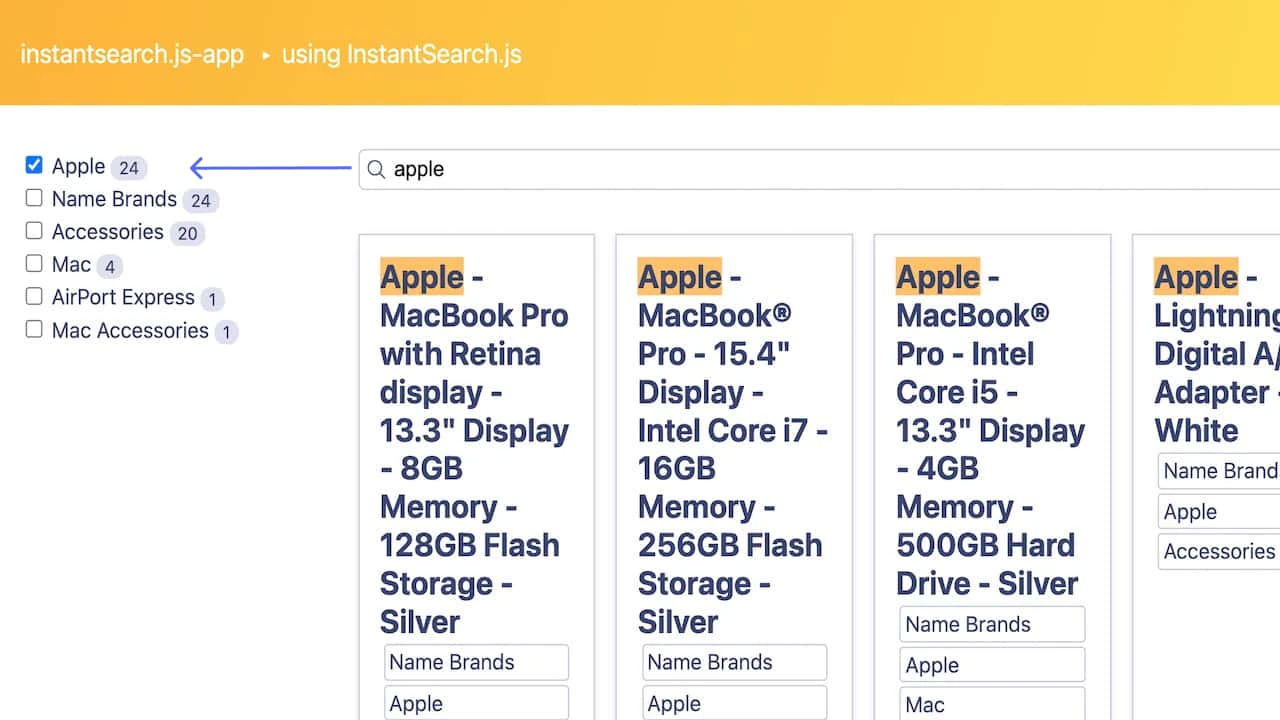
For example, a rule can filter results to Apple products when users search for battery chargers apple.
To help users understand why the results changed, display the matching facet value as selected in the refinement list.
This guide shows how to reflect filters applied by rules.
Before you begin
This tutorial requires:- InstantSearch.js or React InstantSearch.
- A rule that automatically applies a filter when the query matches a facet value. To create one, see One rule per facet.
Display filters applied by rules
To display the facet values that correspond to automatically applied filters:- Read the filters from the search response.
- Mark the matching facet values as selected in the refinement list.
Open CodeSandbox
Run and edit the example for
InstantSearch.js
or React InstantSearch.
Explore source code
Browse the example code for
InstantSearch.js
or React InstantSearch.
Retrieve active rule information
To retrieve data on the applied rule, you can use theexplain query parameter in the configure widget.
Set explain: ['*'] to include rule details in the response’s explain property.
Read the filters applied by the rule from explain.params.rules.facetFilters.
categories:groceries.
Use this value to identify the item to mark as selected in the refinement list.
JSON
Mark matching facet values as selected
In therefinementList widget,
use transformItems to set isRefined to true for items whose facet values match the filters in the search response.
This displays those values as selected.
In React InstantSearch, use
useInstantSearch
to access the search response.
Create a component that wraps RefinementList
and passes a transformItems function to mark the matching facet values as selected.