Enable real-time personalization
Real-time personalization is a beta feature according to Algolia’s Terms of Service (“Beta Services”).
Real-time personalization dynamically optimizes search results based on users’ real-time interactions within their current session. This personalization approach:
- Provides coverage for all users, including first-time visitors
- Happens in real-time as users interact with your website
- Adapts continuously to the user’s changing intent
- Complements historical personalization for a comprehensive strategy
Real-time personalization will activate only for new users, while historical personalization will apply for returning users.
By leveraging immediate behavioral signals, real-time personalization delivers a responsive search experience that evolves with the user’s journey, enhancing desirability without requiring previous visit history.
For a detailed comparison, read about the differences between real-time and historical personalization.
Enable real-time personalization
Prerequisite: You must configure Advanced Personalization before enabling real-time personalization.
Go to the Algolia dashboard to enable real-time personalization.
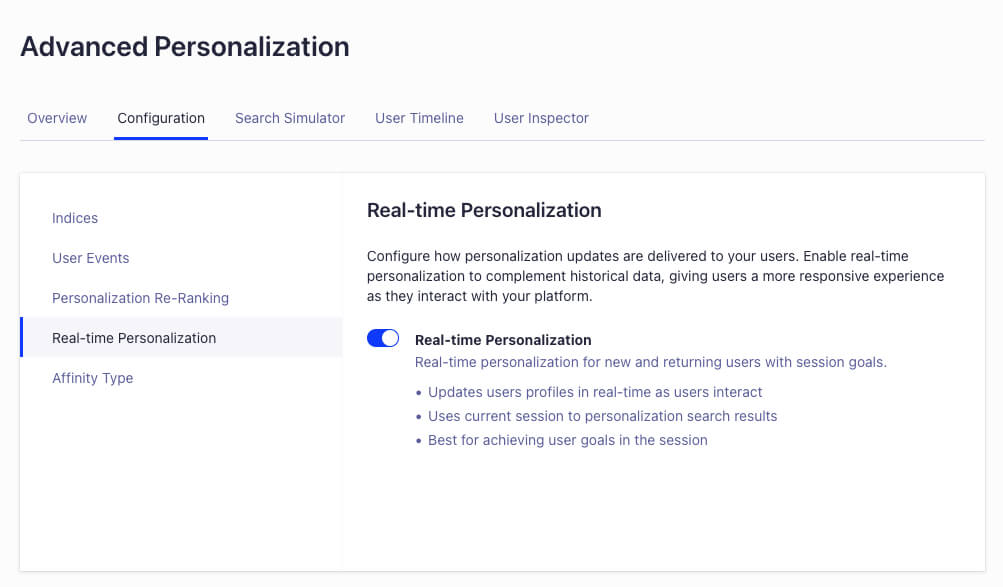
Dashboard interface enabling real-time personalization
Real-time profiles are automatically computed by Algolia when user events are received.
Troubleshooting
You can use the Advanced Personalization user inspector to review the user affinities. A badge indicates if real-time affinities are being used.
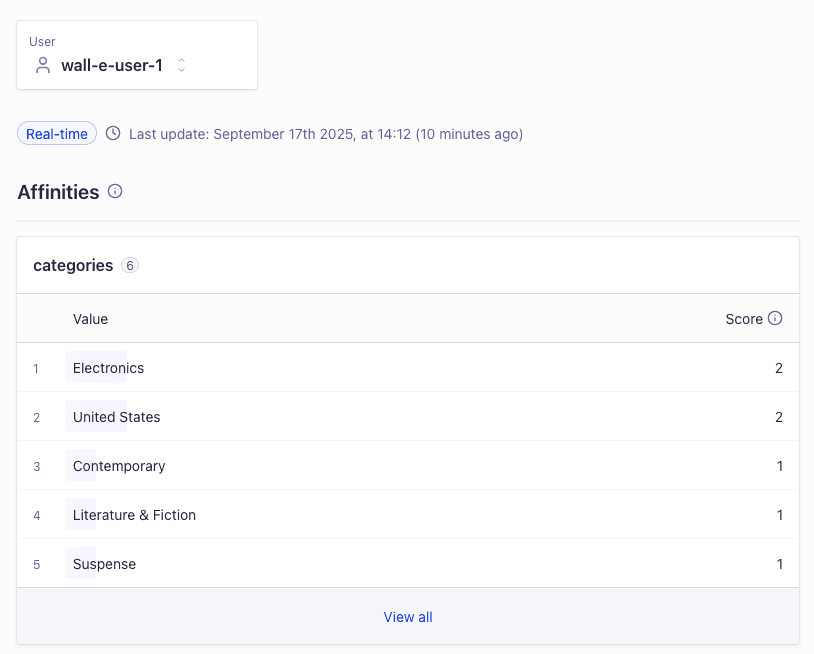
Dashboard interface inspecting user affinities
