

The analytics feature only works on the InstantSearch page,
not in the autocomplete menu.
Configuration
The Analytics feature has three variables that you can configure.Delay
The delay in milliseconds. Each keystroke in the search box triggers a search in Algolia. This gives users a search-as-you-type experience. Sending every keystroke’s query to the analytics service would generate a lot of unnecessary data and noise. The delay setting defines how long the widget should wait between keystrokes before pushing data to the analytics service. Only the last search after this delay is sent to the analytics service.Push before delay on UI interaction
If the delay is too high, a user might click a result before the delay finishes. This could prevent the search event from being sent to the analytics service. When this setting is true, the search event is sent to the analytics service, even if it occurred within the delay parameter set.Push after initial search
If users land on the search page directly from a shared URL, the search is automatically triggered without any user interaction. At the same time, the load of the page triggers the default Google Analytics code for a page view. This setting specifies whether to send a search event in such non-interactive search scenarios.Push function
Theanalytics widget calls the push function whenever it sends data to an analytics service.
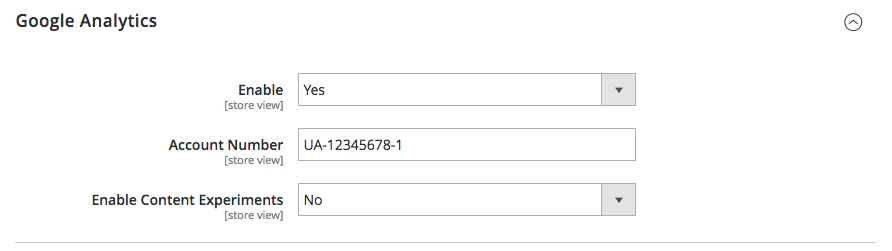
If Google Analytics is enabled in Magento,
the widget automatically configures the push function to send data to Google Analytics.
You can configure Magento’s Google Analytics settings under Stores > Configuration > Sales > Google API > Google Analytics.
/catalogsearch/result/?q=[[search_term]]&[[selected_filters]]&numberOfHits=[[number_of_results]]
You can find the code for the
push function on GitHub.Other analytics services
If you need to send data to analytics services other than Google Analytics, you need to write a custompush function.
To do this, define a algoliaAnalyticsPushFunction variable,
and assign the custom function to it.
The widget automatically calls the custom function.
Examples
JavaScript