

This feature isn’t available on every plan.
Refer to your pricing plan to see if it’s included.
Configure Personalization for Magento
You can’t personalize user experiences if you don’t know their preferences. To learn about these preferences, you must capture storefront signals (events).-
Enable personalization for your storefront:
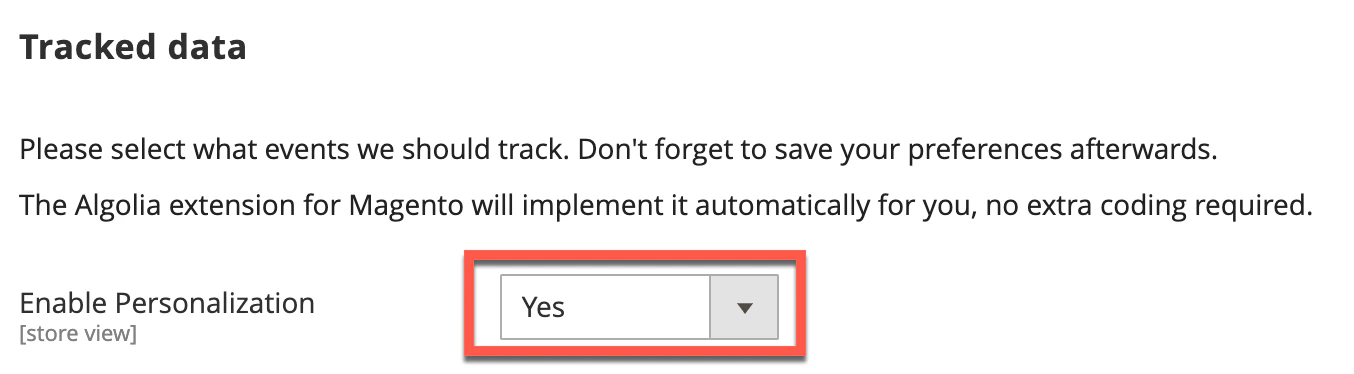
-
Go to Stores > Configuration > Algolia Search > Personalization in your store’s Admin panel.
Select the events you want to track:
-
View events
- Viewed product
-
Click events
- Product clicked
- Product recommendation clicked
- Facet clicked
-
Conversion events
- Product added to wishlist
- Product added to cart
- Placed order
-
View events
- Save and clear your configuration cache. The enabled events are now automatically sent to Algolia.
- Personalization personalizes search results for your users. Algolia only receives the data required to support this feature.
- Analytics tracks search effectiveness or performs things like A/B testing. For analytics, you need to enable click and conversion events.
How Personalization works with Magento
When you enable personalization in Magento, your storefront automatically sends view and click events to Algolia. These events come from the frontend of your store. Magento’s backend sends conversion events using its default dispatched event observers.User token
Personalization requires a for all events you track and for search. The extension automatically handles the generation of this token. For first-time customers who aren’t logged in, the Algoliasearch-insights library creates an anonymous userToken.
If a customer consents to using cookies on your site, the anonymous token is stored in the _ALGOLIA cookie.
If a customer doesn’t grant consent, Algolia regenerates the token on every request.
This means you can’t track that user’s activity or provide personalized search results.
To keep personalization data across sessions, Magento generates a unique 64-character authenticatedUserToken.
It creates this token once a customer logs into their account.
It bases this token on the customer’s email address and customer ID.
To follow data privacy laws, Algolia encrypts this information one-way.
This avoids exposing any Personally Identifiable Information (PII) in the underlying event data.
Algolia stores this token in a cookie named:
_ALGOLIA_MAGENTO_AUTHfrom version3.14.xaa-searchfor previous versions.
Customer journey
Starting with version 3.14, Algolia tracks the entire customer journey. Algolia does this to correlate activities a user performs before and after logging in. It sends both tokens with events. This includes the anonymous token and the authenticated token. This means Algolia includes activities performed before the login event when determining the customer’s shopping preferences. The following table shows which tokens apply to each scenario in the customer journey:The Magento extension retains the authenticated user token unless the customer explicitly logs out of their account.
This lets you continue personalizing their experience based on their
authenticatedToken.
You don’t need to rely only on a potentially ephemeral anonymous token.Query token
TheuserToken tracks user activity for personalization.
It also improves analytics accuracy.
It does this by sending the Insights events token with queries.
Queries can only use a single userToken.
Once a customer logs into their account, Algolia sends the authenticatedToken with all queries instead of the anonymous user token.
Cookie law compliance and user consent
In many countries, you must get the user’s permission before storing data in cookies, such as theuserToken.
For information about how the Algolia extension determines consent,
see cookie law compliance .
How to track custom Personalization events
You can add custom events for Personalization with theafterInsightsBindEvents frontend event.
This hook exposes the algoliaInsights object.
Use it to append events to the list of pre-configured events.
The algoliaInsights object has three methods for adding new Personalization events:
trackClicktrackViewtrackConversion
buildEventData method on the algoliaInsights object to create events in the correct format.
To create a personalization event in the correct format, buildEventData requires an eventName, objectID and indexName.
The following code snippet shows how to add a custom click event using the afterInsightsBindEvents hook:
JavaScript