Do chatbots still impress? We’re far enough along in the age of AI that just adding an agent for the sake of novelty doesn’t automatically drive engagement or get you any closer to company goals.
So what are our goals? In ecommerce, it’s to get the shopper to buy our products. Merchandisers care less about conversational elegance and more about conversion rates, average order value, customer retention. So naturally, they should ask: “Where are our shoppers getting stuck, and what kind of agentic interface will get them closer to a sale?” If they're working with good data and analyzing it honestly, the answer may not be a basic chat widget in the bottom corner.
There isn’t one “right” agentic UI for ecommerce. The useful pattern depends on where the shopper is in the funnel and what kind of friction is stopping them from moving forward. So in this article, we’ll explore how different agentic UI patterns align with specific business goals, and we’ll figure out how to give our agent what it needs to turn uncertain intent into confident product engagement. Here’s a quick table for reference, and we’ll dive deeper into each suggestion in the next sections.
Agentic UI pattern
Where it belongs
What it solves
What the UI should prioritize
AI mode in the search bar
The start of the shopping journey
Helps shoppers express messy, use-case-specific, or long-tail intent.
Intuitive input, guided refinement, and fast natural language interpretation.
Product-card-heavy results
After the first AI/search interaction
Prevents the agent from becoming a text wall that explains well but converts poorly.
Product cards, images, prices, ratings, availability, filters, and clear paths to PDPs or cart.
Product page Q&A agent
Product detail pages
Removes final purchase blockers around compatibility, warranty, returns, installation, or reviews.
Contextual answers grounded in product data, specs, reviews, support content, and policies.
Comparison UI
Search results, category pages, or selected-product views
Helps shoppers choose between similar or technical products when specs alone are hard to interpret.
Plain-language differences, structured comparison tables, tradeoffs, and use-case-based recommendations.
Intent starts with search
Shoppers are already expressing their intent on your site — that’s what the search bar is for. Since it’s their natural entry point to interacting with the product catalog, it’s one of the cleanest places to improve the discovery experience with a well-designed agent.
But not all shopper intent looks the same. For example, some intent is specific enough that traditional keyword search can match it to products immediately. Take these queries:
“iPhone 15 case”
“running shoes”
“black dining chairs”
“air fryer”
When the user knows what to type, our existing search performs well. And with a vector-based search algorithm like NeuralSearch, we can even match records based on semantic similarity that are probably still relevant to the searcher.
But when the user’s intent is vague, contextual, or based on a specific use case, we need search that can extract intent from natural language. Take these queries:
“comfortable shoes for walking around Europe in the summer”
“a gift for a dad who likes grilling but already has the basics”
“a backpack that fits a laptop and works for weekend trips”
“a phone with a great camera but not too expensive”
“nonstick cookware that works on induction and is easy to clean”
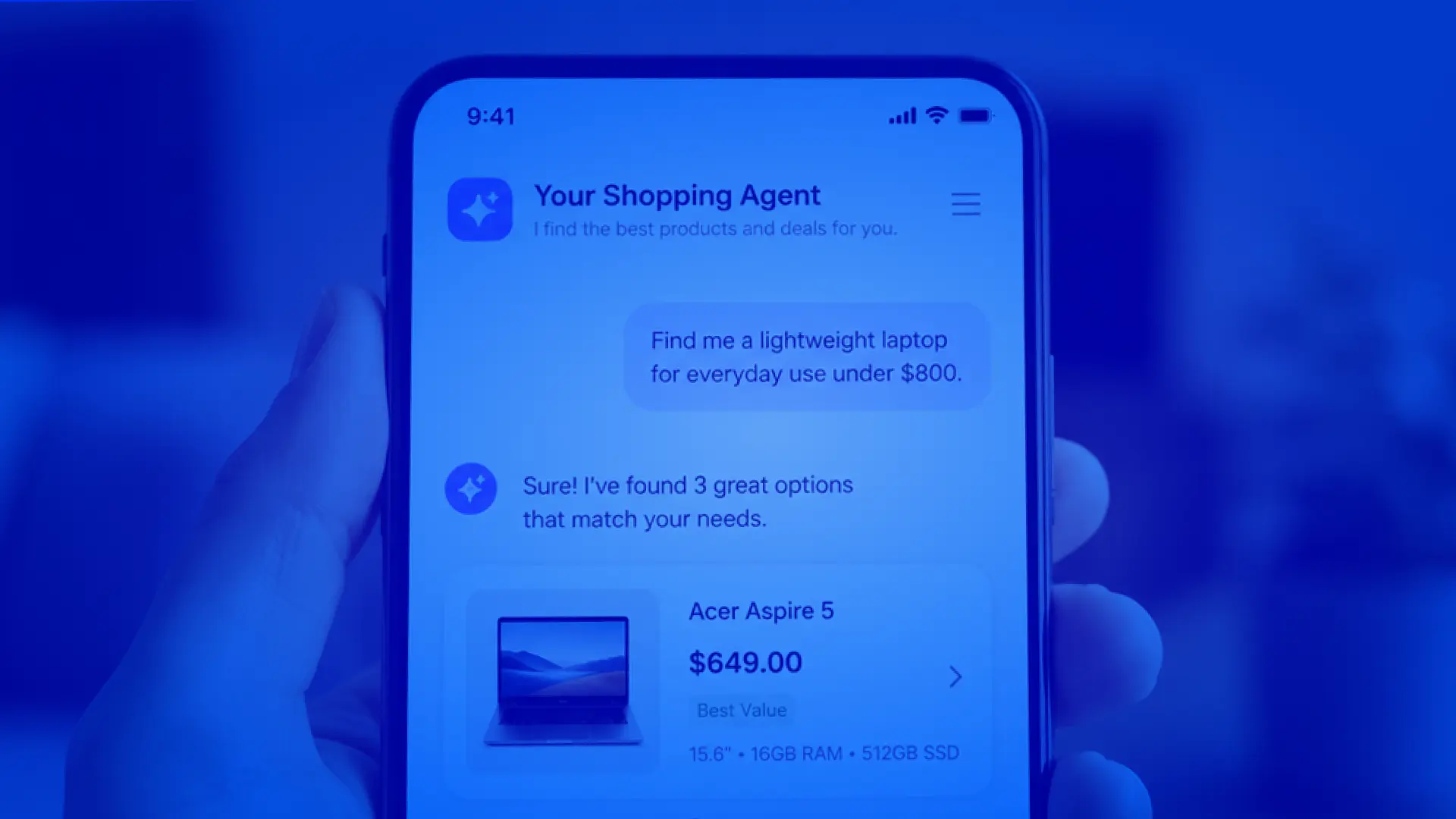
These queries contain useful buying intent, but they do not always map neatly to product titles or categories. An AI mode in search lets shoppers express intent more naturally and gives the commerce experience more context to work with. We’re not replacing search — we’re just expanding the search experience to be especially friendly to long-tail, high-intent queries from shoppers with real needs and open wallets.
Don’t let the agent bury the catalog
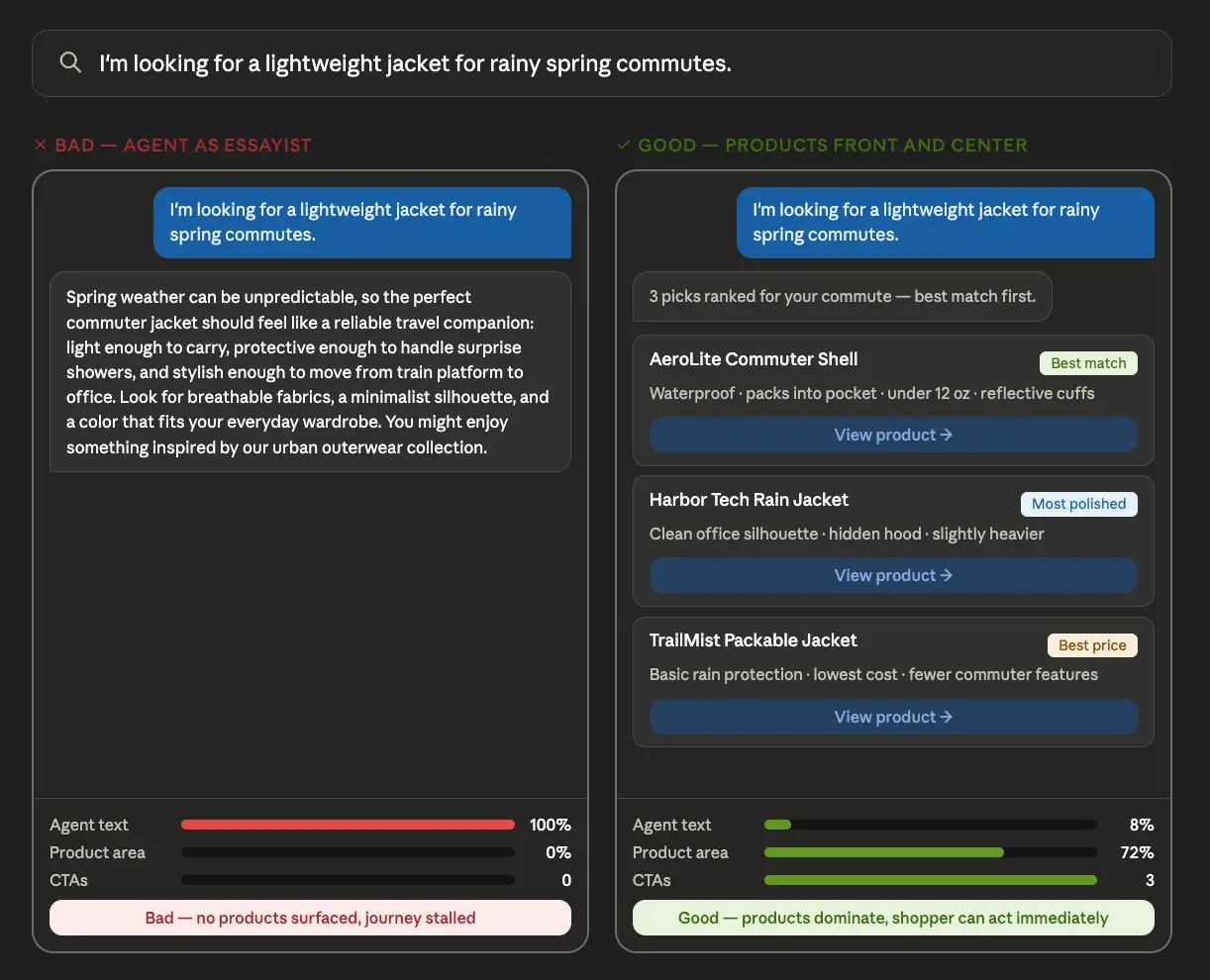
Admiring your agent’s eloquence is low on the shopper’s list of priorities. If an agentic search experience is going to be useful to them, it has to do more than print out a thoughtful answer — it has to focus attention on the products that best match the shopper’s intent and move them toward action.
Agents should never treat the product catalog like supporting evidence instead of the main event. The products are why they’re on your site, after all! The shoppers want to see product cards, images, prices, ratings, availability, promotions, shipping details, and obvious paths to product detail pages or carts. If the agent gets in the way of that, it may be answering well while selling poorly, like a knowledgeable sales rep that just won’t stop talking.
A useful test is almost embarrassingly simple: measure the interface in pixels. How much of the screen is conversation? How much of the screen is product? What we give the screen real estate to indicates what the users will pay most attention to. So if most of the experience is a paragraph explaining what the shopper should consider, and only a small slice of the page is dedicated to actual products, the UI is probably over-optimizing for answer quality and under-optimizing for conversion.
What should we use the limited conversation space on then? Try having the agent briefly answer these questions:
Why do these products match the shopper’s intent?
Which product attributes (if any) would the shopper really care about?
In which specific scenarios should the shopper choose one of these products over the others?
Once the agent has given that context, it should really get out of the way. The goal is not to have the agent deliver the perfect answer in isolation, but instead to get the shopper from intent to product engagement as quickly as possible.
Overcoming blockers with Q&A agents
Once the shopper is on a product page, they’re no longer just discovering. Now, they’re evaluating whether to buy a specific item, and we can help nudge them along with another well-designed, integrated agent.
Why is a different agent and interface appropriate here? Put plainly, the questions get more specific in the context of a product page. Additionally, according to our customers, visitors to their websites only click on the bottom-right chatbot icon when they need support. An embedded agent on the product details page feels less like a support agent and more like a shopping agent.
Shoppers naturally have uncertainty before purchasing because none of us like to part with hard-earned money. So if this product is really a good fit — and it likely is, since our previous discovery agent surfaced it — we need to assuage their concerns and genuinely answer their questions. For example:
Will this fit me?
Is this compatible with [insert other product here]?
What material is it made from?
How does sizing run?
What is the warranty?
Can I return it?
Does it work with my setup?
How hard is installation?
What do reviewers say about durability?
What is the difference between this model and [insert other model here]?
The answers to these questions are scattered across product specs, descriptions, reviews, FAQ sections, docs, support tickets, return and warranty policy pages, inventory CMS’s, installation guides, unstructured manufacturer data, you name it! We already have this data, it’s just that until agents, only a human was capable of extracting meaningful insights from it. Where trivial questions about individual products used to take up a lot of our customer support team’s time and effort, an embedded product page agent can retrieve and synthesize this information in context without ever needing to bother human staff.
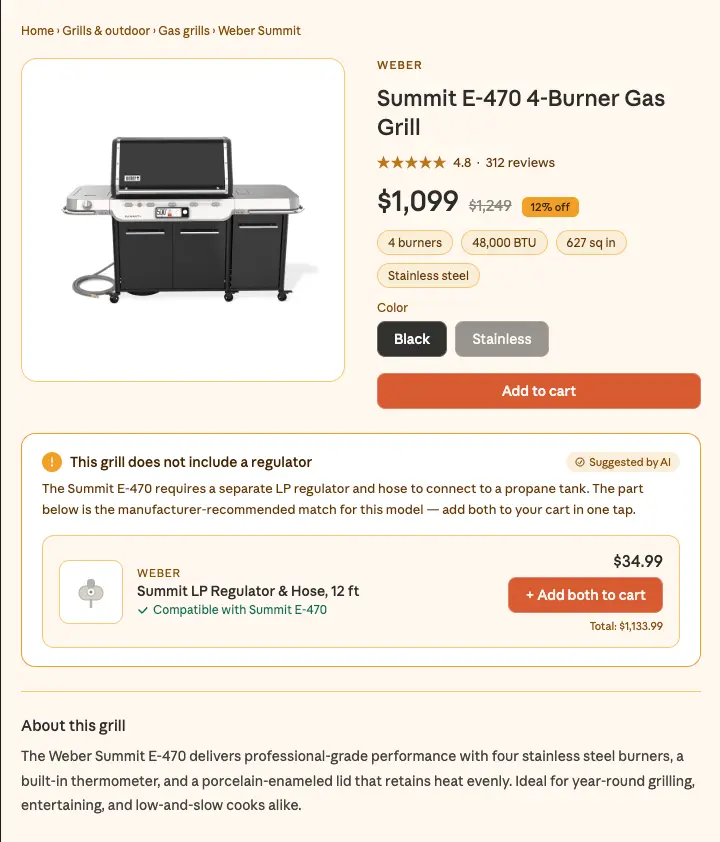
Why is this important to our business? Because product page uncertainty increases abandonment. In Syndigo’s 2024 State of Product Content study, 83% of consumers said they would abandon an ecommerce site with insufficient product information, and 50% said they actually had stopped themselves from going through with an order for that reason in just the last six months. The takeaway: a shopper may like the product but hesitate because one question remains unanswered. A great contextual agent would reduce that hesitation and keep the shopper moving towards the sale. For example, imagine a product page for a grill, where the agent either answers questions proactively, gives the user several query options to click on, or allows them to type a freeform query. When asked about what regulator can be used with the specific grill in question, it can answer using real manufacturer data for that specific product:
Here, the agent is successful because it is narrow, contextual, and purchase-focused. Its job is not broad discovery — its job is to remove doubt and drive the sale.
Agents can power product comparison
Sometimes what’s making a shopper hesitate isn’t unanswered questions, but analysis paralysis. When a user is struggling between several options, how can an agent help them?
The first step is detecting this situation. It may be as simple as putting checkboxes on each product card in your search results, and adding a “Compare” button when multiple are selected. Perhaps if the shopper sits on the search results page for some time, we could tell them about that feature in a toast. This is the obvious way for your shoppers to let you know that they’re going back and forth between multiple options — respond to that signal by opening a comparison dialog with an agent built specifically to compare multiple products. We could also offer to open this agent dialog with a subtle toast if analytics indicate the shopper has come back to a previously visited product page after visiting another.
Agents are especially useful here because they can explain in natural language the differences between similar products. Since some products differ only by technical specs, or their defining features aren’t easily discernible without category expertise, an agent is uniquely positioned to surface these comparison points and actually show what they mean. For example, imagine a retailer selling both the new MacBook Air M5 and the entry-level MacBook Neo. It wouldn’t be difficult to automatically generate a comprehensive spec sheet like this:
MagSafe 3, two Thunderbolt 4 / USB 4 ports, headphone jack
One USB 3 USB-C, one USB 2 USB-C, headphone jack
Wireless
Wi-Fi 7, Bluetooth 6
Wi-Fi 6E, Bluetooth 6
Camera
12MP Center Stage camera
1080p FaceTime HD camera
Speakers / mics
Four speakers, three-mic array
Dual speakers, dual-mic array
Feeling overwhelmed? That’s the feeling the reader gets when we throw a lot of specs and numbers at them. They might be technically accurate, but most people who intuitively understand what these specs mean are power users who know more about what they want. This table may mean little to many shoppers considering the Neo: students, budget-conscious buyers, or people who just want to know whether the cheaper laptop will handle their everyday work.
In contrast, here was an ideal agent’s comparison summary:
Buy the MacBook Neo only if price is the main priority and your work is mostly basic: browsing, documents, email, schoolwork, streaming, and light app use.
Buy the MacBook Air M5 if this is your main laptop, especially if you code, multitask heavily, use external monitors, edit media, run AI tools, or want it to feel fast for several years.
Much simpler. For someone waffling between these two product pages, this summary would reduce hesitation more than the spec table alone. A follow-up question interface would make it even stronger, so they could ask about camera quality or battery life. Also, remember that a great agent is one that drives action, so capitalize on the “I’ve made up my mind” moment by putting Add to Cart or Buy Now buttons next to each option summary.
Evaluate by shopper behavior and KPIs
So how do we know if the agentic UI is working? Sir Arthur Conan Doyle's Sherlock Holmes famously said, “It is a capital mistake to theorize before one has data.” Before adding an agentic experience, decide what behavior it is supposed to change, which quantitative metrics will prove it, and how those metrics will be measured consistently. Those metrics should shape the UI and UX decisions from the beginning, not just appear in a post-launch report.
We’re not just trying to get the agent to give smooth answers. What we really care about is impact on shopper behavior. We’re spending time and money making upgrades to our ecommerce site, so we should accomplish some business objective as a result, or else it wasn’t worth it.
So which metrics tell us whether shopper behavior is actually changing? Start with the KPIs ecommerce teams should already be measuring: think conversion rate, average order value, customer retention, product click-through rate, etc. If events are already flowing into Algolia, the Analytics dashboard can help teams monitor core search and conversion KPIs at a glance. More specifically, we can measure how each cohort of searchers is benefiting from our agentic features by looking at more targeted metrics like long-tail query conversion, or returning customer average order value, or even conversion rate just for those shoppers we flagged as struggling with option paralysis. If we choose to use those more specific metrics, we might need additional instrumentation to measure them consistently.
If we’re not seeing the results we expect using these metrics, it’s possible that the agent simply isn’t solving the problem we intended it to. It’s also possible, though, that the solution is much simpler: an agent could be failing to make a meaningful impact just because there’s no path forward from its responses. For example, if your agent highlights a product, there should be an Add to Cart button right on the product card. There should also be a “See More” link to the product page that lets us trace the final sale back to that agent’s recommendation. Agents can only drive results if they encourage shopper action, since the agent itself was never supposed to be the destination. The product is.
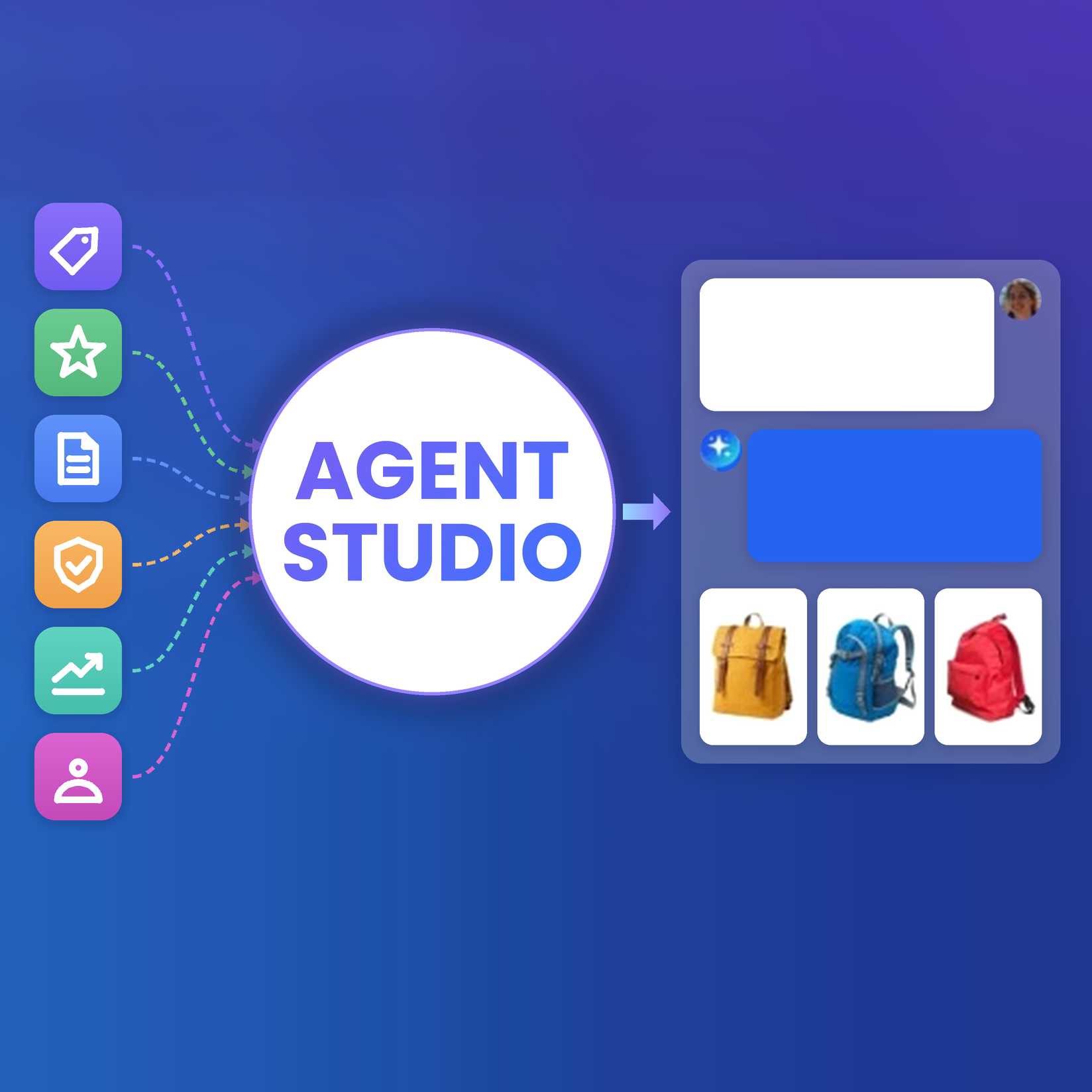
How Agent Studio makes agentic experiences actually drive outcomes
Here’s the main point: if you’re expecting to put one conversational interface on top of the whole shopping journey and see a major improvement, you’ll probably be left disappointed. Different shoppers get stuck in different places. Different problems call for different agentic solutions.
Agent Studio is useful because it gives ecommerce teams a practical way to build agentic experiences around those specific moments. Instead of treating the agent as a single chat widget, teams can make agents that match the shopper’s actual context:
AI-powered search experiences for long-tail discovery.
Product-card-heavy recommendation flows that keep the catalog central.
Product detail page agents that answer purchase-blocking questions.
Comparison agents that help shoppers choose between similar products.
Contextual agents for category-specific workflows, like sizing, compatibility, installation, replenishment, or bundle-building.
Importantly, agents can be configured to access the relevant product catalog index and ground their responses in real product data. Every one of those agentic applications requires this grounded data layer if we want answers that reflect the actual catalog instead of the model’s best guess.
Agent Studio also has the benefit of working within the context of InstantSearch, Algolia’s UI library. The InstantSearch chat widget abstracts away the chat UI, streaming behavior, initial messages, and hidden context so we can focus on the product-specific logic.
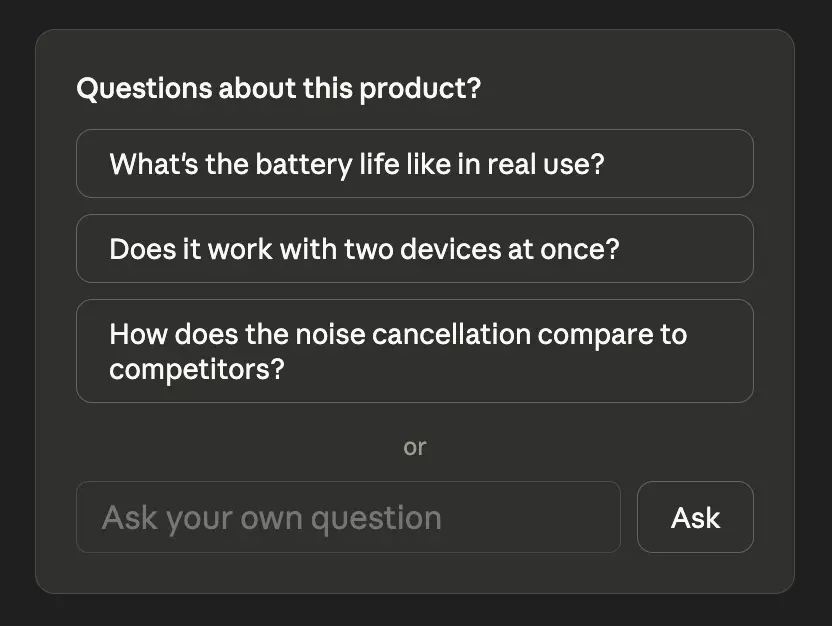
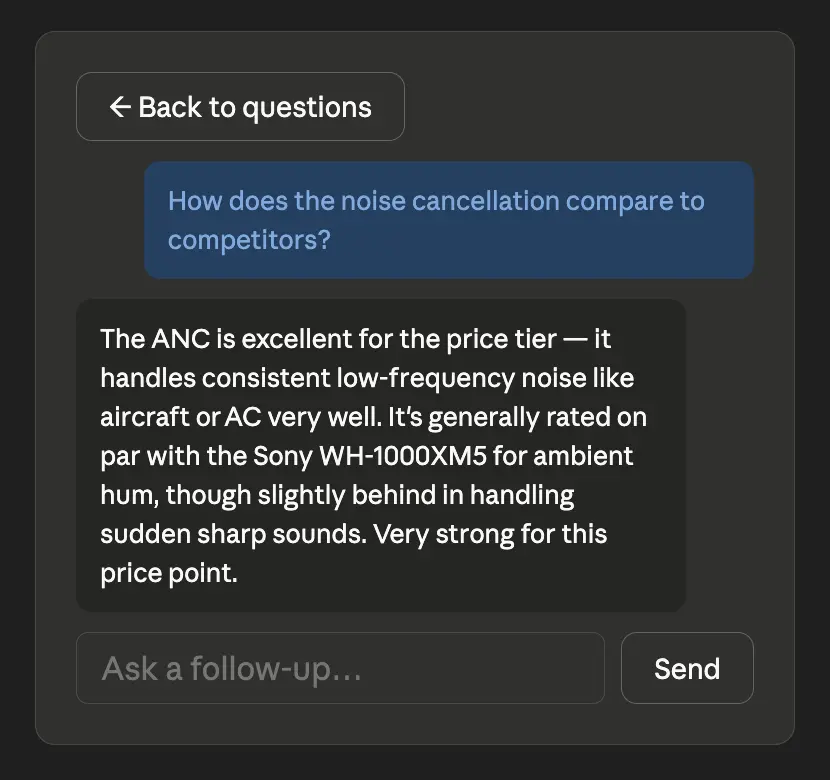
Here is a small sample implementation that makes good use of both the grounding and the chat widget. We’ll imagine we’re on the product page, so we have at least the objectID and three predefined questions the agent could answer easily from product data. The shopper can click one of the predefined questions or ask their own, and the widget turns into a chat window where they can see the agent’s grounded response and ask follow up questions.
import { FormEvent, useState } from "react";
import { Chat } from "react-instantsearch";

type ProductRecord = {
  objectID: string;
  name?: string;
  possible_questions?: string[];
};

type ProductQuestionAgentProps = {
  product: ProductRecord;
  agentId: string;
};

export function ProductQuestionAgent({
  product,
  agentId,
}: ProductQuestionAgentProps) {
  const suggestedQuestions = product.possible_questions?.slice(0, 3) ?? [];

  const [initialUserMessage, setInitialUserMessage] = useState<string | null>(
    null
  );
  const [draftQuestion, setDraftQuestion] = useState("");

  function startChat(question: string) {
    const trimmedQuestion = question.trim();

    if (!trimmedQuestion) {
      return;
    }

    setInitialUserMessage(trimmedQuestion);
    setDraftQuestion("");
  }

  function handleSubmit(event: FormEvent<HTMLFormElement>) {
    event.preventDefault();
    startChat(draftQuestion);
  }

  if (initialUserMessage) {
    return (
      <section className="product-agent" aria-label="Product question assistant">
        <Chat
          agentId={agentId}
          initialUserMessage={initialUserMessage}
          context={{
            productObjectID: product.objectID,
            productName: product.name,
          }}
        />
      </section>
    );
  }

  return (
    <section className="product-agent" aria-label="Ask about this product">
      <p className="product-agent__heading">Questions about this product?</p>

      {suggestedQuestions.length > 0 && (
        <div className="product-agent__suggestions">
          {suggestedQuestions.map((question) => (
            <button
              key={question}
              type="button"
              onClick={() => startChat(question)}
            >
              {question}
            </button>
          ))}
        </div>
      )}

      <form className="product-agent__form" onSubmit={handleSubmit}>
        <input
          value={draftQuestion}
          onChange={(event) => setDraftQuestion(event.target.value)}
          placeholder="Ask your own question"
          aria-label="Ask your own product question"
        />
        <button type="submit" disabled={!draftQuestion.trim()}>
          Ask
        </button>
      </form>
    </section>
  );
}
The agent still needs to be configured to treat productObjectID as the lookup key for the current product, but we can just put that in the system prompt when we create a new agent in Agent Studio. In context, the styled <ProductQuestionAgent> component or equivalent in other languages/frameworks would sit inside the <InstantSearch> container and look something like this, just slotted into a product page:
Those initial questions can be pregenerated by a backend agent or written manually. And after you click a question or type your own, the widget becomes a chat interface grounded in the current product context:
In this case, a chatbot is actually the right UX for longer conversations, but only after a more inviting, tailored first page. If the user just saw a chatbot interface right away, they likely would have interpreted it as related to customer service instead of something capable of answering their questions.
The future of ecommerce agents is product-first
The winning ecommerce agentic experiences will not look like generic, unintegrated chatbots. They will look like better search, smarter product results, clearer comparisons, more useful product pages, and buying journeys with fewer dead ends. A good agentic UI helps shoppers say what they mean, understand their options, resolve uncertainty, and make the purchase smoothly.
Whether the right place is the search bar, the product page, a comparison panel, or a category-specific workflow, the real question is where the shopper is getting stuck and how an agent can unstick them. With Agent Studio, it’s easier than ever to design less around conversation and more around commerce. If you’re ready to get started with agentic experience, check out our extensive docs here.


.webp)














%20(2).svg)
