The bottom right chatbot is everywhere. You can’t go to any website today without it popping up to ask if you have questions. So naturally, the answer to the question above has been to put AI chat in the bottom-right chat bubble. It is familiar. It is easy to add. It is also a place many users have learned to ignore, or to associate with support and sales rather than shopping, browsing, or product discovery.
The question matters a great deal, because research shows that many people tune out the bottom right chatbot. Moreover, a useful AI assistant cannot only be technically capable, it needs to appear at the right moment, with the right context, in the part of the visitor journey where the user is already showing intent.
In other words, agentic search starts with entry points. In this blog, we’ll summarize some of the points made in the DevBit presentation and offer some additional links to learn more about building a smart shopping agent experience.
The problem with “ask me anything”
Detached chatbot experiences tend to create two familiar UX problems.
The first is the blank page problem. A user opens a chat window and sees an empty input that says something like, “Ask me anything.” That sounds flexible, but it often puts too much work on the user. They need to know what to ask, how to ask it, and whether the assistant is even the right tool for the moment.
That is a lot to expect from someone who may only have a partial idea of what they want.
The second problem is amnesia. A shopper may have spent several minutes browsing waterproof jackets, filtering by size, opening products, and comparing options. Then they open the assistant and are greeted as if they just arrived: “Hi, how can I help you today?”
All of the shopper’s recent behavior is missing from the conversation.
The issue is not simply whether the model can answer questions. The issue is whether the assistant meets the user where their intent is already visible.
Entry points matter because intent is already on the page
An entry point is the moment and place where a user first meets the agent. In many early AI implementations, that moment has been disconnected from the rest of the experience. The user stops what they are doing, moves to a separate chat panel, and starts from nothing.
Agentic search asks a different question: where is the user already expressing intent?
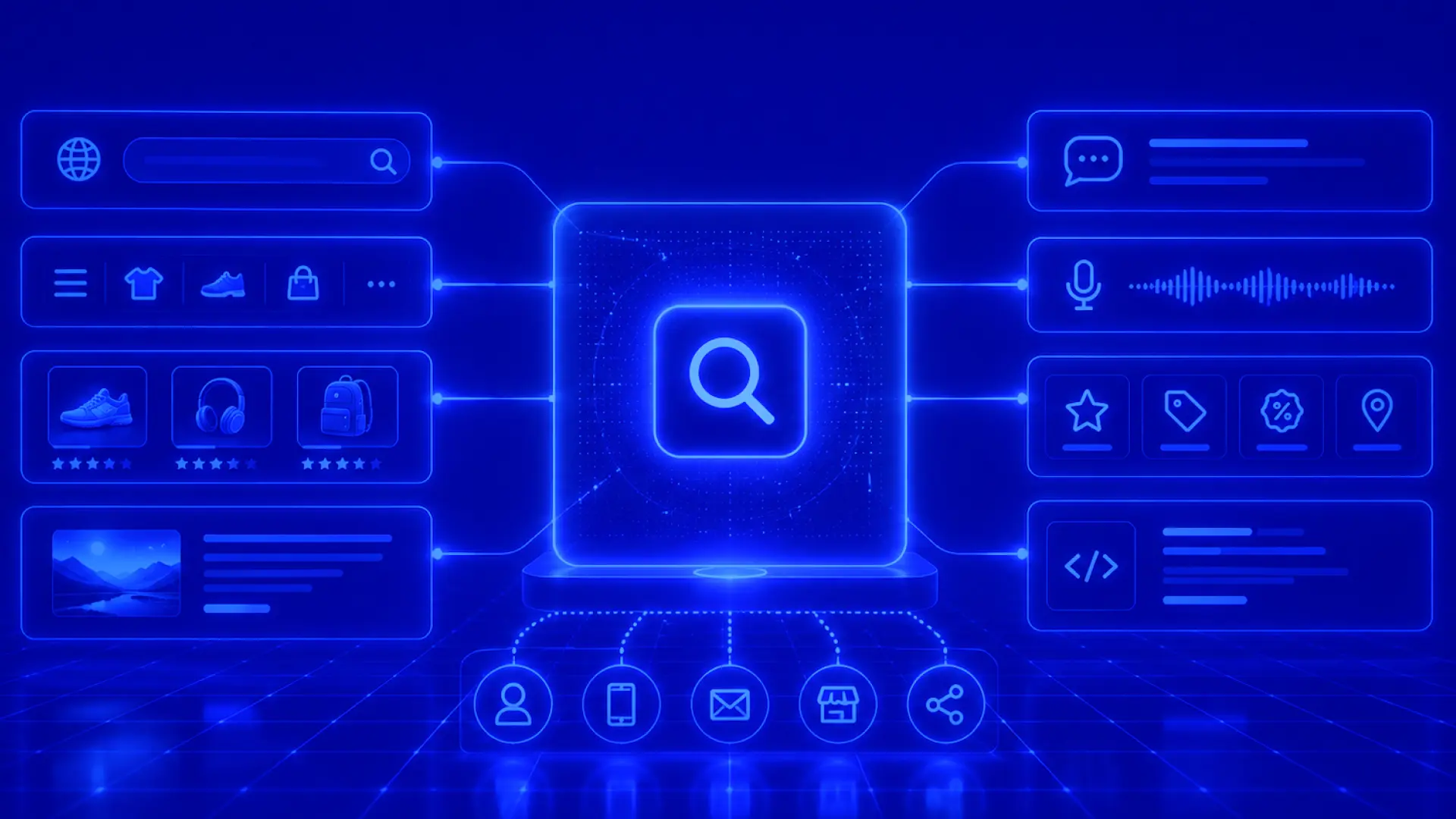
That intent might show up in a search query. It might show up in autocomplete. It might show up in a selected category, a set of filters, a product detail page, or a comparison between two items. Each of those moments can become a better entry point than a generic chat bubble.
This reflects a broader shift in conversational AI. Gartner has described the conversational AI platform market as evolving toward agentic AI, multimodal interactions, and more complex AI assistants. In a previous Algolia blog post, we also discussed the need for visual and conversational discovery experiences to influence each other: conversational input can update visual results, while filters, sorting, and browsing actions can inform the agent’s next response.
The practical takeaway is that the assistant should not feel like a separate destination. It should feel like a native part of the search and discovery experience.
The search bar is the first practical doorway
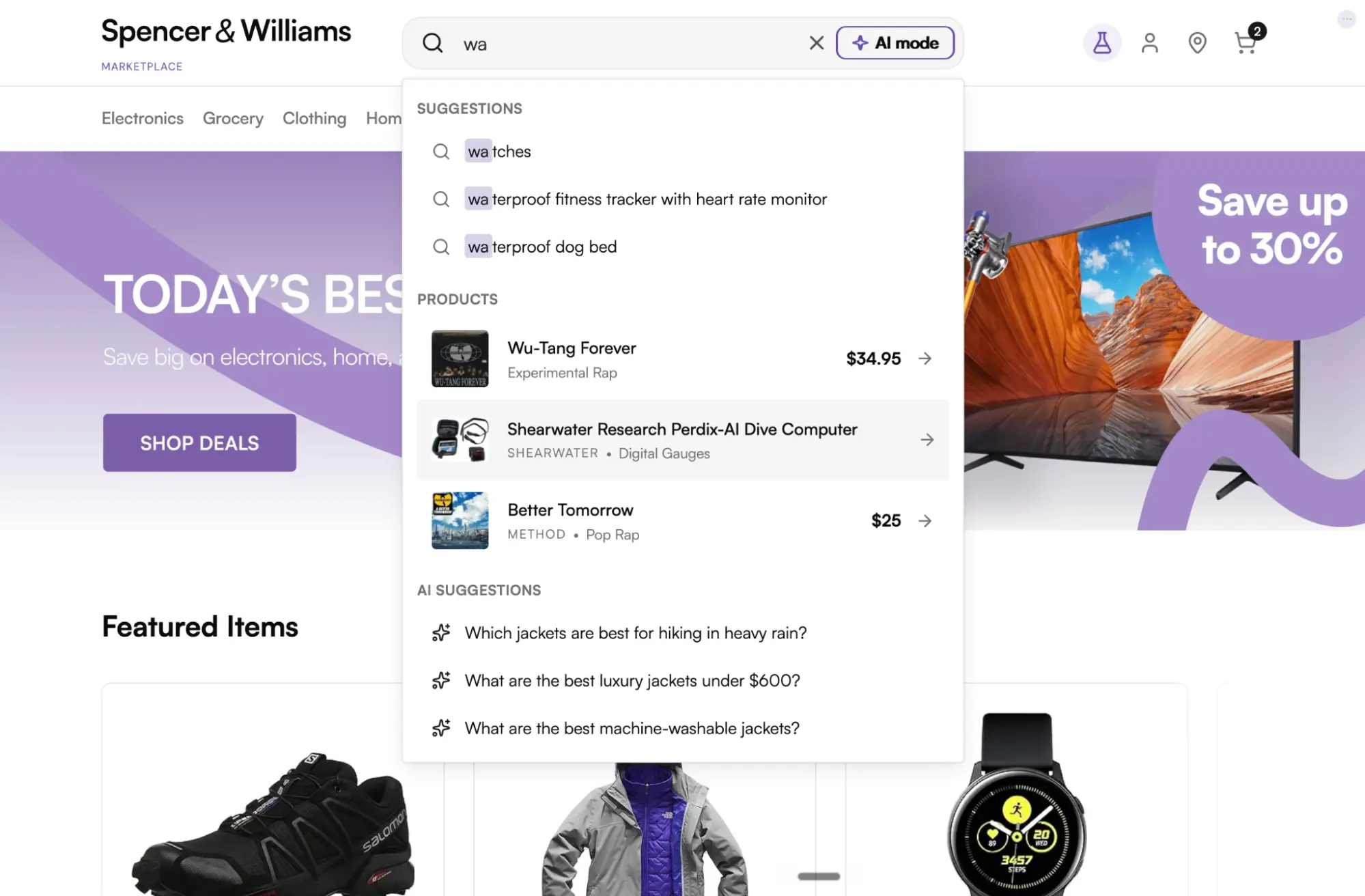
The search bar is one of the clearest entry points because users already go there when they want something. The old pattern customers are familiar with is already there – e.g., a shopper types “waterproof jacket,” gets a large set of results, and starts scrolling. The agentic pattern keeps the user in the same place but gives them another path forward. With AI mode available from the search bar, the shopper can move from keyword search into a conversational experience without hunting for a separate assistant.
Prompt suggestions (or AI suggestions shown above) can offer convenient ways for customers to interact with the search bar.
Prompt suggestions take that one step further. A user may begin typing “waterproof” without knowing the best question to ask. Instead of forcing them to write a complete prompt from scratch, the experience can suggest useful questions, such as which jackets are best for hiking in heavy rain. The user does not need to invent the perfect question. They only need to recognize the question that matches what they meant.
For developers, that distinction is important. Good agentic UX does not assume users arrive with fully formed prompts. It helps them move from partial intent to a useful interaction.
Algolia’s Agent Studio chat widgets support this kind of entry-point thinking in InstantSearch.js and React. The InstantSearch.js chat widget can be opened through a chat trigger, AI mode on a search box or autocomplete experience, or rendered inline in the page. Algolia’s React guide also shows how to combine SearchBox, Chat, and autocomplete widgets to create an AI-powered search experience with React InstantSearch.
Context is what makes the agent feel native
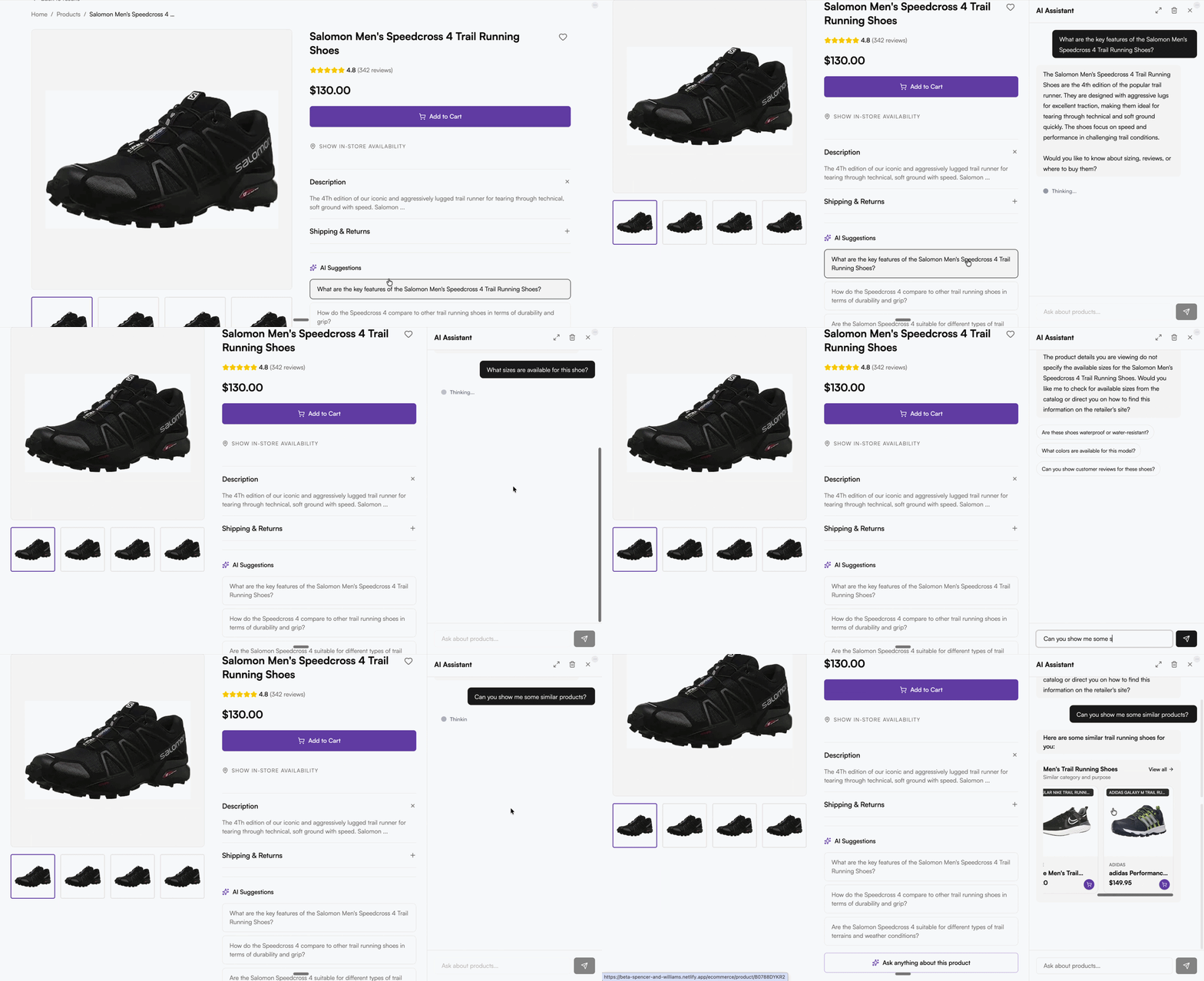
Once a user enters the conversation, the next question is whether the agent understands where they came from. For example, if a shopper is on a trail running shoes page and asks, “What are the key features of these shoes?”, the assistant should understand what “these” refers to. It should not ask the shopper to restate the page, product, filters, or category they are already looking at.
Agentic experiences become more useful when they can carry page context into the conversation. That context might include the current page, selected filters, locale, product, category, or other details that help the assistant answer in a way that reflects what the user is actually doing.
Algolia’s chat widget supports passing extra context with each user message without showing that context in the chat UI. Developers still need to be thoughtful about what they include, since this context is sent in plain text and should not contain secrets or unintended personal information. But the pattern is powerful: the assistant can respond to the user’s actual situation, not a blank session.
That is what makes the experience feel less like a bolt-on chatbot and more like the site itself became smarter.
The page itself can become an entry point
Product listing pages, product detail pages, and comparison moments are also important places for agentic assistance.
On a product listing page, the user’s intent may be visible through the category they selected, the filters they applied, or the kinds of products they keep browsing. Instead of asking the user to leave that grid and open a separate chat, an agentic experience can surface help inside the browsing flow.
On a product detail page, the user’s questions are often more specific. They may want to know whether a jacket is waterproof or only water resistant, whether a shoe fits true to size, whether an accessory is compatible with a product they already own, or what else they should consider before buying.
In comparison flows, the intent is different again. The user is not asking, “Tell me about this item.” They are asking, “Help me choose between these options.” Those are each different entry points because they represent different moments of intent.
For developers, the design exercise is not just deciding whether to add AI. It is mapping the points in the journey where a user is already asking for help, even if they have not typed a complete question yet.
A conversation should be able to do something
If the assistant gives advice but cannot help the user continue their task, the user still has to leave the conversation and translate the answer back into the interface. That creates friction. It also preserves the separation between chat and search that agentic experiences are supposed to reduce.
A better pattern lets the conversation and interface work together. The agent might help apply filters, update results, render products, compare items, save a product, or add something to cart, depending on the experience the developer has built.
Algolia’s chat widget documentation describes tools that allow the agent to interact with an application, including examples such as applying filters, updating InstantSearch UI state, rendering search results, and adding a product to cart. Agent Studio’s integration docs also describe compatibility with InstantSearch.js and React InstantSearch, including out-of-the-box chat interfaces, search results integrated alongside agent responses, and custom tools with minimal setup.
This is the difference between an assistant that talks about the shopping experience and one that helps shape it.
What this means for developers
Start with the moments where intent already appears:
The search bar where users describe what they want
Autocomplete where partial intent is still forming
Product listing pages where filters and browsing behavior reveal preferences
Product detail pages where users ask specific decision questions
Comparison moments where users need help choosing
Empty results pages where users need recovery, not another dead end
From there, we can ask a few implementation questions: What should trigger the assistant in this context? What page or UI state should the agent understand? What actions should the agent be able to take? Should the interaction appear as AI mode in the search bar, an autocomplete suggestion, an inline experience, or another component?
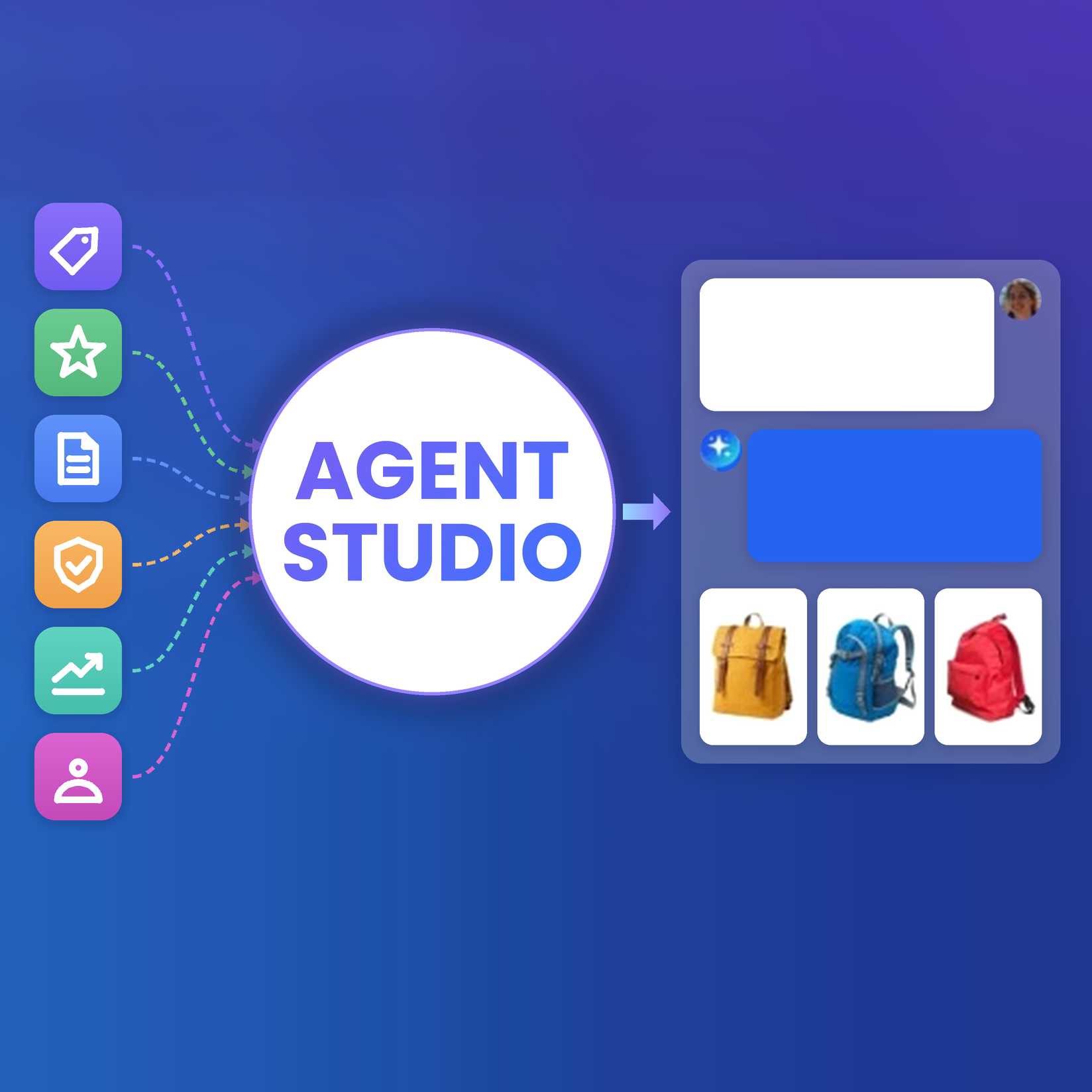
Agent Studio gives developers a way to build these kinds of experiences with Algolia. It connects an LLM to Algolia search and tools, uses Algolia index data to ground responses, and supports use cases such as shopping assistants, conversational search, and custom workflows. Agent Studio is available today for developers who want to take it for a spin and see how it can work for their own projects.
Stop thinking about the chatbot
Near the end of the talk, Imogen summed up the shift clearly: “Stop thinking about the chatbot and start thinking about the entry points.”
That is the framing developers need for agentic search.
The question is not just where to put an AI widget. The better question is where users are already showing intent, and how the agent can meet them there with useful context and meaningful actions.
When that happens, users do not need to think of the experience as “using AI.” They are searching, browsing, comparing, and deciding with help that appears at the right moment.
Try Agent Studio today, or watch Imogen Lovera’s original DevBit presentation below to see the full talk.



.webp)













%20(2).svg)