Affordances — the information about how to interact with something that we intuit from that thing’s design — are the foundation of great UX. For example, you can tell whether to push or pull a door by whether it has a flat plate or a protruding handle. We don’t typically notice this unless the door doesn’t work the way we expect it to, in which case we’d have to read signs and labels to figure it out. That would add a lot of friction to what should be the very simple operation of entering a room.
This logic applies to anything we interact with, including online. For the best user experience, every action a user takes on our ecommerce site should feel intuitive. So when we add new features, like AI assistants, the way those features are integrated into our current site determines how they’ll be used and if the users will enjoy them at all.
Companies might assess embedded agents by answer quality or latency or adherence to guardrails or available capabilities. On an ecommerce site, for example, an agent might search the catalog, research product compatibility or usage, compare options, or add an item to the cart. But before the users discover what an agent can do, its interface tells them what it’s for. So anybody implementing AI features into their site should be asking: What action does this interface teach the user to take?
The bottom-right bubble carries support baggage
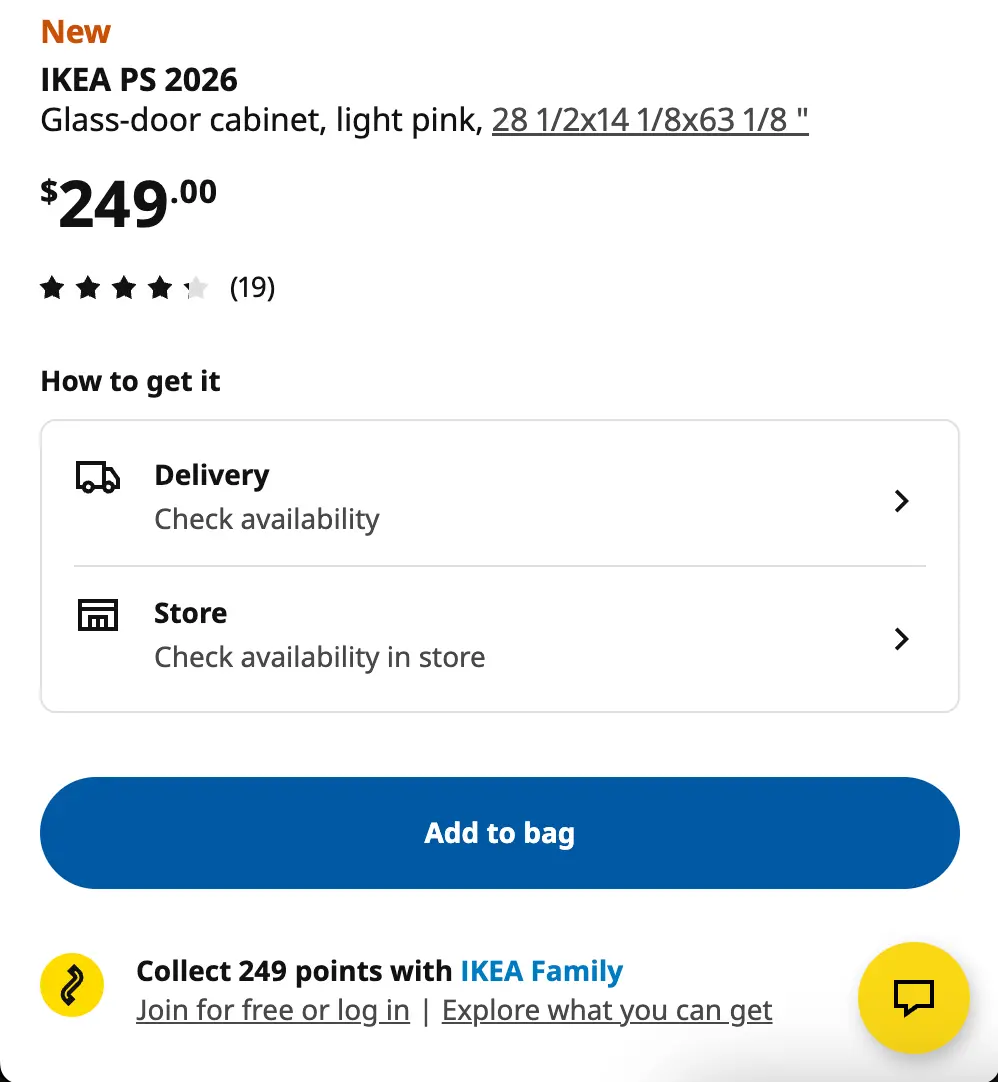
The most familiar AI interface has to be the bottom-right chat bubble. For example, when you’re on a product page on IKEA’s website, they show a yellow icon in the bottom right that connects you to their chatbot named Billie:
However, when you click on it, here’s how Billie introduces itself:
Hej! I am Billie 🤖, a US helper bot assisting customer support.
The interaction options it presents all relate to customer support, not product discovery. IKEA has plenty of products to sell, but their goal specifically with this agent is to assist users with order status, pickup scheduling, returns, shipping information, account problems, policy questions, and the like.
Years of online customer service interfaces have conditioned users to expect only support out of the chat bubble. That’s a good thing in some ways: for example, the convention reduces the need to explain the support agent, like the protruding handle on a door makes it obvious to pull. This eliminates a lot of friction inherent in introducing new AI features to customers. However, it also limits what the agent will end up being used for since shoppers looking for products and readers looking for content may not think to open a support-shaped widget. If your product discovery agent looks like this and isn’t getting much interaction from users, the problem likely is that intent mismatch. A support-shaped interface produces support-shaped behavior, and if the user’s intent isn’t support, the agent will create more friction than it resolves.
Search gives an agent discovery or purchasing intent — plus context
So where do we capture non-support intent? The answer is search.
Search users have already declared discovery or purchasing intent: they’re trying to find a product, an article, or an answer to a defined question. They’re also working within the site’s corpus of products or content, and may have already supplied useful refinement context through their query, filters, category, and current results.
Putting an AI mode within or beside search lets the agent inherit both that intent and the surrounding refinement context. That gives it more specific information to work with and makes its output more useful. It also extends an existing behavior instead of demanding that the users learn a brand new feature — there's no sense in asking users to form a new habit when you can make an existing habit more powerful. That built-in familiarity and ease of use makes AI search quick to be adopted by users and generate ROI for the company.
This is especially valuable for requests that are difficult to express through keywords:
“Find a waterproof jacket for a week in Iceland that will still pack into a carry-on.”
“Show me reporting on this topic from before the acquisition.”
“Which of these products is best for a small team without an administrator?”
For these requests, the user knows what they need, but the need contains constraints, comparisons, and context that doesn’t collapse neatly into a few keywords. A traditional search experience forces the user to translate that need into a query, inspect the results, add filters, and repeat the process; a conversational interface lets them state the goal in their own language from the beginning.
Just to be clear, none of this makes conventional search obsolete. Someone who enters an exact product name, SKU, article title, or other known-item query should be taken along the shortest possible route to the result they’re looking for. The strongest discovery experiences can support both behaviors: direct search when the request is simple and conversational exploration when the decision is more complex.
Prominence determines whether the agent is optional or primary
Placement and prominence solve related but different problems:
Placement establishes the intent that users associate with an agent: support, discovery, comparison, or creation.
Prominence determines how likely they are to notice the agent, understand that it is available, and decide that trying it is worth interrupting their established behavior.
Prominence isn’t a binary choice; it’s more like a spectrum. On one end, you have hidden or secondary widgets. They cause little disruption. They’re available when someone actively looks for them, but they have limited space to communicate what the agent can do. This approach can be appropriate for support, where the need motivates users to find help. It’s less effective when the company is trying to introduce a new discovery behavior that users do not yet know to seek out.
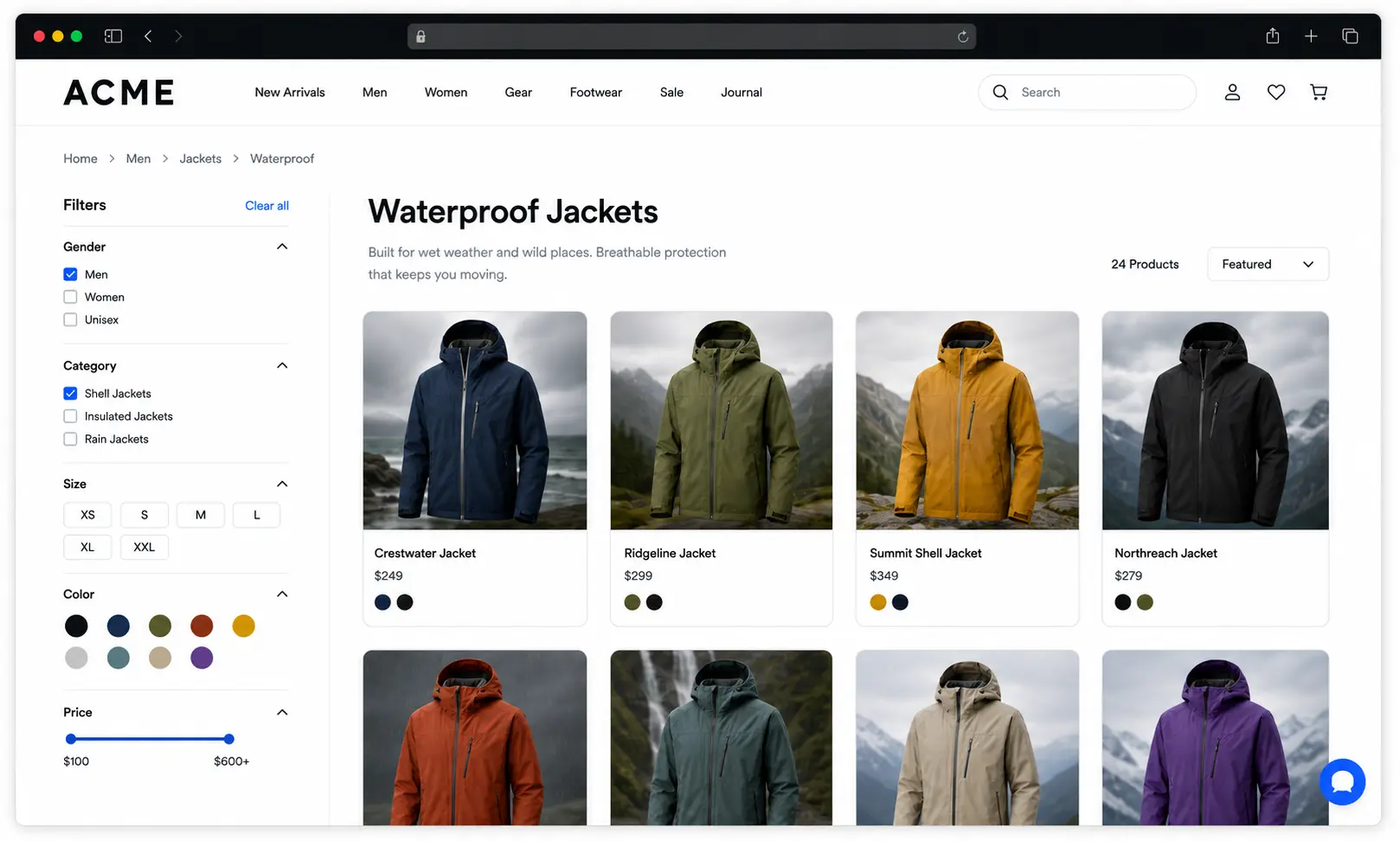
Agentic behavior implemented on a clothing retailer’s site in the form of a subtle support widget.
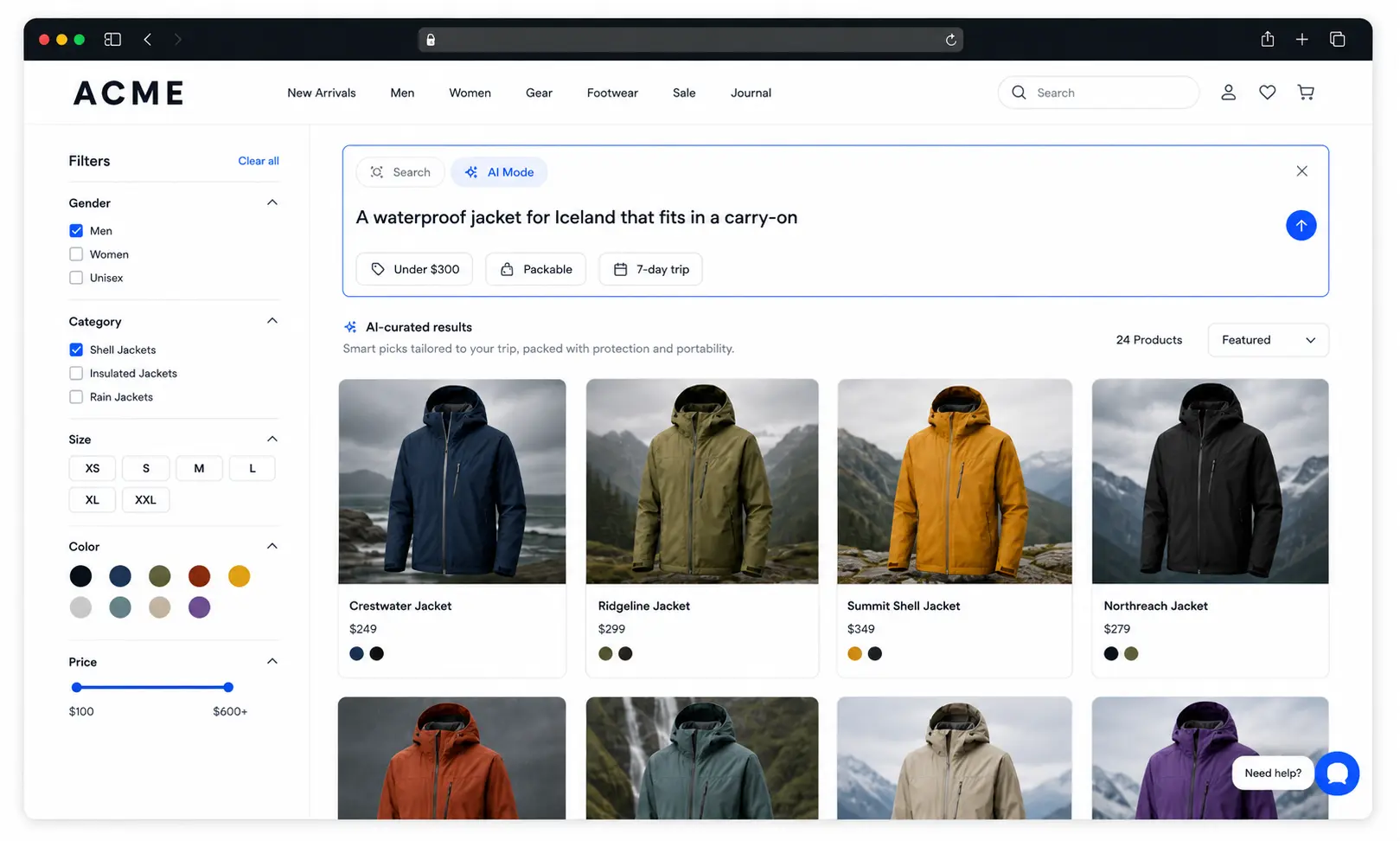
An AI option within search sits at the middle of the spectrum. The placement lets it extend a familiar interaction, and UX additions like labels and one-click contextual examples can invite users to try a richer request without forcing every search session into a conversation.
Agentic behavior implemented on a clothing retailer’s site in the form of a subtle support widget.
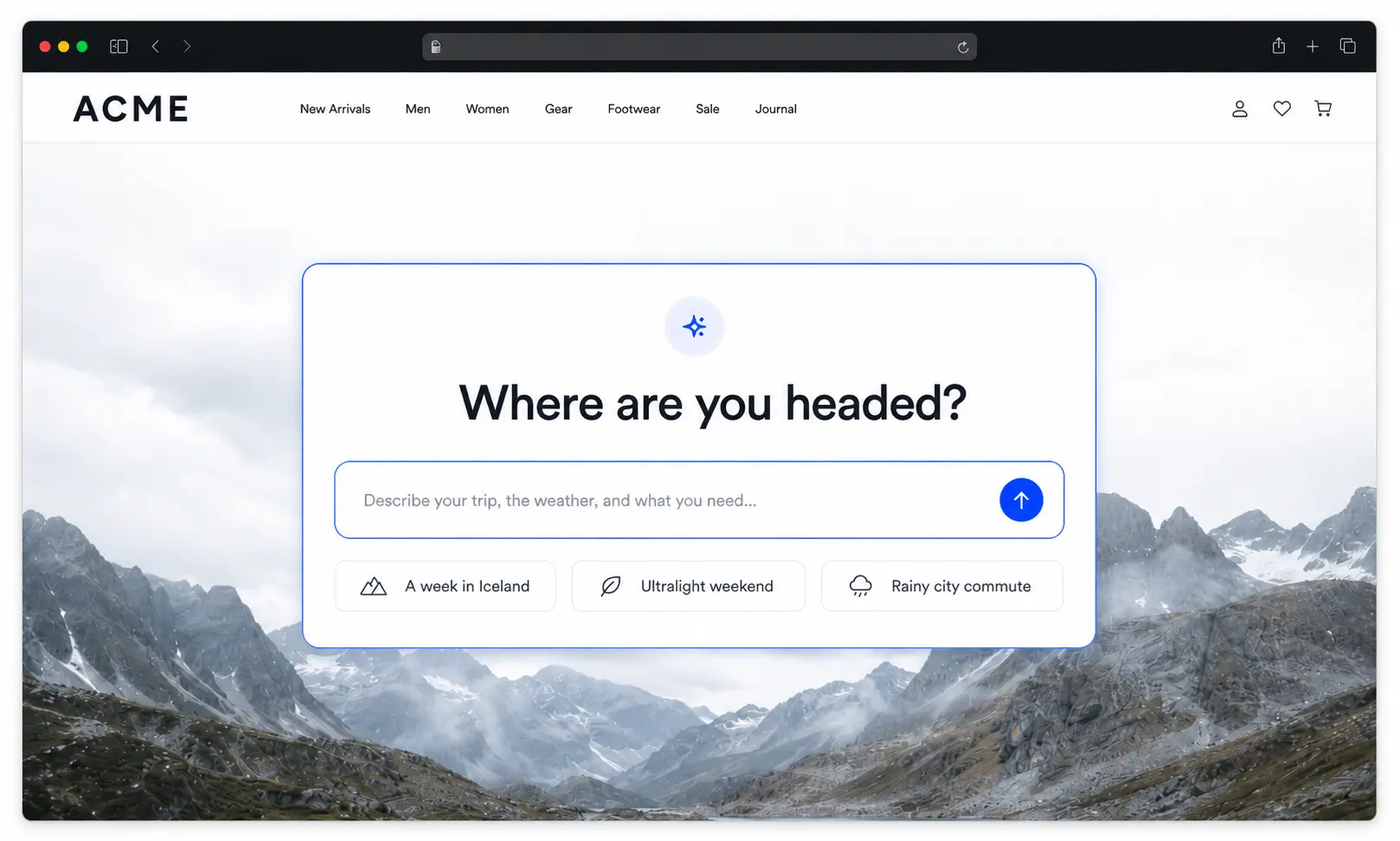
A large central input takes over every other functionality, so it’s a much bolder product decision. Lovable’s homepage is a good example of when the agent’s prompt field is not just part of the experience — it is the experience. Pages like these teach users that the primary way to begin is to describe what they want to create.
Agentic behavior implemented on a clothing retailer’s site in the form of a prompt input replacing all other discovery features.
Here’s the key takeaway: Making an agent more prominent creates more opportunities for engagement, but it also displaces interactions that may already work well. That balance is going to be slightly different for every business, but an ecommerce store is likely going to be somewhat in the middle. The right level of prominence depends on how central the agent is to the product’s value, how much advantage it offers over established interactions, how familiar the audience is with conversational interfaces, and what the new surface would replace.
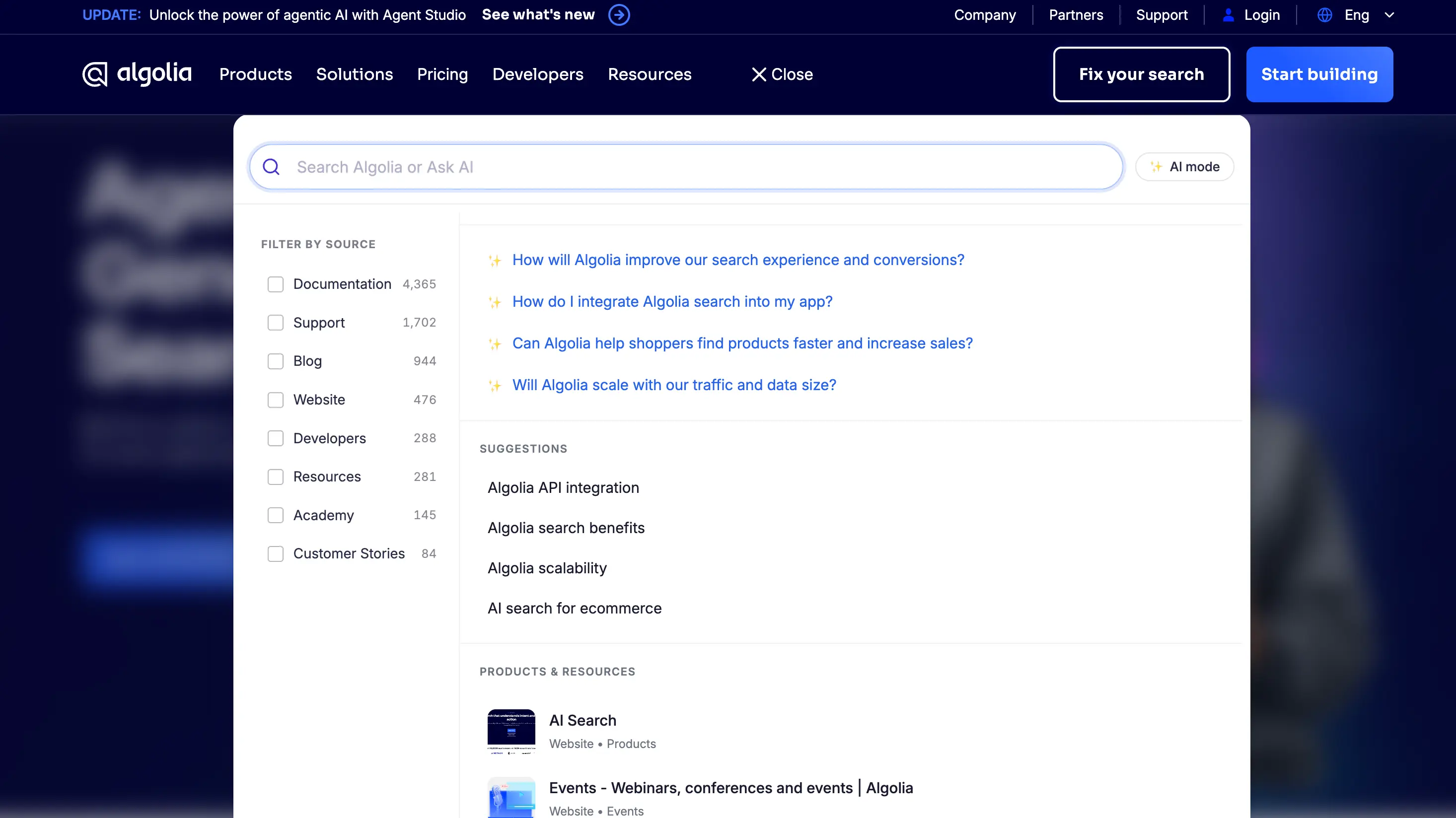
Even a well-placed, prominent input can fail if it does not make the agent’s capabilities legible. A generic label such as “Ask AI” tells users how to start typing, but not what kinds of requests the system can handle, what information it can draw from, or why they should use it instead of the surrounding interface.
The Algolia.com website AI-powered search bar includes agentic prompts, which suggest to visitors the kind of information they can ask.
Labels and suggested prompts act as affordances for the conversation itself. On a jacket category page, “Describe where and when you’ll wear it” establishes a different (and more productive) expectation from “How can I help?” On a results page, a suggestion such as “Compare these options by warmth, weight, and waterproofing” teaches the user that the agent can reason about the products already in view.
Those suggestions should change with the user’s context. Product pages can invite questions about fit, compatibility, or alternatives. Article pages can offer explanations, related coverage, or ways to explore the topic further. Search results can invite refinement and comparison. When users click to another page or refine the result set, the interface should make it clear whether the agent’s context has changed. Users shouldn’t need technical expertise to understand which products, pages, or results are shaping the response. In all these cases, our goal here is to use copy and UI to make the agent feel like a tool with the power to solve the current task, rather than a separate destination or diversion.
Design backward from the behavior the business needs
There is no universally correct place to put an agent. Work backward from the behavior the business needs:
Define the business outcome. Name the specific, concrete result you want. “Increase AI engagement” is a bad goal because it’s vague and doesn’t correlate to a real problem needing to be fixed; “Resolve support tickets” or “Improve conversion” are much more measurable and solution-oriented.
Find where that intent already appears. Support intent shows up in account, order, and help flows; discovery intent appears in search, results, categories, and collections. Place the agent where the users go to do the thing the agent does.
Choose a pattern that extends the existing behavior. Use support widgets for resolution, search-integrated AI for open-ended discovery, contextual prompts for comparison, and a central prompt only when the agent is the primary way users receive value.
Make the value and boundaries obvious. Clear labels and contextual examples should show what users can ask, what information shapes the response, and how they can return to conventional search, filters, or navigation.
Test and measure the downstream behavior. Track outcomes such as resolution, result clicks, qualified product views, add-to-cart activity, conversion, or return usage. Compare the experience against a control, and measure whether it improves the intended outcome without displacing search, navigation, or filtering behaviors that already work well.
Agentic discovery as part of the product, not a chatbot pasted on top
If deeply integrated agents are more useful, why do we so often still default to a floating widget?
Often, the answer is not product strategy but implementation cost. A standalone chatbot can be bolted on without collaboration, while an agent woven through discovery requires more of the surrounding product to work together. It might require connecting retrieval, business data, conversational state, actions, permissions, and several front-end surfaces. The agent also needs enough context to understand whether the user is searching, comparing, reading, or preparing to act. Without that orchestration, the easiest implementation can dictate the interface even when it does not match the intended behavior.
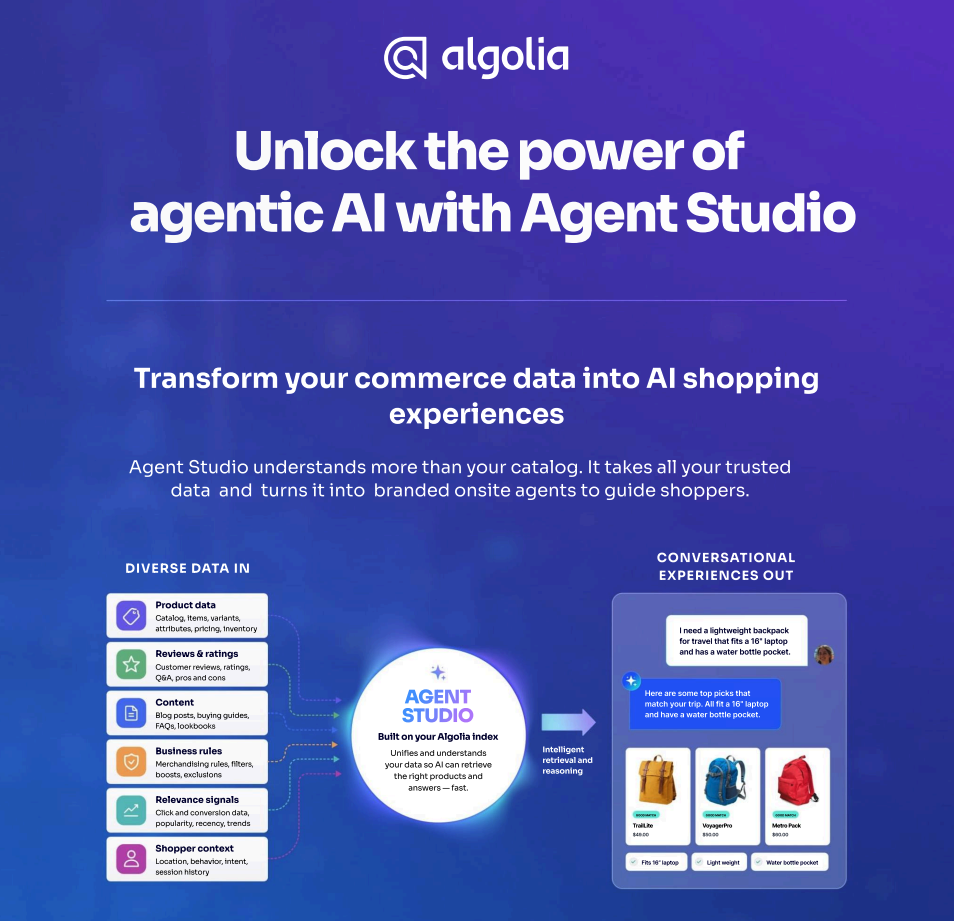
Contextual prompting only works when the agent has access to the query, result set, filters, product data, and conversational state. Agent Studio is the retrieval and orchestration layer that grounds the agent in that context. It handles requirements such as context injection and action definition, while Algolia’s UI libraries give teams flexibility over how users interact with the agent. That leaves product teams free to choose placement and prominence based on the behavior they want to encourage, instead of allowing implementation constraints to make the decision for them.
Whatever the implementation, the interface should answer the same question: What action does this teach the user to take?












.webp)


.jpg)



%20(2).svg)