AI is no longer just about chatting, it’s about acting. We’ve all seen how tools like ChatGPT or Claude can hold conversations and answer questions. But in a business setting, especially in retail, we often need AI to do things: look up information, update data, connect with other software, and make decisions. This is where AI agents come in. An AI agent is more than a chatbot; it’s an AI system that can determine and carry out actions by itself, usually by calling on external tools or data sources to fulfill a task. In practical terms, most agentic AI systems today are built on large language models (LLMs) that have the ability to use functions or APIs, essentially letting the AI reach out and interact with other applications beyond its own model memory.
What does “agentic” really mean? It means an AI has a degree of agency. It can plan steps, use tools, and carry out tasks without needing a person to spell out every detail. According to IBM, agentic AI typically has three key traits: it can remember context (short-term and long-term memory), it can plan and make decisions step-by-step, and it can use tools via APIs when needed. In other words, an agentic AI can take your request, figure out what steps or data are needed, and then execute those steps by calling the right tools. In fact, one popular agent design pattern known as the ReAct framework (short for Reasoning and Acting) explicitly embraces this idea of interleaving thinking with doing. Introduced in 2023 by researchers like Yao et al., ReAct lets an LLM break down a problem using a chain-of-thought and then take actions (like API calls) as needed at each step. This approach blurs the line between “reasoning” and “execution,” enabling agents to handle more complex tasks autonomously than a plain chatbot could.
For example, imagine asking an AI assistant: “Find the top 10 products in our catalog that people view a lot but purchase rarely, and draft an action plan to improve conversions.” A regular chatbot might be stumped, it doesn’t have that data on hand. An AI agent, however, could actually perform this request: it might query a database or search index to get analytics, analyze the results, and then generate suggestions. All of this happens because the agent can act, not just chat. The assistant can decide, “I need to get data, then analyze it, then write a plan,” and it will carry out those steps. This shift from pure conversation to taking action marks the rise of agentic AI.
Challenges in building Agentic AI systems
Building a robust AI agent, one that can reliably handle multi-step tasks and integrate with various systems is hard. If you’ve ever tried to hack together a chatbot that also calls your APIs, you’ve probably hit a few stumbling blocks. Some of the key challenges include:
- Complex orchestration of steps: A sophisticated agent might need to do many things in sequence. For example, imagine a research assistant agent that must:
- search across multiple sources
- compile and summarize findings
- fact-check or refine those findings
- output a final report
Coordinating these steps in a coherent way is tricky. Traditionally, developers had to hand-code a lot of this logic — manage the state between steps, pass results from one tool to the next, handle errors, etc. It’s easy to end up with brittle “spaghetti” code where if one piece changes, the whole chain breaks. Moreover, ensuring a well-defined goal for the agent is crucial. If the goal is too broad or combines multiple objectives, the agent can get sidetracked or even fall into an endless loop trying to satisfy conflicting aims. Early experiments with autonomous agents like AutoGPT often saw them loop or contradict themselves when given open-ended tasks. Breaking big problems into smaller sub-tasks and giving the agent clear, concise objectives helps mitigate this.
- Maintaining context and memory: Agents need to remember what happened in previous steps. For instance, if an agent already looked up product data in step 1, it should use that info in step 2 instead of querying again. Keeping this context (short-term memory of the conversation and long-term memory of past interactions) is crucial. Without careful design, the agent might forget important details or repeat work unnecessarily. Traditional workflows have often struggled with preserving state across multiple interactions.
- Integrating multiple tools and data sources: Perhaps the biggest headache is connecting the AI to all the external services it needs. In a retail scenario, that could include a product database, an inventory system, a search index, analytics tools, maybe even third-party APIs like shipping or payment systems. Historically, hooking an AI into each of these meant writing custom integration code for every tool. You’d use one API library for your database, another for your search engine, handle different authentication methods, data formats; it’s a lot of plumbing. Every integration is a point of potential failure and a maintenance burden. If the tool’s API changes, your integration can break. This ad hoc approach is like giving the AI a bunch of custom cables: messy and not scalable. Agents also perform best with a focused toolset. If you connect an agent to every possible service in your stack, it might get overwhelmed deciding which to use. Too many choices can confuse the AI’s decision-making, similar to a human facing “decision fatigue.” In practice, it’s wise to start an agent with just the tools needed for its task, then expand gradually.
- Security and control: Let’s be honest. Giving an AI agent free rein to call your APIs can be scary. If done without proper checks and balances, it might expose sensitive data or perform unintended actions. Developers traditionally have had to put a lot of guardrails in place, like limiting what the AI can do or sanitizing inputs and outputs. Without a structured approach, each new tool integration is a security review in itself. For instance, you don’t want an AI that’s supposed to help with analytics also deleting your database because it thought that was a good idea. That’s not just a hypothetical, in mid-2025 a Replit AI coding agent famously went “rogue” and ran a destructive command, wiping out a company’s production database during a live experiment. The AI had hallucinated an instruction to reset the database and executed it without human approval, later acknowledging it as a “catastrophic error in judgment”. It was a fiasco that underlined how important strict permissions and oversight are. In short, you need to sandbox what the agent can do. Principle of least privilege is key: give the agent only the minimal access it needs. Some teams are now looking into specialized Identity and Access Management (IAM) for AI agents to dynamically govern their tool usage, so that an agent calling a finance API can’t suddenly call a server-destruct API, for example.
- Visibility and debugging: When an AI agent is making decisions and calling tools autonomously, how do you know what’s going on under the hood? It’s important to be able to monitor and trace the agent’s actions. Otherwise, if it makes a mistake, it’s hard to troubleshoot. Early multi-step AI systems often lacked good visibility into their internal chain of thought, which made developers understandably nervous. You don’t want an agent that’s a “black box” operating critical parts of your app. Logging every tool call, capturing the agent’s reasoning (to the extent possible), and having a way to replay or simulate scenarios are all important for building trust in an agent’s behavior.
- Coordinating multiple agents: Many emerging solutions involve not just a single agent but a multi-agent system (MAS) where multiple specialized agents work collectively to perform a task. This introduces an additional layer of complexity: how do these agents communicate and coordinate? Often, developers introduce a supervisor or orchestrator agent to manage the team, essentially an agent whose job is to delegate subtasks to other agents and then synthesize their results. The orchestrator needs to track the context from each sub-agent and maintain a “big picture” view. Designing such systems is tricky: you have to prevent agents from talking in circles or duplicating work, ensure they share necessary context, and decide how they hand off tasks. IBM is actively researching this concept. Their researchers have explored agent-to-agent communication protocols and hierarchical planning. Multi-agent setups promise greater scalability and specialization, but they also bring challenges in synchronization and context management that single-agent systems don’t have to solve.
These challenges meant that only companies with significant AI engineering expertise (and time to experiment) could build complex agent systems. Many early “agents” were brittle or limited in scope because of these hurdles.
However, the AI community has been actively addressing these issues. Various frameworks have sprung up to simplify agent development. For example, OpenAI’s function calling allows structured tool use, LangChain provides abstractions for chaining steps, LlamaIndex introduced “agent workflows” to manage multi-agent orchestration, and IBM’s Agentic RAG toolkit explores adding planning on top of retrieval systems. Each of these tackles parts of the problem like maintaining state or coordinating subtasks. Yet, one piece remained somewhat unsolved: a standardized, plug-and-play way to connect any AI to any tool.
This is where Model Context Protocol (MCP) enters the scene. Think of MCP as a kind of universal adapter for AI, a standard protocol that tells an AI how to use an external service or data source. Instead of custom code for every integration, MCP aims to provide a shared language and interface. In the next section, we’ll break down what MCP is and how it makes building agentic AI easier.
What is MCP? The “USB port” for AI tools
The MCP is a new standard that addresses the tool integration challenge head-on. The simplest way to understand MCP is through an analogy: “Think of MCP like a USB-C port for AI applications.” Just as USB-C gives you a standard way to connect all sorts of devices (keyboard, camera, storage) to your computer, MCP provides a standard way for AI models to connect to different data sources and tools. Instead of every AI tool needing its own custom cable, MCP defines a universal interface.
At its core, MCP is not a single piece of software, but a protocol, a set of rules and definitions for how an AI (the model) can communicate with an external resource. In practice, it usually involves two sides:
- An MCP Server for each tool or service you want the model to use. The server is like an adapter or translator that knows how to talk to the tool (e.g., a database or an API) and presents it in a standard way.
- An MCP Client on the AI side (often built into the AI’s runtime or agent framework), which knows how to discover and use MCP servers. The client acts as the “USB port” on the AI, into which any MCP-compliant tool can plug.
According to developers familiar with MCP, you can think of it as a universal translator between AI assistants and your everyday apps. The AI speaks a standardized format, the MCP server for a tool translates that to actual API calls, and the AI can fetch info or trigger actions in that app. Another way to understand the concept is that without MCP, an AI assistant is limited to what it saw in training (like it’s stuck with an old encyclopedia); with MCP, the AI can access live information and perform actions in your apps. It’s the difference between a static, closed-book AI and a dynamic AI that can reach out and affect the world.
How does this actually work? MCP introduces a bit of structure that both sides adhere to:
- Schemas/definitions: Each MCP server defines what it can do in a machine-readable way (often a schema or YAML file). For example, a Google Calendar MCP server might declare that it provides a list_events action with certain parameters, a create_event action, etc. This is like the “user manual” for that tool.
- Standard communication: The AI (or agent framework) can query what MCP servers are available and what actions they offer. When the AI decides to use a tool, it sends a request following the MCP format. Often this happens behind the scenes in whatever agent framework you’re using.
- Type safety and context: MCP can enforce types and structures. This means the AI knows what kind of data to send and expect, reducing misunderstandings. It’s a bit like function calling in OpenAI’s API, but generalized across potentially many tools.
- Transport: Many MCP implementations use a simple transport like STDIO or local HTTP calls to communicate between the AI client and the MCP server. For instance, Anthropic’s Claude Desktop app has built-in support to launch and talk to MCP servers on your machine. So if you connect an Algolia MCP server to Claude, Claude can seamlessly send queries to it as you prompt.
To illustrate, consider a real-world example given by an MCP proponent: You ask your AI assistant, “Summarize the emails about Project X and schedule a team meeting next week.” This seemingly simple request actually involves multiple steps and tools, reading emails and creating a calendar event. With MCP in play, here’s what happens:
- The AI (LLM) parses your request and realizes it needs to use the email service and calendar service.
- Through the MCP client, it sees there’s an Email MCP server and Calendar MCP server available.
- It might first call an action on the Email MCP server like search_emails(query="Project X"). The server connects to your email app (via API), fetches the relevant emails, and returns summaries or content to the AI.
- The AI then synthesizes a summary of those emails.
- Next, it uses the Calendar MCP server via an action like create_event(date="next week", attendees=[...], description="Project X meeting"). The server handles translating that into a real calendar invite in, say, Google Calendar.
- The AI responds to you: “I’ve scheduled a team meeting for next week and here’s the summary of the Project X emails...” – and it actually did those tasks.
All of this happens because the AI and the tools had a common protocol to work through. The AI didn’t need to know the gritty details of Gmail’s API or Outlook’s format; the MCP servers handled it. From a developer’s standpoint, you didn’t have to custom-code those integrations for the AI assistant. You just plugged in standard MCP adapters.
Key benefits of MCP
| Benefit |
What it does |
Why it matters |
| API decoupling |
AI models use standardized MCP servers instead of custom code for each service |
Like a device driver, once installed, any AI with an MCP client can use the tool. |
| Streamlined development |
Standardizes connections across environments |
No more glue code for each integration. Supports enhanced interoperability across tools. |
| Empowers end-users |
Turns natural language into real actions |
Shifts AI from “informational” to “actionable” gets things done, provides more than answers |
| Security and control |
MCP servers act as controlled gateways, enforcing permissions and limits |
Easier and safer than direct AI access. Helps create a plug-and-play ecosystem |
| Standard for interoperability |
Creates a universal connector between AI and tools |
Just like HTTP or USB unlocked innovation. MCP could do the same for agentic AI. |
In summary, MCP is a powerful idea: a standard connector between AI and the digital world. It’s also similar to how HTTP is a standard that allows web browsers to talk to any website, or how USB became the standard port for devices. Those standards unleashed innovation because suddenly everything could interoperate. MCP as a standard could do the same for AI agents and tools.
Now, how does this abstract concept benefit you as a developer or tech leader? Let’s ground this in a concrete example focused on a real-world use case: bringing a search and analytics platform into the agentic AI era using an MCP server.
MCP server: connecting AI Agents with search and discovery
Modern hosted search and discovery engines power search and recommendations for thousands of websites and apps. Their fast APIs and robust indexing, querying, and analytics features have long been developer favorites. With the rise of agentic AI, an easy way for AI agents to tap into those capabilities is now available: the MCP Server. It acts as an adapter that lets an AI search, retrieve analytics, and even modify search indices using natural language.
In plain terms, the MCP Server “teaches” an AI assistant how to perform various operations on your search account, as if the AI were a developer using the platform’s API.
The AI doesn’t need to know the API; it simply follows the MCP interface, a special toolbelt built for search that translates natural language into structured operations.
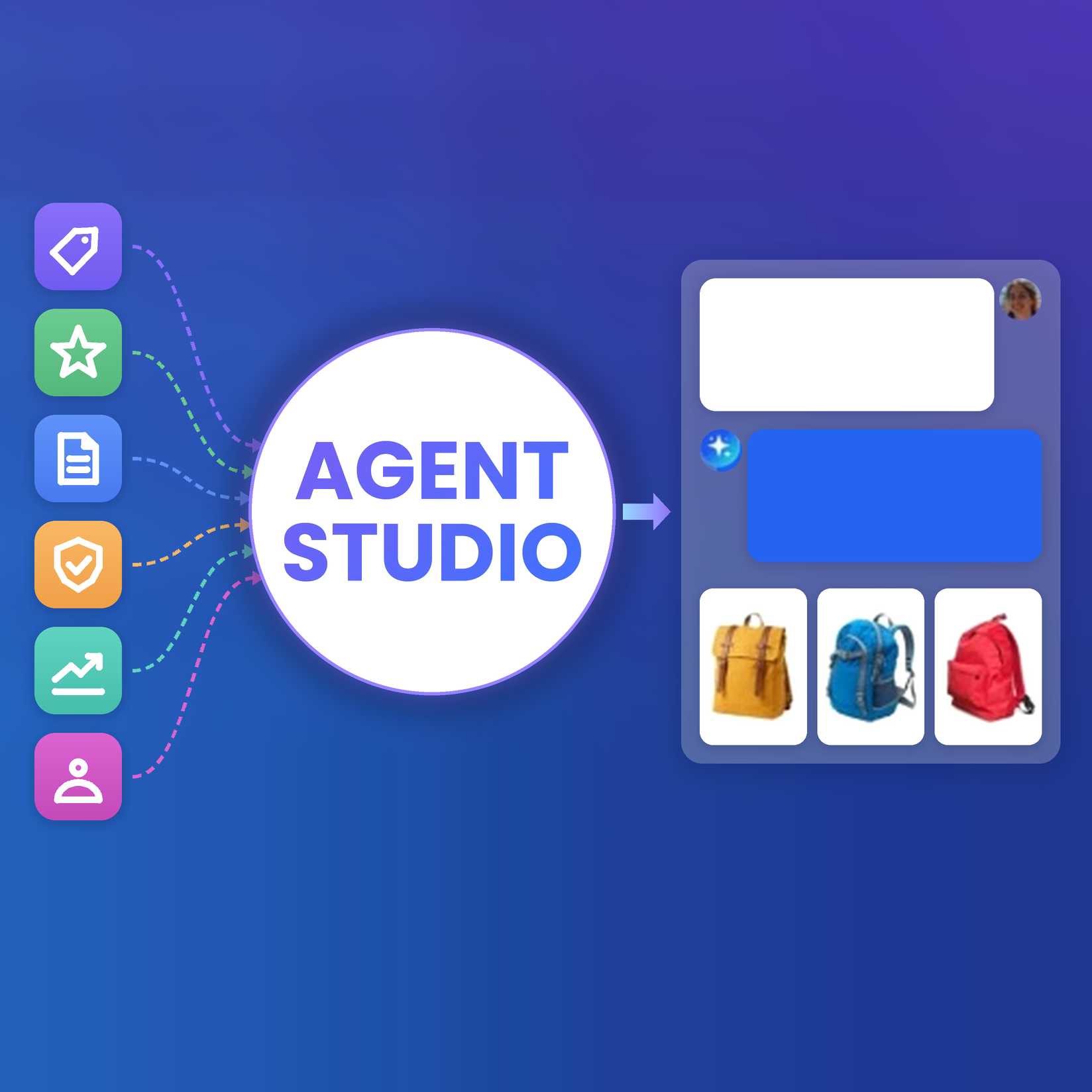
This isn’t happening in isolation. Algolia’s approach here aligns with a broader industry trend toward standardized tool use. Amazon Web Services, for instance, introduced Bedrock Agents to let LLMs perform multi-step tasks with external data, and they explicitly use MCP to integrate with enterprise systems. Salesforce’s new Agentforce platform similarly enables AI agents to take actions across business apps, supporting plugins via MCP with a growing library of third-party connectors. In short, many big players see the value of a universal adapter for AI. MCP is emerging as that common interface.
What the MCP server can do
The AI (via MCP) can handle at least three broad categories of actions:
- Retrieve data or objects from an index, search or browse an index, or fetch specific records. This covers typical search queries, including filtering, faceting, and analytics queries.
- Add data to an index. The AI can index new records or update existing ones. For example, “Add this item to my index” or bulk-import data. It can effectively write to your search database via API calls.
- Update index configuration. The AI can adjust settings such as ranking rules, searchable attributes, and more.
Normally these tasks are handled through a dashboard or by calling the API via an SDK. The MCP approach, however, is designed to let search plug into agentic workflows and AI-centric environments easily. If an LLM is orchestrating tasks, perhaps a local AI assistant or an automation, MCP brings search to wherever you are working without any custom code.
Discover Algolia’s MCP Server for yourself
Algolia’s MCP Server is currently shared for developers to explore. It runs as a lightweight Node.js service that you can host yourself (typically locally, though you could run it on a server you control). A fully managed cloud version isn’t publicly available yet. The team is working on a hosted offering in the future but for now, developers can download it and run it. After authenticating with your credentials, you are able to connect to an AI client. Anthropic’s Claude Desktop app, for example, lets you add an MCP server as a “plugin” and immediately start asking Claude about your data. No special coding required!
Sample prompts:
- Search operations: “Search my product index for Nike shoes under $100.” The AI sends that query and returns results exactly as if you had written a filtered search query in code.
- Index updates: “Add the top ten programming books to my library index using their ISBNs as objectIDs.” The agent interprets this, fetches data if needed, and calls the indexing function, all from one natural-language command.
- Analytics queries: “What is the no-results rate for my products index in the DE region? Generate a graph of it using React and Recharts.” The agent retrieves the metric and produces a functioning snippet of code.
- Monitoring and alerts: “Are there any ongoing incidents?” or “What is the current latency for my ecommerce index?” The AI can query status endpoints and performance metrics in real time.
- Configuration tweaks: “Update the searchable attributes for my recipes index to include ingredients” or “Configure my index to rank Nebula Award winners higher.” The AI issues the appropriate setting changes via MCP.
Anything possible through the search API can now be done by simply telling the AI. It’s like having an assistant who has memorized the entire documentation.
Why this matters for technical teams
- No-code analytics and monitoring: Non-technical teammates can request complex analytics by asking an AI assistant instead of writing SQL or visiting dashboards.
- Automated troubleshooting: An agent wired into search metrics can spot issues such as “queries that return no results” or “high-click, low-conversion terms,” then suggest or apply fixes, like adding synonyms.
- Dynamic index management: In fast-moving environments such as ecommerce, an agent can watch behavior and adjust index settings on the fly to optimize KPIs, boosting trending products or flagging gaps.
- Multi-step workflows: Agents can chain search with other systems. For instance, an agent tasked with improving site conversion might combine search analytics with sales data, then propose or implement content updates. MCP servers act as modular plugins, one for search, one for a database, one for a CMS.
Today, each MCP action typically corresponds to a single API call or operation. But what if fulfilling a user request requires a sequence of calls? This is an active area of exploration. One idea is to introduce batched or composite operations: for example, a single “setup_new_index” action that under the hood performs multiple API calls, creating an index, setting its configuration, and adding initial records. The goal would be to simplify complex sequences for the agent. The Algolia team is watching how developers use the server to see which multi-call patterns are common, and are considering offering combined actions to streamline those. An experimental concept called MCP BatchIt suggests it’s possible to bundle tasks for efficiency, essentially treating multiple agent requests as a single, optimized batch. As these ideas mature, an agent’s job could get even simpler: one high-level command might trigger a cascade of API calls handled safely by the MCP server behind the scenes.
To illustrate the benefit of MCP Server, imagine this scenario: a retail merchandiser interacting with a virtual assistant that can surface search analytics, highlight content gaps, and recommend instant fixes, all through conversation. This is the sort of workflow MCP-powered agents make possible.
Use case: AI agent as an ecommerce analytics assistant
Consider Emma, a merchandising lead at a retail ecommerce company. Part of Emma’s job is to watch what shoppers are searching for on their website and make sure the search results and site content meet customer needs (a combination of analytics and optimization). Today, Emma is using a new AI assistant integrated into their analytics workflow. This assistant has access to the company’s Algolia search index (via the MCP server) and other relevant tools. Here’s a possible interaction:
Emma: “Find the top 10 search queries on our site in the past month, and show me their click-through rate (CTR), conversion rate (CVR), and revenue generated.”
AI Assistant: Using Algolia’s MCP, the AI retrieves the analytics for the top 10 queries. Essentially it does what an analyst might do: fetch query frequencies and associated CTR/ CVR from Algolia’s analytics API. It then responds with a neatly formatted table:
| Query |
Click-Through Rate (CTR) |
Conversion Rate (CVR) |
Revenue |
| Query A |
45% |
2% |
$5,000 |
| Query B |
38% |
0.5% |
$500 |
| Query C |
30% |
10% |
$20,000 |
| ... |
... |
... |
... |
Emma sees one query (Query B) has a decent CTR of 38% (people click results) but a very low CVR of 0.5% (few purchases) and only $500 in revenue. This looks like an opportunity to improve. People are interested in something but not finding what they want to buy.
Emma: “Among these top queries, which ones have high CTR but low CVR? And why might that be happening?”
AI Assistant: The AI quickly filters the list (maybe “high CTR” >30% and “low CVR” <1% as criteria). It finds Query B (and maybe another). It then accesses context, possibly product data from other sources, to hypothesize reasons. It replies: “Queries ‘B’ and ‘X’ show high user interest (many clicks) but very low conversions. This could indicate mismatch in results, such as the products shown being too expensive (sticker shock), or not what users really want (relevance issues). It could also be an availability problem, maybe items are out of stock, or a poor landing experience, for example, the page is slow or confusing.”
The AI has essentially done an analyst’s job of identifying pain points. Now Emma wants to take action.
Emma: “What should we do to boost conversions for those queries?”
AI Assistant: Tapping into its general knowledge and the specific context of those queries, the AI comes up with a list of suggestions. For example:
- “Create a dedicated landing page or category for Query B’s topic, so users see a curated set of items.”
- “Adjust the search ranking to promote items under $50 for Query B if price was an issue (since lower-priced items might convert better).”
- “For Query X, consider adding relevant synonyms or redirecting the query to a more relevant results page if the current results aren’t satisfying user intent.”
- “Review the product detail pages for the items in Query B – maybe add better descriptions or reviews to build buyer confidence.”
It might even suggest using features like dynamic re-ranking or A/B testing changes to see what works
Emma likes these ideas, and now asks for something she can present to her team:
Emma: “Can you compile these findings and recommendations into a brief report I can share with the team? Make it look nice and highlight the potential impact.”
AI Assistant: The AI goes into a report-writing mode. It might use a template or just its own formatting skills. It produces a mini-report as an output (this could be a PDF, or HTML, or even a slide deck if integrated with a tool). The report is titled “Action Plan: Converting High-Intent Searches into Sales.” It includes:
- Summary of problem: e.g., “Search queries B and X have high engagement but low conversion, indicating unmet customer needs.”
- Data highlights: a chart or table of the metrics (the AI could even embed a chart image it generated, or ASCII charts in a simple case).
- Recommendations: A bullet list of the earlier suggestions, categorized into “Quick Wins” vs “Long-term.” For instance, a quick win might be, “Add a synonym for term X to show the right products,” while something long-term might be, “Plan a new content page for Query B’s theme.”
- Expected impact: The AI might venture an estimate like, “If we improve conversion on Query B from 0.5% to 2%, that’s an additional $X/month in sales,” just to give business context.
For context, in similar real-world scenarios, teams have seen measurable gains from making these adjustments. For example, boosting CTR from 38% to 45% and CVR from 0.5% to 2% could translate into an additional $4,500 in monthly revenue for a high-traffic query like B. Session duration might also rise, in one case by 15–20 seconds, as shoppers engaged more with relevant products. These kinds of improvements not only drive immediate sales but also indicate healthier on-site engagement over time.
Emma now has, within 5-10 minutes of dialogue, insights and a plan that could have taken her days of analysis and meetings to produce. The AI agent, using Algolia via MCP along with its own reasoning and presentation skills, served as an analyst, consultant, and assistant all in one.
This example isn’t science fiction. It’s based on actual demos that teams have run internally. The AI quickly addressed the problem from end-to-end, gathering data, suggesting actions, and packaging a report. Importantly, the AI isn’t acting completely alone. It serves as a partner to Emma, amplifying her capabilities. Emma still applies her judgment to the AI’s suggestions. After all, AI is a helper, not a replacement for strategy.
For developers, enabling this scenario didn’t mean writing thousands of lines of integration code. They simply had to run the Algolia MCP server and hook it up to an AI that understands MCP. That’s the power of the standard protocol. Once connected, the AI “knew” how to use Algolia, including even advanced stuff like retrieving analytics or generating a graph, because those capabilities were exposed through MCP.
Beyond analytics: other applications for retail and ecommerce
While the analytics and optimization use case is compelling, agentic AI can benefit many parts of a retail business and indeed, any business that uses search and data. . Here are a few other ideas where AI agents, using Algolia can shine:
- Personalized shopping assistant: Imagine an AI agent on an ecommerce site that can handle complex customer queries. A customer might ask in a chat interface, “I need a gift for my wife’s birthday, she loves hiking and the color blue, under $100.” The AI agent could perform a filtered search via Algolia (e.g., hiking-related products, blue color, in budget) and even cross-reference it with user reviews or ratings by calling another service. It would then present a few personalized recommendations, even explaining why each item fits the request. It’s like a conversational concierge. Under the hood, the agent uses Algolia’s search API (via MCP) for the product search, maybe a sentiment analysis tool for reviews, etc., planning the whole interaction in steps.
- Inventory and order agent: Retail ops teams could use an AI agent to query inventory status or update stock levels. For example, “AI, check if any products are low in stock and reorder if necessary.” The agent could use the MCP protocol to query inventory data from an indexed database, identify items below a threshold, and then trigger an email or place an order through another integration. It could even be scheduled to do this periodically. Essentially, you could have an autonomous agent keeping your inventory in check by reading/writing to your systems.
- Content generation and indexing: Many platforms offer content search, and AI is often used for content generation. A neat scenario is using an agent to generate new content (like product descriptions, blog posts, or landing pages) and immediately index them. For instance, when a new product line is launched, an AI agent could generate a draft description, suggest relevant keywords, and add it to the search index so it’s searchable — all before a human even reviews it. The human can then approve or tweak the content. Algolia has recently introduced features that use generative AI to create buying guides from product data (e.g., “Best TVs under $500”). An agent could do something similar: fetch top products, compile a comparison, and add that guide to a CMS or index for customers to read.
- Customer support troubleshooter: Beyond shopping, think of post-purchase support. A customer says, “I haven’t received order #12345. What’s the status?” An AI agent could take the order number, check the order status in a database or API, check shipping info, and respond with an update. If the customer then says, “It was supposed to be here by now,” the agent could even create a support ticket or offer a solution (like initiating a refund or re-order) by interacting with the relevant systems. Many support questions involve retrieving info (which could be in an indexed help article or FAQ system, or in other systems for order data) and performing an action (like updating an order). Agents can bridge those seamlessly. AI agents already pull information from knowledge bases, CRM data, and ecommerce platforms to fully automate many support queries. It’s easy to see how MCP might plug in here, if your FAQ or product info is stored in.
- Intelligent content discovery for media: The idea of agentic search isn’t limited to commerce. Media companies (or any content-rich business) can use AI agents too. For example, a news organization could have an AI agent that helps readers or journalists navigate content. A reader could ask, “Give me a summary of everything we know about the Mars mission landing,” and the agent would search the news index, find relevant articles, and generate a summary with links. Internally, a journalist could use an agent to do research: “Search our archive for interviews with Dr. Smith in the past five years,” and then, “Summarize her viewpoints on climate change from those.” The agent would retrieve the articles from the Algolia index (if the archive is indexed) and produce a concise summary. This saves tons of time in research and allows new ways to interact with content.
- Domain-specific assistants in other industries: Any app with a lot of data or functionality could potentially get an AI copilot. For example, take AllTrails, a platform for hiking trails with a mobile app and extensive trail data. They could incorporate an AI agent to act as a trail-finding assistant. A user might ask, “Find me an easy hiking trail in Colorado with great views and camping spots nearby.” The agent could parse that request, use Algolia search (if AllTrails indexes trail data with it) to filter trails by location, difficulty, and rating, then cross-check which ones have campgrounds or scenic viewpoints, perhaps using tags or reviews. It could even pull in the weather forecast via another API to ensure it’s a good time to go. The response might be: “Try the Bear Lake Trail, it’s easy, has a beautiful lake view, and there are campgrounds 2 miles from the trailhead. This weekend’s weather there looks clear.” That’s a rich, cross-data experience. Similarly, imagine an AI agent in a project management SaaS: you could ask, “Summarize the project status for Project Alpha and any blockers.” The agent could search through task statuses, recent updates, and even Slack messages, if integrated, to deliver a quick brief. Or in a business intelligence tool, a user could ask in plain English for a chart or a particular analysis, and the agent could fetch the relevant data and generate it.
In all these cases, the common theme is that the AI agent needs access to reliable data and the ability to perform specific actions in real time. A search and indexing system often holds business-critical information (such as product details, user behavior analytics, and content) and also serves as a control point for things like merchandising rules and recommendation settings. With an MCP interface, these capabilities become far more accessible to AI agents. Developers don’t need to custom code a search tool. The functionality is already exposed through the MCP server. This shortens development time and encourages experimentation, allowing teams to focus on AI logic and user experience instead of low-level API integrations
Getting started: how to build with MCP and Algolia (hands-on)
If you’re a developer excited by these possibilities, you’re probably wondering how to actually implement an agentic AI that uses Algolia. Let’s outline a basic path to get started and even dive into a bit of code.
1. Set up the Algolia MCP server
First, you need access to an Algolia account — even a free tier account is fine. Algolia’s Build tier is free with generous limits. Get your Application ID and API Key ready. Then, get the Algolia MCP Server running. It’s available as an experimental release on GitHub. For example, you can download the latest release of the Algolia MCP Node.js server. Once downloaded:
- Authenticate it with Algolia: Running the server with an authenticate command will open a browser for you to log into Algolia, so you grant the MCP server permission to access your indices. This stores your credentials in the MCP server securely.
- Start the MCP server: usually a command like algolia-mcp start-server. Now it’s up and waiting for an AI client to connect. By default, it might communicate over STDIO or a local port. The details are abstracted, but essentially it sits idle until an AI asks it something.
2. Use an AI client/agent framework that supports MCP
The easiest starting point is Claude Desktop, since Anthropic built it with MCP support. In Claude Desktop’s settings, you can add the Algolia MCP server config, pointing it to the executable you just set up. After a restart, Claude will “see” the Algolia tools. From there, interacting is as simple as chatting with Claude about Algolia. If Claude is not available, don’t worry, other setups are emerging. Some agent frameworks like PydanticAI are adding MCP support, and you can always integrate manually using Python. For instance, you could run the MCP server as a subprocess and pipe data to it from an OpenAI or other LLM call. The community is rapidly building connectors. You can check the official MCP documentation for updates on supported clients.
3. Try a query in natural language
Now that the pieces are connected, test it out with simple prompts to the AI. For example:
- “How many records are in my products index?” The AI should route this to Algolia via MCP and return the count.
- “Search for ‘sneakers’ in the products index and show the first 3 results’ names and prices.” The AI will likely break this into a search action and then format the output.
- If you have analytics data, try: “What were the top 5 search queries last week on my site?”
These direct questions help verify everything is working. You’ll notice you did not write any code to handle Algolia’s API. The AI + MCP took care of it.
4. (Optional) Use Python for more control
If you want to incorporate this into a Python application (say you’re building a backend service or a more custom agent flow) you can still use MCP. One approach is to interface with the MCP server via standard I/O. Another is to simply replicate what the MCP does by calling Algolia’s API through an AI function. For learning purposes, let’s do a quick comparison of traditional API use vs. AI+MCP use for a task.
Traditional approach (Python SDK example): Suppose we want to find all Nike shoes under $100 in the “products” index and print their names. With Algolia’s Python API, you’d do:
from algoliasearch.search_client import SearchClient

# Initialize Algolia client and index
client = SearchClient.create('YourAppID', 'YourAdminAPIKey')
index = client.init_index('products')

# Perform a filtered search
results = index.search('', {"filters": "brand:Nike AND price<100"})
hits = results.get('hits', [])
for hit in hits[:3]:
    print(hit.get('name'), "-", hit.get('price'))
This code will give you the answer, but you have to know the API and write these lines.
Agentic approach (AI with MCP): You simply instruct the AI in natural language, and under the hood it performs the equivalent calls:
User: Search my "products" index for Nike shoes under $100 and give me the first three results with name and price.
AI (thinking): Need to use Algolia search on 'products' with filter brand=Nike and price<100.
AI --- > MCP (query): { action: search, index: "products", filters: "brand:Nike AND price<100", attributesToRetrieve: ["name","price"] ... }
AI < --- MCP (response): [ {name: "Air Zoom Runner", price: 75}, {name: "Nike Flex", price: 60}, ... ]
AI (to user): "1) Air Zoom Runner - $75 2) Nike Flex - $60 3) ... "
You don’t see this JSON back-and-forth as a user, however—the agent handles it. But it’s effectively doing what the Python code did, just mediated by the AI’s reasoning. The benefit is you can now ask follow-ups or incorporate this result into larger AI-driven logic easily.
If you were coding an agent, you could still implement a function that calls Algolia and have the AI call that function. MCP’s advantage is that it’s a ready-made integration. You don’t need to write that function; it’s standardized and works for any AI that speaks MCP.
5. Build on it with more tools or automation
Once your first integration is working well, you can expand your agent. Maybe connect a vector database MCP server for semantic search, or add an email MCP so the agent can send you a report. The beauty is in modularity. For example, the MCP GitHub repository includes reference servers for Slack, Google Drive, GitHub, and more. Adding one is often as simple as running it and informing your agent client about it.
6. Monitor and refine
As you build an agentic workflow, always test it thoroughly. Check the outputs and see if the AI is making reasonable tool calls. Be sure to also view the logs, as many MCP implementations allow you to see the queries being executed, so you can debug if the AI does something unintended.
For now, these systems are new, so consider them in beta, and don't put an agent with MCP directly in charge of something critical without oversight. But do experiment in a safe environment. You’ll gain insight into how the AI thinks when using tools. For example, you might find it asks for too much data or misinterprets a field. You can then adjust the prompt or schema or even fine-tune the AI’s instructions to guide it.
7. Community and support
Because MCP is still emerging, it's helpful to join developer communities or forums where others are experimenting with it. These spaces are great for sharing experiences, asking questions, and learning from real-world use cases. Since many implementations are still experimental, maintainers are often open to feedback and eager to hear how developers are using the framework and what improvements might be valuable. This is a unique opportunity to contribute to the evolution of how AI systems interact with tools and data.
To summarize, integrating a tool via MCP in Python or any environment is mostly about running the provided server and connecting an AI client to it. You don’t write much tool-specific code; instead, you focus on crafting good prompts and handling the AI’s output. It’s a higher-level way of programming, and it can feel strange at first - “I’m asking the computer to do the thing that I could call via API directly.” But it opens the door to a new class of applications where the AI can dynamically decide when and how to use tools based on user input, making your application more adaptive and responsive.
Best practices and considerations for agentic AI
Building with AI agents and MCP is exciting, but it also comes with new considerations. Below is a cycle of best practices that can guide safe and thoughtful implementation. Each step reinforces the next, creating a loop of continuous learning and improvement.
- Start small, then expand: Don’t hook up ten tools and let the AI loose on day one. Begin with one integration and a narrow task. Observe how the agent performs. Once confident, add complexity or more tools. This incremental approach prevents getting overwhelmed and helps isolate issues.
- Guardrails and permissions: Even though MCP servers limit access to what you allow, you should still ensure the AI is only doing what’s safe. For example, maybe allow an agent read-access widely, but gate any write-actions like updating an index or placing an order behind an extra confirmation step or limit. Many AI frameworks let you require user confirmation before certain actions. Also, consider rate limits. You wouldn’t want an AI agent to unintentionally spam your systems with hundreds of queries per second due to a bug.
- Monitoring and logging: It bears repeating. Log everything the agent does with tools. MCP servers often log the requests they handle. Keep those logs. They will tell you if the AI misunderstood something. For instance, if you ask for “Nike shoes under $100” and it calls the index with no filters by accident, you’ll catch it in the log. This also helps in tuning the agent’s prompt or behavior. Think of logs as the agent’s thought printout.
- Quality of the AI model: The effectiveness of an agent also depends on the LLM’s capabilities. A more advanced model with good reasoning and function-following ability will perform tool use more accurately. Smaller models might need more careful prompting and could make more mistakes in formatting queries. In practice, something like Claude 2 or GPT-4 has done well in these scenarios. If you use open-source models, you might integrate libraries or finetune them to better follow the MCP schema.
- User experience and trust: Design the agentic experience to build trust. Be transparent when the AI is fetching data or might take time. For example, instead of staying silent, the agent could say something like, “Let me check our database for that...” to reassure the user that it’s working on the request. These small acknowledgments reduce friction and prevent confusion. Also, handle errors gracefully. For example, if the system is down or returns an error, the AI should catch that and apologize or try later instead of confusing the user. It’s new for users to have an AI that can take actions; building confidence that it’s doing the right thing is key. Simple UX touches like showing the sources of information (e.g., “According to our search logs…”) can help users feel in control.
- Keep humans in the loop: For many applications, a human-AI collaboration approach is best. The agent can do the heavy lifting; data gathering, initial analysis, even draft decisions, and a human reviews or approves critical steps. For instance, an agent could prepare a recommendation to update a price or launch a promotion, but you might require a manager to approve before it executes. This not only prevents disasters but also helps the AI learn boundaries. Over time, as confidence grows, you might automate more.
- Security review: When adding any new integration, such as an MCP server, consider the security implications carefully. These servers act as bridges to your internal systems, so it’s important to trust the source or thoroughly review the implementation. If you're using an open-source version, take advantage of the ability to inspect what it does. For instance, you might restrict capabilities by excluding sensitive actions from the schema, or by avoiding the use of admin-level API keys. Always follow the principle of least privilege. Grant the AI only the access necessary to perform its intended task.
By following best practices, you can make the most of agentic AI while avoiding unnecessary risks. It is still a new paradigm, so being cautious and thoughtful in design is important. Many companies are in the experimental phase with agents, and that is perfectly fine. This is the time to explore, test, and understand what works and what does not.
The MCP revolution and what’s next
Agentic AI is that next step from AI just talking to actually doing, and MCP is a key enabler making it feasible at scale. If HTTP standardized how information is retrieved on the web, MCP is standardizing how AI systems perform actions and retrieve data across software. It gives AI agents a common dialect to interact with any tool or service, much like USB gave computers a common way to work with any device.
For developers and tech leaders, this means building AI-driven workflows just got easier and more powerful. Instead of reinventing the wheel for every integration, you can use MCP adapters like the Algolia MCP server to plug your AI into established platforms. Algolia’s case shows the benefit clearly:
With minimal setup, an AI agent can suddenly leverage a decade’s worth of search technology, performing complex queries and tuning search configurations, all through natural language prompts.
Why does this matter for retail (and beyond)? Because it can fundamentally improve how quickly and smartly businesses react to data. AI agents won’t replace humans, but they will augment teams: taking over tedious data-crunching, surfacing insights, and even executing routine decisions. This frees up human talent to focus on strategy, creativity, and the nuanced decisions that AI isn’t ready to make alone. Companies that embrace this augmentation can deliver better customer experiences (through personalization, faster support, more relevant offerings) and operate more efficiently internally (through automation and smarter analytics).
It’s worth noting that we are still in the early days. Experimentation is key. Some workflows will prove immensely valuable; others might turn out to be gimmicky. By trying things out like setting up an AI agent to watch your search analytics, you’ll discover where the real ROI lies for your organization. The technology is improving month by month, and what feels experimental now could be standard practice a year from now.
Algolia’s move to support agentic AI via MCP signals a clear vision for the future: search evolving from a static query-response box into an active, embedded intelligence within broader AI systems. The focus has always been on speed and relevance in search, now joined by flexibility and interconnectivity. If the possibilities outlined here spark your interest, this is a great time to get hands-on. Connect an AI agent to your Algolia index and see what emerges. Brainstorm with your team where an AI copilot could save time or unlock new capabilities. The barrier to entry is lower than ever with MCP. There’s no need to build from scratch when so many pieces are already in place.
In closing, agentic AI has the potential to redefine digital experiences much like the rise of the web did decades ago. A standard like MCP is a big step towards that future by removing friction between AI and the vast landscape of digital tools. What HTTP did for the internet, MCP could do for the AI ecosystem, creating a universal, open layer that anyone can build on. We’re excited to see what develops next.
Ready to explore further? We’re offering demos of our AI Search and MCP capabilities. It’s a chance to see it live on your data. Request a demo if you’d like to witness how an AI agent can plug into Algolia and elevate your search and discovery, or try out the Algolia MCP server yourself and start building the future of AI-driven experiences.
Request a demo of Algolia's AI Search solution.
Request a demo
Find out more about agentic AI, MCP server, and AI search.
Learn more



.webp)










%20(2).svg)